

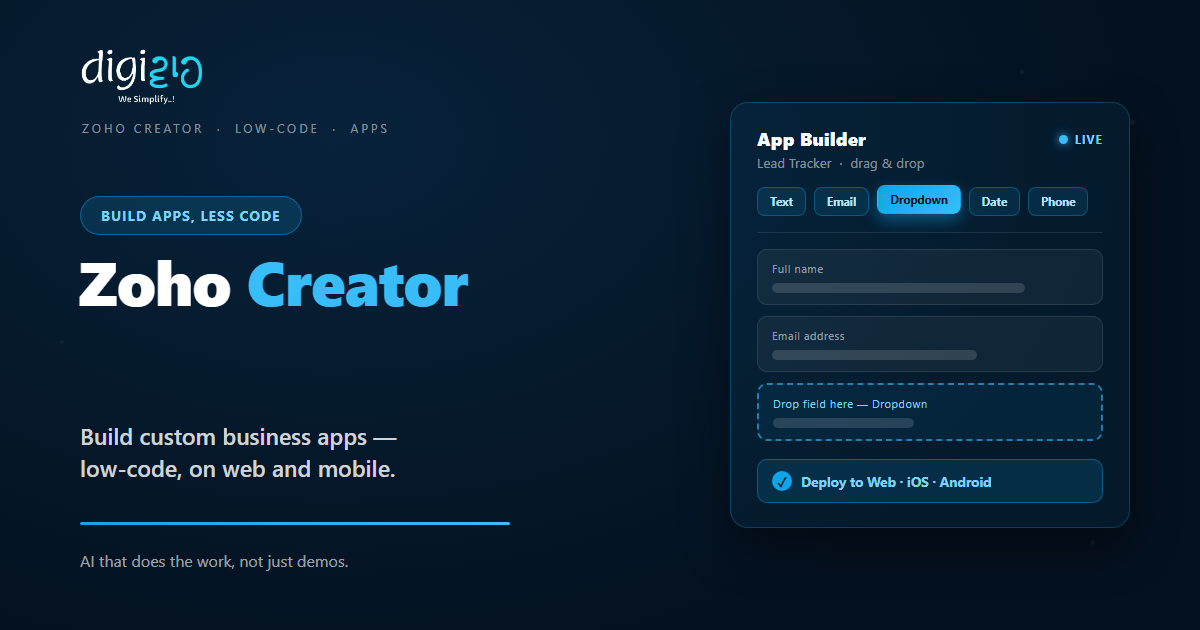
Zoho Creator: Build Custom Apps Without Heavy Coding
Zoho Creator is a low-code platform that turns your business ideas into web and mobile apps — fast.
Last Updated: June 17, 2026
Zoho Creator is a low-code app development platform. In short, it lets you build custom business apps with very little code. So you turn a messy spreadsheet into a real app in days, not months. Plus, every app works on web and mobile.
This matters most when off-the-shelf tools do not fit. After all, every business runs a few odd, special processes. But Zoho Creator lets you build exactly what you need. In this guide, you will see how it works, what you can build, and how to start.
Key Takeaways
- Low-code, not no-code. You build apps fast with drag-and-drop, plus light scripting when needed.
- Web and mobile in one go. It creates iOS and Android apps from the same build.
- AI helps you build. So you can describe an app in plain words and get a head start.
- Automation built in. It runs approvals, alerts, and workflows on its own.
- It connects to your stack. With 1000+ integrations, your apps share data with other tools.
Table of Contents
What Is Zoho Creator?
Zoho Creator is a low-code platform for building custom apps. In short, you design forms, set rules, and publish an app. For example, you can build a lead tracker, an order system, or a field app. So your team stops juggling spreadsheets and email.
It is also part of the wider Zoho suite. So your apps can share data with other tools. For instance, an app can push records into Zoho CRM or pull reports into Zoho Analytics. As a result, your systems stay joined up.
For Indian SMEs, the speed is the big win. After all, custom software usually takes months and a big budget. But Zoho Creator cuts that to days, with one small team.
Low-Code vs No-Code: A Quick Note
People often mix up these two terms. But the difference is simple. So here is a clear, one-line take on each.
No-code means you build only with visual tools. Low-code means you build visually too, but you can add light code when you need more. Zoho Creator is low-code. So beginners can drag and drop, while power users add scripts for tricky logic.
Features That Save You Time
Zoho Creator was built to speed up app work. So below are the features that cut the most effort. Plus, each one works inside the same platform.
Drag-and-Drop Builder
First, you build screens by dragging fields onto a canvas. You set forms, reports, and pages visually. So a working app takes shape quickly.
AI App Assistant
Also, its AI helps you build. You describe the app in plain words, and it suggests a starting structure. So you skip the blank-screen problem.
Workflow Automation
Next, you add approvals, alerts, and rules with a visual builder. So tasks move on their own. As a result, fewer things slip through.
Web & Mobile Apps
Plus, every build runs on web and mobile. It creates native iOS and Android apps for you. So your field team works from a phone.
1000+ Integrations
Meanwhile, it connects to your other tools. You link payment, email, and Zoho apps with ready connectors. So data flows without manual work.
Dashboards & Reports
Finally, it turns your data into live reports. You build charts and dashboards in a few clicks. So you track the numbers that matter.
What You Can Build
The platform is flexible. So teams use it for very different jobs. Below are a few common builds, plus some quick facts.
Common App Ideas for SMEs
- Order and inventory apps. So you track stock, jobs, or dispatch your own way.
- Field and service apps. So staff log visits and updates from a phone.
- Approval and request apps. So leave, expense, or purchase requests move fast.
- Customer or vendor portals. So partners check status without calling you.
Low-Code vs Traditional Development
Custom apps once meant long, costly projects. But low-code changes the maths. So the table below shows the main gaps.
| Factor | Traditional coding | Zoho Creator (low-code) |
|---|---|---|
| Time to launch | Months | Days to weeks |
| Coding needed | Heavy | Minimal |
| Mobile apps | Built separately | Generated for you |
| Making changes | Full dev cycle | Update in minutes |
| Team size | Several developers | One small team |
So the takeaway is clear. If your process is standard, a ready tool may be fine. But for custom needs, low-code is faster and cheaper to run.
Is Zoho Creator Right for You?
Zoho Creator fits many businesses. But not every case. So here is a quick, honest check.
It fits well when…
- You run a process no ready tool covers. So a custom app saves real time.
- Your team lives in spreadsheets. As a result, an app brings order and control.
- You already use other Zoho apps. So your data joins up with no extra work.
Think twice when…
- A standard tool already does the job. Then buy that instead of building.
- You need a heavy, consumer-scale product. In that case, scope it with a developer first.
How to Get Started with Zoho Creator
You do not need to build everything at once. Instead, start with one small app. So here is a simple path for an Indian SME.
-
1Pick one painful process
First, choose a task stuck in spreadsheets or email. So the win is clear and quick. -
2Sign up and start a build
Next, open Zoho Creator and start a new app. The AI assistant can give you a base. -
3Design your forms and reports
Then drag in the fields you need. So you capture and view data your way. -
4Add workflows and roles
Now set approvals, alerts, and who sees what. So the app runs itself. -
5Publish to web and mobile
Finally, share the app with your team. A Zoho partner can help you scale it.
Start with one app this month. You will see the time saved before you build a second.
Zoho Creator in Action: A Quick Example
Numbers are useful. But a real story lands better. So here is how one firm switched.
A construction firm tracked site visits on paper and WhatsApp. So updates got lost, and reports took days. Then they built a field app in Zoho Creator. Now staff log each visit on their phones, with photos and status. Meanwhile, approvals route on their own, and a live dashboard shows every site. As a result, weekly reporting dropped from two days to a few clicks.
In short, Zoho Creator did not just digitise a form. Instead, it gave the owner real-time control. So the team made faster, better calls.
Frequently Asked Questions
What is Zoho Creator?
Zoho Creator is a low-code platform for building custom business apps. In short, you design forms, set rules, and publish to web and mobile. So you can replace spreadsheets with a real app, fast.
Is Zoho Creator low-code or no-code?
Zoho Creator is low-code. So you build mostly with drag-and-drop, but you can add light scripting for complex logic. This gives beginners speed and power users more control.
Do I need to know coding to use Zoho Creator?
No, not to start. You can build many apps with visual tools alone. But for advanced rules, some light code helps, and a Zoho partner can handle that part.
What kind of apps can I build?
You can build order, inventory, field service, approval, and portal apps, among others. In short, if a process fits a form and a workflow, you can likely build it.
Does Zoho Creator make mobile apps?
Yes. It creates native iOS and Android apps from the same build. So your field and on-site teams can work straight from their phones.
Does Zoho Creator work with other Zoho apps?
Yes. It connects with Zoho CRM, Zoho Analytics, and many more through 1000+ integrations. So your apps share data with the rest of your stack.
Conclusion
In the end, Zoho Creator turns custom software from a big project into a quick build. So if a process does not fit any tool, it is worth a look. After all, you get web and mobile apps, automation, and AI help. Plus, you can start with one app.
First, pick one painful process. Then build a small app to fix it. Next, add workflows and share it with your team. That way, you replace spreadsheets with software made for your business.
Think about your most manual task today. What would it feel like as a proper app?
Want a custom app built in Zoho Creator — designed, automated, and launched for your team? Talk to a Zoho Authorized Partner.
