

Zoho Creator Blueprint: Who Does What, and in What Order
A blueprint in Zoho Creator is a visual map of a business process that your app then enforces — stage by stage, owner by owner.
Last Updated: July 17, 2026
A Zoho Creator blueprint puts your process on rails. In short, you draw the stages once, and the app enforces them. So no record skips a step, and no hand-off gets lost. Plus, the right person acts at the right time, every time.
This matters because most processes live in people’s heads. After all, “everyone knows the steps” works until someone is on leave. But a blueprint writes the steps into the app itself. In this guide, you will learn what a blueprint is, how it differs from workflows, and how to build one.
Key Takeaways
- A blueprint is your process, drawn and enforced. Zoho calls it “a visual representation of a business process.”
- Stages and transitions define the path. You can create up to 100 stages per form.
- Owners make hand-offs clear. It defines who performs an action, and when.
- Actions fire after each stage. Alerts, data updates, other apps, even Deluge scripts.
- Anyone can build one. The drag-and-drop builder needs no process experts.
Table of Contents
- What Is a Blueprint in Zoho Creator?
- Workflows Fire Actions. Blueprints Enforce Order.
- Stages, Transitions, and Owners
- What Happens After Each Stage
- Why This Matters for an SME
- Build Your First Blueprint, Step by Step
- Loose Process vs Blueprint
- A Blueprint in Action
- Creator Blueprint vs CRM Blueprint
- Frequently Asked Questions
- Conclusion
What Is a Blueprint in Zoho Creator?
Zoho puts it simply: “A blueprint is a visual representation of a business process.” So you map your process as boxes and arrows. Then the app makes that map the law.
In plain terms, a blueprint in Zoho Creator turns a form into a guided process. Each record moves through named stages, one transition at a time. So a delivery order cannot jump from “Requested” to “Closed” quietly.
Also, building one is not an expert job. Zoho states that “anyone in the organization can quickly design a blueprint for any process.” You break the process into stages and transitions, then drag them into order.
Workflows Fire Actions. Blueprints Enforce Order.
Creator already has workflows, so why add blueprints? Because they solve different problems. A workflow reacts to a trigger and fires an action. But it does not care what happens next.
A blueprint cares about the whole journey. So it holds each record inside a defined path. Next, it waits for the right person to act. Only then does the record move forward.
In practice, you use both together. The blueprint enforces the path. Meanwhile, workflows and stage actions handle the busywork along it.
Stages, Transitions, and Owners
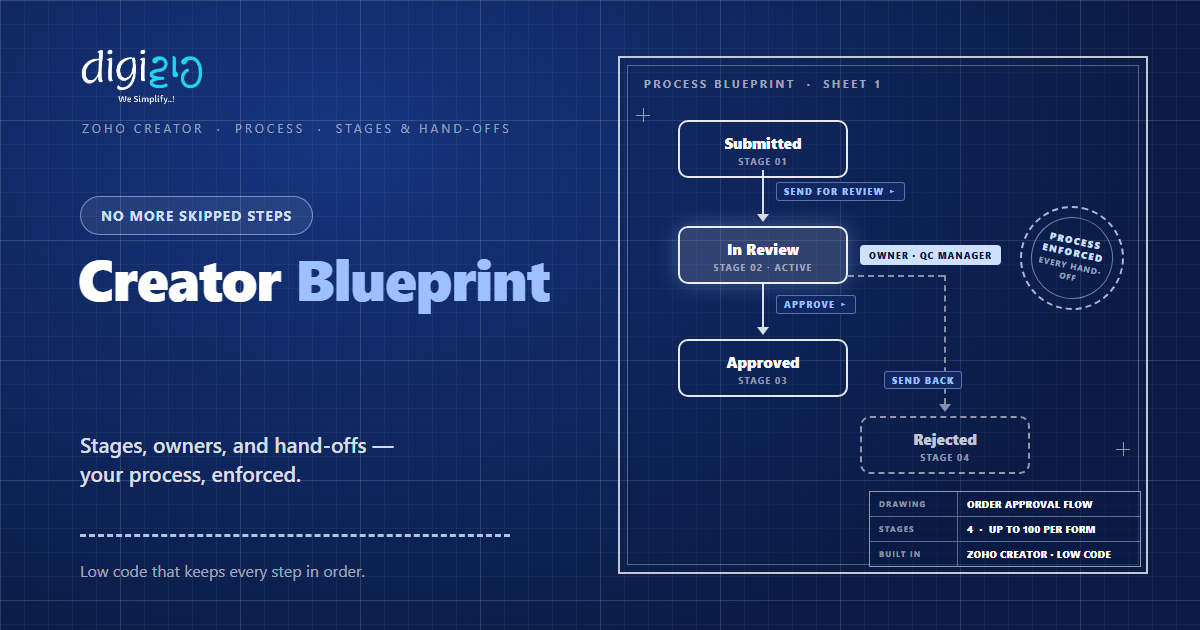
Every blueprint is built from three parts. First come stages — the states a record can sit in, like Submitted or In Review. For a single form, you can create up to 100 stages. So even long processes fit.
Second come transitions — the buttons that move a record between stages. For example, “Approve” moves a request from In Review to Approved. But no transition, no move. That is the enforcement.
Third come owners. Zoho frames it as accountability: the blueprint defines “who should perform an action and when they should perform it.” So hand-offs stop being verbal. Plus, a new joiner can be guided through their role by the process itself.
What Happens After Each Stage
Blueprints do not just gate the path. Instead, they also work at every step. Because when a transition completes, automated actions can run on their own.
- Notifications. So the next owner gets an email alert the moment work reaches them.
- Data updates. So fields change automatically as the record moves.
- Other apps. So the blueprint can push and pull data from the tools you already use.
- Deluge scripts. So custom logic runs exactly when a stage completes.
As a result, the process moves itself between people. The team only does the human part — deciding, checking, approving.
Why This Matters for an SME
Small teams run on informal processes. That feels fast, but it breaks quietly. After all, a skipped step shows up days later as a complaint or a loss.
Zoho’s own pitch for blueprints is blunt: “Fine-tune your processes and reduce bottlenecks, errors, and inconsistencies.” In short, the value is fewer dropped balls. And clear blame-free accountability, because the process names the owner.
So a blueprint is cheap insurance. It costs a drawing session. But it saves the errors that informal processes leak every week.
Build Your First Blueprint, Step by Step
You do not need to map the whole company. Instead, start with one process that keeps slipping.
-
1Pick one leaky process
First, choose a flow that drops steps today — order delivery, reimbursements, or procurement. -
2Break it into stages
Next, name each state the record passes through. So the path becomes visible. -
3Add the transitions
Then connect stages with the actions people take — Approve, Send Back, Dispatch. -
4Assign an owner to each transition
Now decide who may act at each step. So every hand-off has a name on it. -
5Attach after-stage actions and test
Finally, add alerts, field updates, or Deluge scripts. Then run one real record through.
Draw your most-dropped process as boxes and arrows this week. If you cannot draw it, the team cannot follow it.
Loose Process vs Blueprint
Most teams already “have a process.” But the table shows what changes when the app enforces it.
| Aspect | Loose Process | Creator Blueprint |
|---|---|---|
| The steps | In people’s heads | Drawn as stages on a map |
| Hand-offs | Verbal, easy to miss | Gated by transitions |
| Ownership | “Someone” handles it | Named owner per action |
| Follow-ups | Manual reminders | Automatic alerts per stage |
| New joiners | Learn by asking around | Guided through their role |
In short, a loose process depends on memory. But a blueprint depends on nothing. It just runs.
A Blueprint in Action
Here is how this looks on the ground. The story is typical for a service business.
Installation jobs moved on phone calls. So visits got scheduled twice, and sign-offs went missing. Then they added a blueprint to their Creator app. Now every job walks four stages: Requested, Scheduled, Installed, Signed Off. Each transition has an owner, and the next technician gets an alert the moment a job reaches them. As a result, no job closes without a customer sign-off — the blueprint simply will not allow it.
Notice what changed. Not the people, and not the effort. Only the order became non-negotiable.
Creator Blueprint vs CRM Blueprint
Zoho uses the name Blueprint in two products. The idea is the same — an enforced, staged process. But the homes are different, so do not mix them up.
Zoho CRM’s Blueprint runs inside your CRM. So it guides sales records, like deals moving through a pipeline. It is the right tool when the process lives on CRM data.
Creator’s Blueprint runs inside the custom apps you build. So it guides any process you have digitized — deliveries, reimbursements, procurement, bookings. Because Creator is a low-code platform, the process can be exactly yours. Both can also sit side by side in one business.
Frequently Asked Questions
What is a blueprint in Zoho Creator?
A blueprint in Zoho Creator is a visual representation of a business process that the app enforces. You define stages, transitions, and owners, and every record must follow that path.
How is a blueprint different from a workflow in Creator?
A workflow reacts to a trigger and fires actions, like sending an email. A blueprint enforces an entire path — which stages exist, who can move a record, and in what order. In practice, teams use both together.
How many stages can a Creator blueprint have?
You can create up to 100 stages for an individual form. That is enough for even long, multi-team processes.
Do I need a developer to build a blueprint?
No. Zoho’s drag-and-drop builder is designed so anyone in the organization can design a blueprint. You break the process into stages and transitions and add them in order. Deluge scripting is optional, for custom logic.
What actions can run when a stage completes?
On completing a transition, a blueprint can send email alerts, add or update data, push and pull data from other apps, and run custom Deluge scripts. So the routine work happens on its own.
Is Creator Blueprint the same as Zoho CRM Blueprint?
They share the same idea — an enforced, staged process — but they are separate features in separate products. CRM Blueprint guides records inside Zoho CRM, while Creator Blueprint guides processes inside the custom apps you build on Zoho Creator.
Conclusion
In the end, a Zoho Creator blueprint turns “everyone knows the steps” into a process the app enforces. So stages define the path, transitions gate the moves, and owners make hand-offs clear. Meanwhile, alerts and actions push the work along by themselves.
First, pick the one process that slips most often. Then draw it as stages and transitions. Next, put a name on every hand-off and let the blueprint run. You can read the full feature detail on the official Zoho Creator Blueprint page.
Think of the last job that stalled between two people. Would it have stalled if the app had refused to let it?
Want your processes drawn, enforced, and running inside a custom app? Talk to a Zoho Authorized Partner.
