
Zoho CRM Web Forms: Stop Losing Leads the Moment They Find You
Auto-create CRM leads from your website form — no manual entry, no delay, no missed opportunities
Zoho CRM Web Forms automatically create a lead in your CRM the moment someone fills a form on your website — no copy-pasting, no manual entry, no waiting. If you are currently collecting leads through a contact form and then manually entering those details into a spreadsheet or Zoho CRM, you are adding unnecessary work to every single lead your business receives.
This guide explains exactly what Zoho CRM Web Forms are, how they work, and how to set one up in under 10 minutes — so your business captures, welcomes, and follows up on every lead automatically.
Table of Contents
The Problem: Where Leads Go to Die
A potential customer visits your website. They fill your contact form. They are ready to buy.
What happens next in most Indian SME businesses?
- An email notification lands in someone's inbox
- That email gets buried under 40 other emails
- Someone sees it the next morning
- They copy the name, phone, and email into a spreadsheet or CRM manually
- They respond — 12 to 18 hours after the lead first reached out
By then, the lead has already spoken to a competitor. Harvard Business Review research confirms that companies contacting leads within an hour are 7x more likely to qualify them.
The problem is not your team's attitude or effort. The problem is the system. When lead capture depends on a human manually moving data from one place to another, delays are guaranteed. Zoho CRM Web Forms fix this at the source.
What Are Zoho CRM Web Forms?
Zoho CRM Web Forms are contact forms built directly inside Zoho CRM that, when filled by a visitor on your website, instantly create a new lead record in your CRM — with zero manual input.
Unlike a standard contact form that just sends an email, a Zoho CRM Web Form is connected live to your CRM database. The moment someone hits Submit, their details appear as a new lead in your CRM — assigned to the right salesperson, tagged with the right source, and ready for automated follow-up. You can learn more about how Zoho CRM handles lead management in Zoho's official Web Forms documentation.
You can embed these forms on any page — your homepage, a landing page, a pricing page, or a WhatsApp click-to-web page. They look like any other form on your site. But behind the scenes, they are doing the work of an entire data entry person, around the clock.
How Zoho CRM Web Forms Work — Step by Step
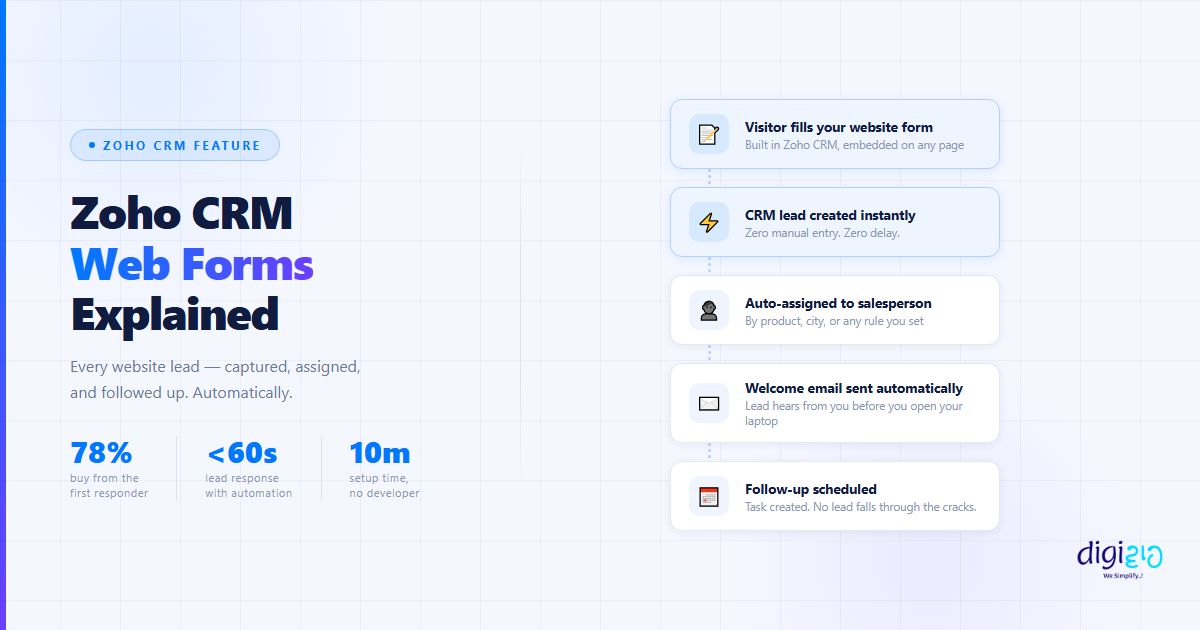
Here is the full journey from website visitor to CRM lead, happening in real time:
-
1Visitor fills your website form Built inside Zoho CRM, embedded on any website page
-
2Lead created in CRM — instantly Zero manual entry. Zero delay. The record appears in seconds.
-
3Lead is auto-assigned to the right salesperson Based on rules you define — product type, city, source, or any field
-
4Automated welcome email sent to the lead Lead receives a personalized response within seconds — even at 2am on a Sunday
-
5Follow-up workflow triggered Zoho CRM schedules the next touchpoint — a call task, reminder, or second email
-
6Salesperson gets notified By email, mobile app notification, or WhatsApp — wherever they check first
All of this happens before your team opens their laptop. The lead is captured, welcomed, assigned, and scheduled for follow-up — with no human involvement at the capture stage.
How to Set Up a Zoho CRM Web Form in 10 Minutes
Setting up a Zoho CRM Web Form is simpler than most business owners expect. No developer needed.
Step 1: Open the Web Forms Module
In Zoho CRM, go to Setup → Developer Space → Webforms. Click Create Webform.
Step 2: Choose the Module
Select where you want the form to create records. Most businesses choose Leads. You can also create forms that generate Contacts or Deals directly.
Step 3: Add Your Fields
Drag and drop the fields you want to capture — Name, Email, Phone, Message, Product Interest, City, Budget — whatever matters to your sales process. Mark fields as required or optional.
Step 4: Set Assignment Rules
Decide who the lead goes to. Assign all leads to one person, or set conditional rules — leads from Delhi go to Salesperson A, leads interested in Product X go to Salesperson B.
Step 5: Configure the Thank You Response
Set what the visitor sees after submitting — a thank-you message on screen, or a redirect to a specific page on your site (like a "We will call you shortly" landing page).
Step 6: Embed on Your Website
Zoho CRM generates an embed code — either an iframe or an inline script. Copy it and paste it onto any page of your website. WordPress, Wix, Shopify, or plain HTML — it works everywhere.
Total setup time: under 10 minutes. No developer required.
What Happens After Someone Submits the Form
The form submission is just the beginning. The real power of Zoho CRM Web Forms comes from what you connect to it.
Instant CRM Lead Creation
Every form submission creates a new Lead record, with the form source automatically tagged — so you always know which page or campaign drove the lead.
Automated Welcome Email
Using Zoho CRM Workflow Rules, you trigger an automatic email the moment a lead is created. The lead receives a personalized response within seconds of submitting the form — even on weekends and holidays.
Automatic Lead Assignment
The lead is assigned to the right salesperson without any manager needing to look at it. Assignment rules run automatically, based on the criteria you define.
Follow-Up Scheduling
A follow-up task or call reminder is automatically created for the assigned salesperson — so no lead ever goes cold because someone forgot to act on it.
Duplicate Detection
Zoho CRM checks for duplicate records. If the same person fills your form twice, you get a notification instead of two separate lead records cluttering your CRM.
Who Should Use Zoho CRM Web Forms?
Any business that receives inquiries through a website and currently handles lead capture manually will benefit immediately.
Service Businesses
Agencies, consultants, CA firms, designers — every client inquiry starts a relationship. Web forms ensure every inquiry is captured and followed up without manual effort.
B2B & Manufacturing
Distributors, wholesalers, suppliers — "Request a Quote" forms should land in your CRM instantly, not in someone's email inbox where they get buried.
Education & Training
Admissions inquiries, course interest forms, callback requests — all translate directly into Zoho CRM leads with instant follow-up automation.
Real Estate & Finance
Speed-to-lead is critical. In real estate and finance, the first business to respond almost always wins. Web forms cut response time from hours to seconds.
Real Business Impact
Here is what changes when you move from manual lead capture to Zoho CRM Web Forms:
| Without Web Forms | With Zoho CRM Web Forms |
|---|---|
| Lead captured in email inbox | Lead created in CRM in seconds |
| Manual copy-paste into CRM or spreadsheet | Zero manual entry |
| Lead assigned by manager manually | Auto-assigned by rule, instantly |
| First response: 6–18 hours | First response: within 60 seconds |
| Weekend leads missed entirely | Weekend leads captured and welcomed automatically |
| No source tracking | Lead source tagged automatically on every record |
For a business receiving even 10 leads per day, eliminating manual data entry saves 30 to 60 minutes of work daily — and more importantly, it removes the human error and delay that costs you customers.
At ₹300/hour, 30 minutes of daily data entry costs ₹90 per day — ₹27,000 per year — for a task that a web form eliminates entirely and immediately.
Frequently Asked Questions
Can I embed a Zoho CRM Web Form on a WordPress site?
Yes. Zoho CRM generates an embed code that works on any website — WordPress, Wix, Squarespace, Shopify, or a custom HTML site. Paste the code into your page editor and the form is live immediately.
Do Zoho CRM Web Forms work with existing CRM fields?
Yes. You can map any form field to an existing field in Zoho CRM — standard fields like Name, Email, and Phone, or custom fields you have added to your lead module.
Can I create different web forms for different products or services?
Yes. You can create multiple web forms — one for each product, service, or campaign — with different fields, different assignment rules, and different follow-up workflows for each.
What happens if a lead submits the form twice?
Zoho CRM has built-in duplicate detection. You can configure the system to update the existing record, create a new record, or send you an alert when a duplicate is detected.
Can I send a WhatsApp message automatically when someone fills the form?
Yes. By combining Zoho CRM Web Forms with Zoho Flow or a WhatsApp Business API integration, you can trigger an automatic WhatsApp message to the lead the moment they submit — in addition to the automated email.
Does setting up Zoho CRM Web Forms require a developer?
No. The entire setup — building the form, configuring assignment rules, generating the embed code — is done through Zoho CRM's no-code drag-and-drop interface. No technical knowledge is needed.
Conclusion
Every business collecting leads through a website form has two choices: handle those leads manually, or automate the capture and follow-up so the system works even when the team does not.
Zoho CRM Web Forms eliminate the manual step entirely. A visitor fills your form — and within seconds, a lead is created in your CRM, assigned to the right person, a welcome email is sent, and a follow-up is scheduled. No human needed at the capture stage.
The setup takes 10 minutes. The time it saves — and the leads it stops from going cold — compound every single day. See how our clients have used this in our Zoho CRM case studies.
Want to set this up for your business? We build automation workflows that work while you sleep.
📅 Schedule a Meet with Us 📥 Download Free eBook