
Your Team Isn't Slow. Your Customer Data Is Scattered.
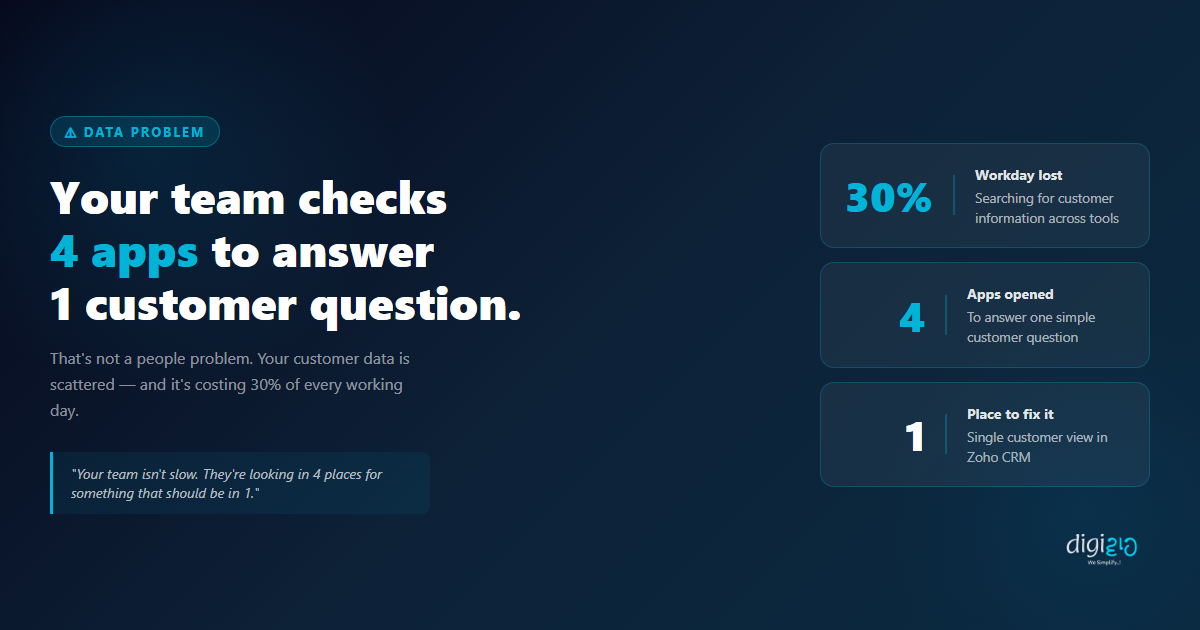
30% of every sales rep's day is spent searching for information that already exists — across 4 different apps.
Published: April 1, 2026
When a customer messages your team asking for their order status, the answer already exists somewhere in your systems. The problem is it does not live in one place — and a single customer view would fix that entirely. Instead of switching between WhatsApp, Gmail, a spreadsheet, and your invoicing tool to piece together one answer, your team would open one screen and find everything. In under 10 seconds.
Right now, most Indian SMEs are running exactly this way — without realising how much time it costs. The data is not missing. It is just scattered. And scattered data is quietly consuming 30% of every working day.
Table of Contents
The 4-App Problem
A customer calls and asks: "I placed an order last week — what is the delivery status?" A simple question. But watch what your team actually does to answer it.
This is not a performance problem. Your team is not slow or disorganised. The problem is structural — your customer data is split across tools that do not talk to each other, and every query requires a manual search across all of them.
Why Customer Data Gets Scattered
No business plans to have their data in four places. It happens gradually, as each tool gets added to solve a specific problem:
Customer conversations, inquiries, and follow-up messages live here — outside every other system.
Gmail / Email
Formal communication, proposals, confirmations — stored in inboxes no one else can easily access.
Spreadsheets
Order tracking, customer lists, payment status — manually updated and always slightly out of date.
CRM / Invoicing Tools
Deal history and invoices — useful in isolation, but not connected to the conversation happening on WhatsApp.
Each tool was added to solve a real problem. But they were never connected. So the data that should live together — conversation history, emails, orders, invoices, tasks — is split across systems that have no awareness of each other.
What a Single Customer View Looks Like
A single customer view means that when anyone on your team opens a customer record, they immediately see everything — without opening another app or asking a colleague.
-
💬Full Conversation History Every WhatsApp message, email, and call log linked to the customer record — in chronological order.
-
📋All Deals and Orders Every deal the customer has been part of — open, won, or lost — visible at a glance without switching tools.
-
🧾Invoice and Payment Status Outstanding invoices, payment history, and overdue amounts — synced from your accounting tool.
-
✅Tasks and Follow-ups Every open task, scheduled call, and follow-up linked to this customer — all in one view.
-
📝Notes and Context What was discussed in the last meeting, what the customer prefers, what was promised — not buried in someone's inbox.
When your team has this, a customer query goes from a 2-minute search across 4 apps to a 10-second answer from a single screen. And when a new rep takes over an account, they do not need to chase the previous rep for context — everything is already there.
How Zoho CRM Creates a Single Customer View
Zoho CRM is designed to be the single place where all customer data lives. It does not just store contact details — it connects to the other tools your team already uses, pulling conversations, invoices, and activity into one unified record.
-
1Connect Your Lead Sources Zoho CRM Web Forms, WhatsApp Business API, and email integrations automatically create and update contact records — no manual entry needed when a new lead comes in.
-
2Log Every Interaction Automatically Emails sent via Zoho Mail are logged against the contact. Calls made through Zoho CRM are recorded. WhatsApp messages via the API are captured. The conversation history builds itself.
-
3Sync Invoices from Zoho Books Connect Zoho CRM with Zoho Books and every invoice raised for a customer appears inside their CRM record. Your sales rep can check payment status without opening another app.
-
4Attach Notes and Documents Meeting notes, proposals, contracts, and call summaries attached directly to the contact record — not buried in a folder or email thread that only one person can find.
-
5Assign and Track Tasks Every follow-up, callback, and task linked to the customer record. When your rep opens a contact, they immediately see what is pending, what is overdue, and what was last done.
The result: one screen. Every customer interaction. No app-switching. No asking colleagues. No lost context.
Before vs After: Single Customer View
| Without a Single Customer View | With a Single Customer View in Zoho CRM |
|---|---|
| Rep opens 4 apps to answer one customer question — takes 2–4 minutes | Rep opens one CRM record — answers the question in under 10 seconds |
| WhatsApp conversations exist only on one person's phone — invisible to the team | All WhatsApp messages logged in CRM — visible to every team member with access |
| Payment status requires opening the invoicing tool separately | Invoice and payment status visible inside the CRM contact record — no tab switching |
| New rep taking over an account has to ask the previous rep for context | New rep opens the record and sees the full history — no handover needed |
| 30% of the workday spent searching for information across tools | Team spends time on customers, not on finding customer information |
| Data is out of date — someone forgot to update the spreadsheet | Data updates automatically when actions are taken — always current |
The shift from scattered data to a single customer view does not require replacing all your tools. It requires connecting them — making Zoho CRM the hub that pulls everything together. For a walkthrough of how WhatsApp Business API can feed conversations directly into Zoho CRM automatically, see how Indian SMEs are building this end-to-end in our case studies. For an overview of what Zoho CRM can connect to, see Zoho CRM's official integrations page.
Frequently Asked Questions
What is a single customer view?
A single customer view is a unified record that brings together all information about a customer — conversation history, emails, orders, invoices, tasks, and notes — into one place. Instead of searching across multiple apps, your team sees everything they need on one screen, for every customer.
Why is customer data scattered across multiple tools?
Most businesses add tools gradually — WhatsApp for conversations, Gmail for email, a spreadsheet for orders, an invoicing tool for billing. Each tool solves a problem in isolation. But they are never connected, so data ends up in multiple places with no single source of truth.
How does Zoho CRM act as a single customer view?
Zoho CRM integrates with WhatsApp Business API, Zoho Mail, Zoho Books, and other tools to pull all customer interactions, invoices, and activity into one contact record. When your team opens a contact in Zoho CRM, they see the full picture — without opening another app.
Does my team need to manually update the CRM to keep the single view current?
No — when properly set up, data flows into Zoho CRM automatically. Emails are logged when sent. WhatsApp messages are captured via the API integration. Invoices sync from Zoho Books. Zoho CRM Workflows handle tasks and follow-ups automatically. Your team focuses on the customer, not on data entry.
Is this only useful for large teams?
No — a single customer view matters most for small and growing teams where one person handles multiple accounts. When context lives in one place, even a solo rep can manage 50+ active customers without losing track of conversations, pending tasks, or payment status.
Conclusion
Every piece of information about your customers already exists inside your business. It is in WhatsApp chats, email threads, spreadsheet rows, and invoice records. The problem is not the data — it is where the data lives.
Connect your tools. Create a single customer view. Give your team one place to look. When a customer asks a question, your rep should be able to answer in seconds — not after opening four apps and spending two minutes piecing together a timeline that should have been in one place all along.
Your team isn't slow. They're just looking in 4 places for something that should be in 1. That is a systems problem — and it has a straightforward fix.
What is the one piece of customer information your team wastes the most time tracking down?
Want to set up a single customer view for your team — and stop the 4-app search forever?
📅 Schedule a Free Consultation