

Zoho Books & GST: Compliant Accounting for Indian SMEs
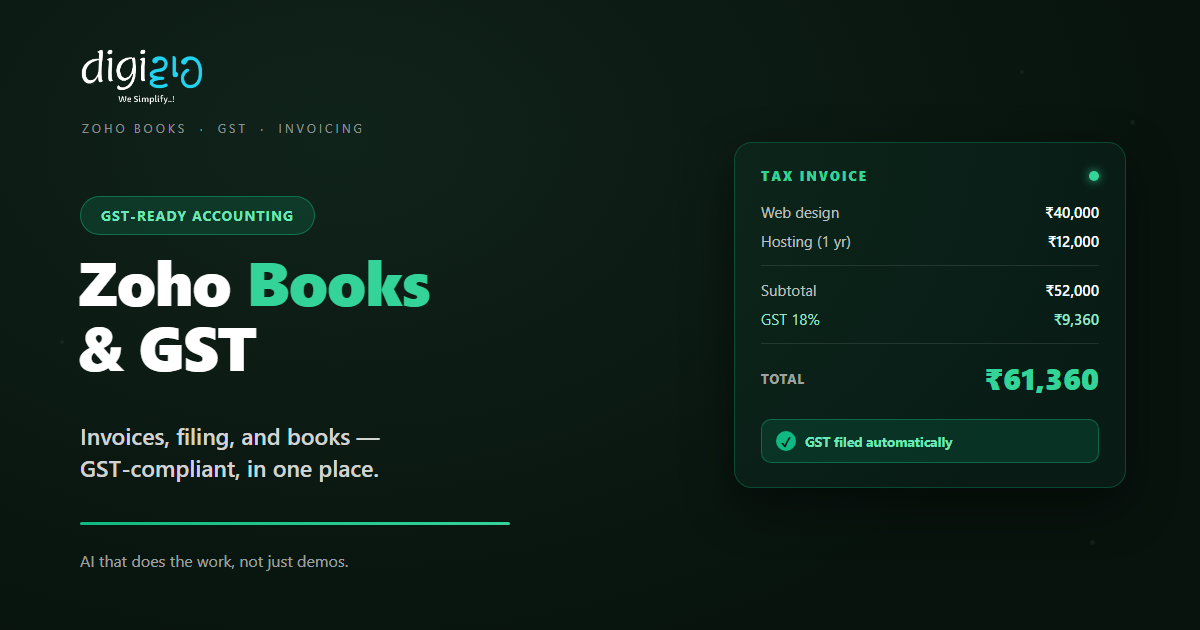
Zoho Books handles invoices, GST filing, and your books in one place — no spreadsheets, no last-minute panic.
Last Updated: June 12, 2026
Zoho Books is online accounting software built for Indian GST. In short, it raises GST invoices, tracks expenses, and files your returns from one place. So your books stay clean all year. Plus, there is a free plan for small businesses.
This matters most if GST eats your time each month. After all, manual filing is slow and easy to get wrong. But Zoho Books auto-builds your returns from real invoices. In this guide, you will see its GST features, the India pricing, and how to start.
Key Takeaways
- Built for Indian GST. It makes GST invoices and files GSTR-1 and GSTR-3B from one place.
- E-invoicing and e-way bills. So you generate IRN, QR codes, and e-way bills without the portal.
- A real free plan. It is free for businesses with turnover up to ₹25 lakh a year.
- Paid plans from ₹899/month. Higher plans add filing, reconciliation, and more users.
- It connects to your stack. So sales from Zoho CRM flow straight into your books.
Table of Contents
What Is Zoho Books?
Zoho Books is cloud accounting software made for India. In short, it runs your invoicing, expenses, and GST in one tool. For example, it raises GST bills, tracks payments, and builds your returns. So your accounts stay ready, not last-minute.
It is also part of the wider Zoho suite. So your sales, stock, and books can share data. For instance, a deal won in Zoho CRM can become an invoice in seconds. As a result, you type things once, not three times.
For Indian SMEs, the GST angle is the big win. After all, GST rules are strict and they change often. But Zoho Books keeps the formats and filing up to date for you.
GST Features That Save You Time
Zoho Books was built around Indian GST. So below are the features that cut the most monthly work. Plus, each one runs on your real invoice data.
GST-Ready Invoices
First, Zoho Books makes proper GST invoices. It adds GSTIN, HSN or SAC codes, and the right CGST, SGST, or IGST split. So every bill is compliant by default.
GSTR Filing
Also, Zoho is a registered GST Suvidha Provider. So you file GSTR-1 and GSTR-3B straight from the software. Plus, it auto-compiles your invoices into the return.
GSTR-2B Reconciliation
Next, it matches your purchases against GSTR-2B. So you spot missing or wrong input credit early. As a result, you claim the tax you are owed.
Payment Reminders
Meanwhile, it chases unpaid invoices for you. It sends polite, timed reminders on its own. So you get paid sooner, with no awkward follow-up.
Expense Tracking
Plus, it records and tags every expense. It even reads receipts and bank feeds. So your input tax and reports stay accurate.
Reports & Dashboards
Finally, it builds your P&L, balance sheet, and GST summaries. So you see the numbers any time. For deeper views, it links to Zoho Analytics.
E-Invoicing and E-Way Bills
Two GST jobs trip up many SMEs: e-invoicing and e-way bills. But Zoho Books handles both inside the invoice screen. So you skip the government portal.
E-Invoicing in One Click
So here is how it works. First, you create a normal invoice. Then Zoho Books sends it to the GST portal and pulls back the IRN and QR code. Also, that data flows into your GSTR-1. As a result, there is no double entry.
E-Way Bills Without Re-Typing
The same is true for goods on the move. When a sale crosses ₹50,000, you generate the e-way bill from the invoice itself. So you do not re-enter anything on the portal. Plus, the e-way bill number prints on the invoice.
Zoho Books Pricing in India
Zoho Books has one free plan and five paid plans. So you start small and grow as you go. Plus, annual billing costs less than paying monthly. Note that all prices below exclude 18% GST.
| Plan | Price (per month) | Best for |
|---|---|---|
| Free | ₹0 | Turnover up to ₹25 lakh / year |
| Standard | ₹899 | Small teams that need filing & bank feeds |
| Professional | ₹1,799 | Growing firms with more users |
| Premium | ₹3,599 | Larger SMEs with custom workflows |
| Elite / Ultimate | ₹5,999 / ₹9,599 | High volume and advanced analytics |
So most small businesses start on Free or Standard. After all, the free plan already does GST invoicing. But for e-invoicing, GSTR filing, and reconciliation, you need Standard or above. Also, prices can change, so confirm the latest on Zoho’s pricing page.
Free vs Paid: What You Get
The free plan is genuinely useful. But it has limits. So the table below shows the key gaps.
| Feature | Free plan | Standard & above |
|---|---|---|
| GST invoices | Yes | Yes |
| E-invoicing (IRN + QR) | No | Yes |
| GSTR-1 & 3B filing | No | Yes |
| GSTR-2B reconciliation | No | Yes |
| Bank feeds & auto-import | No | Yes |
So the rule is simple. If you only raise GST bills, the free plan may be enough. But if you file returns inside Zoho Books, start with Standard.
Is Zoho Books Right for You?
Zoho Books fits most Indian SMEs. But not every case. So here is a quick, honest check.
It fits well when…
- You raise GST invoices and file returns each month. So automation saves real hours.
- You already use other Zoho apps. As a result, your data joins up with no extra work.
- You want clean books without a heavy ERP. So a simple cloud tool is ideal.
Think twice when…
- Your accountant insists on Tally only. Then check that they support Zoho Books first.
- You need deep manufacturing or niche industry features. In that case, scope them before you buy.
How to Get Started with Zoho Books
You do not need to migrate everything at once. Instead, move in clear steps. So here is a simple path for an Indian SME.
-
1Sign up and add your GSTIN
First, create your organisation and enter your GST details. So your invoices are compliant from day one. -
2Import contacts and items
Next, bring in your customers, vendors, and products. A simple spreadsheet upload does the job. -
3Raise your first GST invoice
Then create an invoice and watch the GST split fill in. So you confirm everything looks right. -
4Connect your bank and the GST portal
Now link bank feeds and your GSTN login. So reconciliation and filing run from one screen. -
5File your first return
Finally, review the auto-built GSTR-1 and file. A Zoho partner can set this up with you.
Start free this month and raise one GST invoice. You will see the time saved before you ever pay.
Zoho Books in Action: A Quick Example
Numbers are useful. But a real story lands better. So here is how one firm switched.
A textile trader used spreadsheets and a part-time accountant. Each month, GST filing meant two stressful days of matching invoices. Then they moved to Zoho Books. Now every invoice is GST-ready the moment it is raised. Meanwhile, GSTR-1 builds itself from real data, and GSTR-2B reconciliation flags any gaps. As a result, monthly filing dropped from two days to under two hours.
In short, Zoho Books did not just speed up filing. Instead, it removed the month-end panic. So the owner got time back to run the business.
Frequently Asked Questions
What is Zoho Books?
Zoho Books is cloud accounting software built for Indian GST. In short, it handles invoicing, expenses, and returns in one place. So you raise GST invoices, file GSTR-1 and GSTR-3B, and keep clean books all year.
Is Zoho Books free in India?
Yes, there is a real free plan. It is free for businesses with annual turnover up to ₹25 lakh, with no time limit. But for e-invoicing, GSTR filing, and reconciliation, you need the Standard plan or above.
How much does Zoho Books cost in India?
Paid plans start at ₹899 per month for Standard. After that come Professional at ₹1,799, Premium at ₹3,599, and higher tiers. Also, annual billing is cheaper, and all prices exclude 18% GST.
Can I file GST returns from Zoho Books?
Yes. Zoho is a registered GST Suvidha Provider. So you file GSTR-1 and GSTR-3B directly from the software. Plus, it auto-compiles your invoices into the return, which cuts manual work.
Does Zoho Books support e-invoicing and e-way bills?
Yes. You generate the IRN, QR code, and e-way bill right from the invoice screen. So there is no need to re-enter data on the government portal. The details then print on the invoice PDF.
Does Zoho Books work with Zoho CRM?
Yes. Zoho Books connects with Zoho CRM and the wider Zoho suite. So a won deal can become an invoice in seconds. As a result, your sales and accounting share the same data.
Conclusion
In the end, Zoho Books turns GST from a monthly headache into a quiet routine. So if you run on GST, it is worth a close look. After all, you get compliant invoices, easy filing, and clean books. Plus, you can start for free.
First, sign up and raise one GST invoice. Then connect your bank and the GST portal. Next, let the software build your return. That way, you replace spreadsheets with a system that keeps you compliant.
Think about your last filing day. How many hours could Zoho Books have given you back?
Want Zoho Books set up for your GST — invoices, filing, and reconciliation done right? Talk to a Zoho Authorized Partner.
