

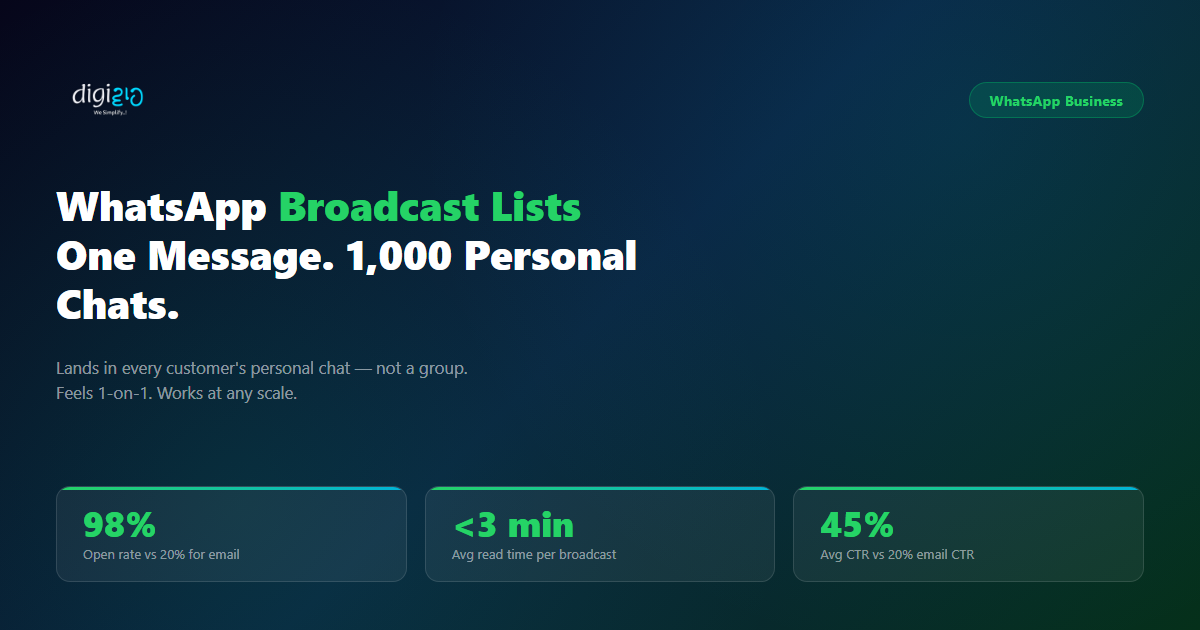
WhatsApp Broadcast Lists: One Message. 1,000 Personal Chats.
You have 1,000 customers. Are you talking to all of them?
Last Updated: June 3, 2026
WhatsApp Broadcast Lists let you send one message to thousands of contacts. Importantly, it lands in each person’s individual chat — not a group. Every recipient sees a personal message from your number. No one sees who else received it. As a result, it feels one-on-one even when you reach an entire customer base at the same time.
Most Indian SMEs rely on WhatsApp groups for customer communication — or they send individual messages one by one. However, both approaches have a critical flaw. WhatsApp groups expose every member to each other, conversations turn chaotic, and customers start leaving. Additionally, individual messages are not scalable. If you have 500 customers and a promotion to share, you simply cannot message each one personally.
Fortunately, WhatsApp Broadcast Lists solve both problems. In this guide, you will learn exactly how broadcast lists work, what they are used for, how to set them up, and the four rules that determine whether your messages actually get delivered.
Table of Contents
- What Are WhatsApp Broadcast Lists?
- Broadcast List vs WhatsApp Group — The Key Difference
- 6 Business Use Cases for WhatsApp Broadcast Lists
- How to Set Up WhatsApp Broadcast Lists (Step-by-Step)
- 4 Rules for WhatsApp Broadcast Lists That Actually Deliver
- WhatsApp Broadcast Lists vs Email Campaigns
- Frequently Asked Questions
- Conclusion
What Are WhatsApp Broadcast Lists?
A WhatsApp Broadcast List is a saved list of contacts you send one message to simultaneously. Unlike a group, recipients do not see each other. Instead, each contact receives your message in their own private chat — as if you sent it directly to them.
Specifically, when you send to a broadcast list, WhatsApp creates individual copies of the message and delivers one to each contact. If a contact replies, that reply comes into your private chat — not to anyone else on the list. Therefore, broadcast lists are ideal for business communication where both personalisation and privacy matter.
There are two levels of WhatsApp Broadcast Lists. First, the standard WhatsApp Business app supports lists of up to 256 contacts per list. For larger scale — thousands of contacts, personalised variables, and CRM integration — businesses use WhatsApp Business API broadcasts. The four rules in this guide apply specifically to the API level, where Meta approves every message template before use.
Broadcast List vs WhatsApp Group — The Key Difference
This is the question most business owners ask first. Both features let you send one message to multiple people — but the experience for your customer is completely different.
Imagine you create a “Customers” WhatsApp group and add 200 people to it. Next, you post a promotion. Immediately, 15 customers start replying publicly — some complain, some ask questions, some tag others. The group becomes a support thread. Soon, customers start leaving because their phone buzzes constantly. Within a week, your “customer communication” group is either dead or chaotic.
Broadcast fixes this entirely. Each customer receives your message privately. No one sees anyone else. Replies come to you directly. As a result, the conversation stays one-on-one — at any scale.
The Side-by-Side Difference
| WhatsApp Broadcast List | WhatsApp Group |
|---|---|
| Message lands in each contact’s personal chat | All messages visible to every group member |
| Recipients cannot see who else received the message | Every member can see the full member list |
| Replies come only to you — private conversation | Any member can reply in the group for all to see |
| Feels personal and direct — like a 1-on-1 message | Clearly mass communication — impersonal |
| Delivery and read receipts tracked per contact | No individual delivery tracking available |
| No notification fatigue — contacts receive only your message | Members get notified for every message from every member |
In practice, broadcast lists work better for almost every business communication scenario. Groups work well for internal teams or community discussions — not, however, for customer outreach at scale.
6 Business Use Cases for WhatsApp Broadcast Lists
Indian SMEs across retail, services, and e-commerce use WhatsApp Broadcast Lists for a wide range of customer communication. In practice, these are the six most common — and most effective — use cases.
Promotions and Offers
Flash sales, festive discounts, limited-time offers. Send a single broadcast with the product image, price, and a checkout link. Every customer receives it personally — and 98% of them will open it within minutes.
Payment Reminders
Personalise with the customer’s name and outstanding amount using template variables. Send reminders 3 days before due date, on due date, and the day after. Automated and polite — no manual chasing required.
Restock and New Arrival Alerts
A product a customer previously asked about is back in stock. Send a targeted broadcast to the specific list of customers who enquired. Relevant, timely, and far more effective than a general email blast.
Appointment Reminders
Reduce no-shows by sending a WhatsApp reminder 24 hours and 1 hour before the scheduled appointment. Personalise with the customer’s name and appointment time. Replies come directly back to you for easy rescheduling.
Order and Delivery Updates
Keep customers informed at every stage — order confirmed, shipped, out for delivery, delivered. Each update lands in their personal chat with you. Proactive communication reduces inbound support queries significantly.
Seasonal Campaigns
Diwali, Eid, New Year, and other occasions are high-intent buying moments. A well-timed WhatsApp broadcast to your customer list — with a festive offer and a personal touch — consistently outperforms email campaigns.
Why Segmentation Multiplies Results
Additionally, you can segment your broadcast lists by customer type, purchase history, or location — so each group receives only relevant messages. For example, a premium customer list gets early access to new products. A lapsed customer list, on the other hand, gets a win-back offer. Consequently, segmentation makes every broadcast feel even more personal and targeted.
How to Set Up WhatsApp Broadcast Lists (Step-by-Step)
Using the WhatsApp Business App (up to 256 contacts)
The standard WhatsApp Business app supports broadcast lists directly — no additional tools needed. Here is how to create one:
-
1Open WhatsApp Business and tap New Broadcast
Go to Chats → tap the three-dot menu (Android) or the Broadcast Lists option (iOS). Select New List. You will see your contact list to choose recipients from. -
2Select your contacts — up to 256 per list
Add the contacts you want to include. These contacts must have your business number saved in their phones — otherwise, your message will not reach them. Segment your lists by customer type for better targeting. -
3Name and save the broadcast list
Give your list a clear name — “Premium Customers”, “Delhi Leads”, “Pending Payments”. You will reuse this list for future broadcasts, so a descriptive name saves time later. -
4Compose your message and send
Write your message, attach an image or document if needed, and tap send. WhatsApp delivers individual copies to each contact on your list simultaneously. Replies return as private chats to you.
Using WhatsApp Business API (unlimited contacts, full automation)
For businesses with more than 256 contacts — or those who need scheduling, personalisation, and CRM integration — WhatsApp Business API broadcasts are the right level. In that case, the setup involves connecting your phone number to the Meta Business Platform and working with an approved provider.
With the API, your messages use pre-approved templates with variables like {{customer_name}} and {{amount_due}}. These personalise automatically for each recipient. Furthermore, you can schedule broadcasts in advance, trigger them from your CRM, and track open rates per contact — all in one dashboard.
Notably, Digiwah sets up WhatsApp Business API broadcasts for Indian SMEs — including template creation, CRM integration, and automated send schedules. See our WhatsApp API page for the full details.
4 Rules for WhatsApp Broadcast Lists That Actually Deliver
WhatsApp Broadcast Lists work well when you follow four non-negotiable rules. Ignore any of these and your messages either fail to deliver or get flagged. Specifically, a flagged number risks permanent restriction by Meta — making every rule below critical to follow.
The Four Rules in Detail
-
✅Rule 1: Opt-In Is Required
Every contact on your broadcast list must have explicitly opted in to receive messages from your business. For the standard WhatsApp app, they must also have your number saved on their phone. For API broadcasts, Meta requires proof of opt-in consent before approving your account for outbound messaging. Sending to contacts who have not opted in risks your number getting blocked. -
📋Rule 2: Use Meta-Approved Templates for First Contact
When you initiate a conversation with a contact via WhatsApp Business API, your opening message must use a Meta-approved message template. Templates are reviewed and approved before use. You can send free-form messages only after the contact has replied — opening a 24-hour messaging window. Always submit templates for approval before your campaign launch date. -
🎯Rule 3: Personalise with Variables
Generic broadcasts underperform personalised ones — every time. Use template variables to insert the customer’s name, product name, amount, or appointment time automatically. A message that says “Hi Priya, your invoice of ₹12,500 is due on April 10” converts at a significantly higher rate than a generic payment reminder. Personalisation is the difference between a message that feels like marketing and one that feels like a call. -
📊Rule 4: Track Delivery and Read Receipts
WhatsApp Business API provides per-contact delivery and read status for every broadcast. Use this data to segment follow-ups — contacts who read but did not click get a different follow-up than those who did not open at all. Tracking also shows you which lists and which message types perform best, so you improve with each campaign.
WhatsApp Broadcast Lists vs Email Campaigns
Email is not dead — but for customer communication in India, WhatsApp consistently outperforms it on every key metric. To understand why, here is a direct comparison:
| Metric | WhatsApp Broadcast | Email Campaign |
|---|---|---|
| Open rate | 98% | 20–25% |
| Average read time | <3 minutes | Hours to days |
| Average CTR | 45% | 2–5% |
| Delivery to personal inbox | Always — no spam folder | Often filtered to Promotions or Spam |
| Personalisation | Variables per contact, per message | Available but complex to configure |
| Two-way conversation | Instant — reply opens a direct chat | Limited — most replies get lost |
| Mobile-native experience | Built for mobile — no render issues | Rendering varies across email clients |
Notably, the gap in CTR — 45% vs 2–5% — is the most striking difference. That is not just a better result. Indeed, it represents a fundamentally different channel. For Indian SMEs whose customers live on WhatsApp, email campaigns reach a fraction of the audience that a well-timed broadcast does.
That said, email and WhatsApp serve different purposes. Email works well for invoices, long-form content, and documentation. WhatsApp, in contrast, works for time-sensitive communication, promotions, and reminders. The most effective businesses use both — WhatsApp for engagement, email for records. For the full breakdown, see our WhatsApp vs Email Marketing comparison. You can also see how broadcasts integrate with your CRM in our guide on Zoho CRM Workflows.
Frequently Asked Questions
What are WhatsApp Broadcast Lists?
WhatsApp Broadcast Lists are a feature that lets you send one message to multiple contacts simultaneously. Unlike a group, each recipient receives the message as a private, individual chat — they cannot see who else received it, and their replies come only to you. The WhatsApp Business app supports lists of up to 256 contacts. WhatsApp Business API supports unlimited contacts with additional automation, personalisation, and tracking capabilities.
Do contacts need to save my number to receive a WhatsApp broadcast?
For the standard WhatsApp Business app, yes — contacts must have your business number saved in their phone’s contacts for your broadcast to reach them. If your number is not saved, the message will not deliver.
For WhatsApp Business API broadcasts, the requirement shifts to opt-in consent rather than a saved contact. Contacts must have explicitly agreed to receive messages from your business. Meta enforces this to prevent spam on the platform.
How many contacts can I add to a WhatsApp Broadcast List?
The standard WhatsApp Business app allows up to 256 contacts per broadcast list. However, you can create multiple lists and send the same message to all of them. WhatsApp Business API removes this limit entirely — you can broadcast to thousands of opted-in contacts in a single send, with per-contact delivery and read tracking.
What is the difference between WhatsApp Broadcast and WhatsApp Group?
In a broadcast, each contact receives your message privately in their personal chat — they cannot see other recipients, and replies come only to you. In a group, all members see every message and can reply publicly for everyone to read. For business outreach, promotions, and reminders, broadcast lists are almost always the better choice because they maintain privacy and feel personal.
Can I send WhatsApp Broadcast Lists for business promotions in India?
Yes — but you must follow Meta’s guidelines. All contacts must have opted in to receive your messages. For WhatsApp Business API broadcasts, your promotional message must use a Meta-approved template. Sending unsolicited promotional messages risks your business number getting restricted or blocked. When done correctly — with opted-in contacts and approved templates — WhatsApp broadcasts are one of the highest-performing marketing channels available to Indian SMEs.
How do WhatsApp Broadcast Lists connect to Zoho CRM?
Through WhatsApp Business API, your broadcast lists can pull contact data directly from Zoho CRM — including name, phone number, and any personalisation fields like order amount or appointment date. You can trigger broadcasts automatically based on CRM events: a deal closing, an invoice going overdue, or a lead going cold after 7 days. Every reply from a broadcast then logs back into the contact’s CRM record automatically.
See our full guide on WhatsApp Zoho CRM integration for how this works end-to-end.
Conclusion
You have 1,000 customers. Most businesses are not talking to all of them — not because they do not want to, but because they have no scalable way to do it. Specifically, WhatsApp Broadcast Lists give you that way.
One message. Thousands of personal chats. A 98% open rate. Replies that come back to you privately. There are no groups, no chaos, and no customers leaving because of notification overload. Moreover, when you connect WhatsApp Business API to your CRM, every broadcast becomes smarter — triggered by real events, personalised with real data, and tracked at the individual contact level.
Start with a single list. Pick one use case — a payment reminder, a restock alert, or a festive offer. Send your first broadcast. Then watch what a 98% open rate actually looks like in practice. What would you send to your 1,000 customers first?
Want to set up WhatsApp Broadcast Lists connected to your CRM — with automation, personalisation, and delivery tracking?
