
Zoho Books Recurring Invoices: Bill Every Month Without Lifting a Finger
Set up a recurring invoice once, and Zoho Books raises it, sends it, and chases payment on schedule. So you stop rebuilding the same bill every month.
Last Updated: July 2, 2026
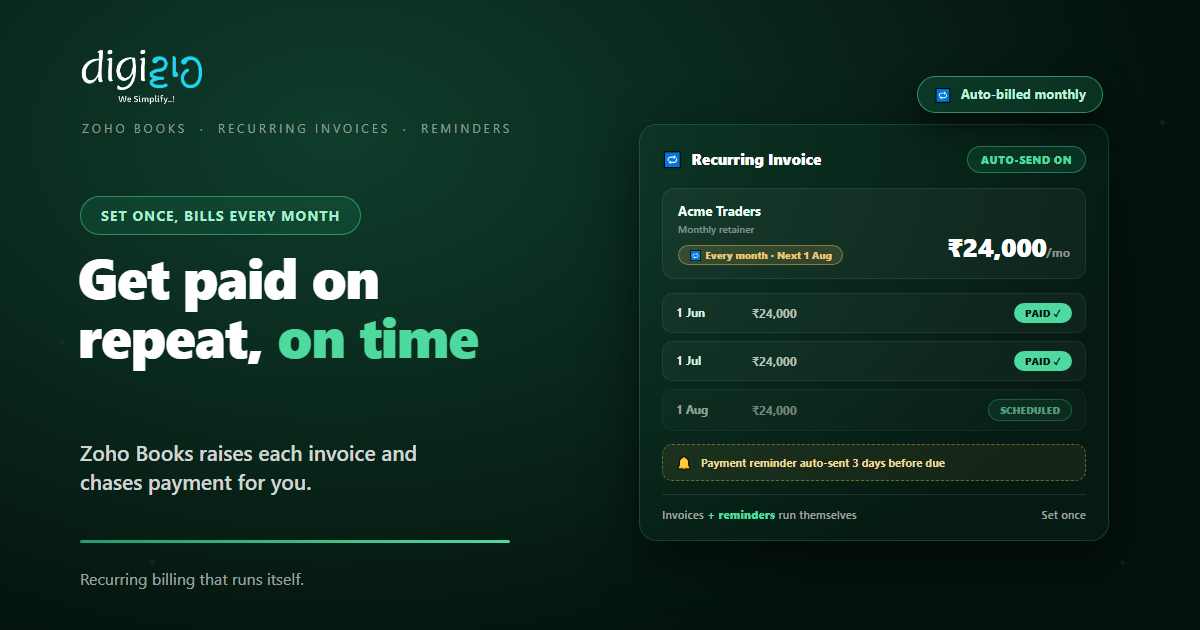
Recurring invoices let you bill regular customers automatically. So you set up one profile, and Zoho Books raises the same invoice on schedule. Then it emails the customer and even reminds them to pay. As a result, steady income arrives without the monthly grind.
This matters because regular billing eats time and slips through cracks. After all, retainers, rent, AMCs, and subscriptions repeat every cycle. But typing each one by hand is slow and easy to forget. So recurring invoices hand that whole job to the software.
Key Takeaways
- Set up once. One recurring profile bills the customer every cycle.
- Sends itself. Each invoice is created and emailed on schedule.
- Collects on its own. Auto-charge cards or let clients pay online.
- Reminds for you. Automatic reminders chase late payers.
- Works for bills too. Recurring expenses and vendor bills run the same way.
Table of Contents
- What Are Recurring Invoices?
- Why Recurring Billing Saves You Time
- How Recurring Invoices Work in Zoho Books
- Getting Paid Automatically
- Payment Reminders That Chase for You
- Recurring Expenses and Bills Too
- Without vs With Recurring Invoices
- How to Set Up a Recurring Invoice
- Recurring Invoices in Action
- Frequently Asked Questions
- Conclusion
What Are Recurring Invoices?
A recurring invoice is a bill that repeats on a set schedule. So instead of creating it each time, you define it once. After that, Zoho Books raises a fresh invoice every cycle on its own.
In plain terms, it is billing on autopilot. As Zoho puts it, you are “creating recurring invoices automatically to ensure timely payments from regular transactions.” So any charge that repeats is a perfect fit. In fact, it is one of the most-used Zoho Books features for service businesses.
Why Recurring Billing Saves You Time
Think about the bills that look the same every month. For example, a retainer, a maintenance contract, or a monthly subscription. Each one is predictable, yet someone still has to raise it. So that quiet, repeat work adds up fast.
Recurring invoices remove that chore. So the bill goes out on time, every time, with no reminder to yourself. Meanwhile, the amounts stay consistent, which means fewer typos and disputes. In short, you trade a monthly task for a one-time setup.
How Recurring Invoices Work in Zoho Books
It starts with a recurring profile. So you pick the customer, the items, and the amount once. Then you choose how often it should repeat, such as weekly, monthly, or yearly, with a start and end date.
From there, Zoho Books does the rest. On each due date, it creates the invoice and sends it to the customer. So the cycle runs quietly in the background. Plus, each invoice carries your usual branding and the right GST details, and you can pause, edit, or stop a profile whenever plans change.
Getting Paid Automatically
Raising the invoice is only half the job. So Zoho Books also helps the money come in. In fact, several steps can run with no hands at all.
Auto-Create
A new invoice is raised each cycle from your profile. So nothing is rebuilt by hand.
Auto-Send
Each invoice is emailed to the customer on schedule. So it never sits forgotten in drafts.
Auto-Charge
Zoho Books can “auto-charge cards for efficient payment collection.” So payment lands on its own.
Online Payment
Clients can pay through a payment link or the client portal. So settling up takes one click.
Because these steps are automatic, cash flow gets smoother. So you spend less time billing and more time on the work itself. As a result, the gap between sending and getting paid shrinks.
Payment Reminders That Chase for You
Even good customers forget a due date. So Zoho Books sends payment reminders for you. In Zoho’s words, you can “set automated reminders at intervals of your choosing to ensure timely payments from customers.”
That means you decide the rhythm. For example, a gentle nudge a few days before the due date, then a firmer one if it slips past. So no invoice goes quietly unpaid, and you never have to send the awkward “just following up” email yourself.
You can also share customer statements that show what is outstanding. So a client sees every open invoice in one place. In short, the chasing happens on its own, in your name, but without your time.
Recurring Expenses and Bills Too
Recurring billing is not only for what you charge. After all, you have repeat costs as well. So Zoho Books lets you “leverage recurring expenses, invoices, or bills.”
For example, a monthly software fee or a fixed vendor bill can recur the same way. So those entries record themselves on schedule. As a result, your books stay complete without manual data entry on both sides. And because Zoho Books is part of the wider Zoho One suite, this same automation links up with the rest of your business.
Without vs With Recurring Invoices
Manual billing feels fine with two clients. But it strains as you add more. So the table below shows the difference.
| Task | Without Recurring Invoices | With Recurring Invoices |
|---|---|---|
| Monthly billing | Rebuilt by hand each time | Raised automatically on schedule |
| Sending | Remember to email it | Auto-sent to the customer |
| Collecting | Wait and hope | Auto-charge or pay online |
| Follow-up | Chase late payers yourself | Reminders sent for you |
| Accuracy | Easy to mistype or skip | Same details every cycle |
So the more regular clients you have, the more this helps. After all, repeat billing should not need repeat effort. But recurring invoices make sure it does not.
How to Set Up a Recurring Invoice
Setting one up takes just a few minutes. So you do it once and forget the monthly task. Here is the path to follow.
-
1Create a recurring profile
First, pick the customer and start a new recurring invoice. So the cycle has a home. -
2Add the items and amount
Next, enter the products or services and the price. So each invoice carries the right total. -
3Choose the frequency and dates
Then set how often it repeats, plus a start and end date. So it bills exactly when it should. -
4Turn on auto-send and online payment
Now enable email delivery and a payment link, and auto-charge if a card is saved. So money comes in on its own. -
5Switch on payment reminders
Finally, set reminders before and after the due date. A Zoho partner can fine-tune the schedule.
Pick your most regular customer this week. Then turn their next invoice into a recurring profile.
Recurring Invoices in Action
Numbers help. But a real story lands better. So here is how one team put billing on autopilot.
The team ran monthly AMC contracts, but billed each client by hand. So some invoices went out late, and a few were missed entirely. Then they set up recurring invoices in Zoho Books. Now each contract bills on its own date, lands in the client’s inbox, and offers an online payment link. Meanwhile, reminders nudge anyone who runs late. As a result, billing takes minutes a month, and far fewer payments slip.
In short, recurring invoices did not change what the team charged. Instead, they removed the work around it. So steady income became truly steady.
Frequently Asked Questions
What is a recurring invoice in Zoho Books?
A recurring invoice is a bill that repeats on a set schedule. You create one recurring profile, and Zoho Books raises and sends the invoice automatically each cycle, so regular customers are billed without manual work.
How often can a recurring invoice repeat?
You choose the frequency when you set up the profile, such as weekly, monthly, or yearly, along with a start and end date. So the invoice goes out exactly when your billing cycle needs it.
Can Zoho Books collect payment automatically?
Yes. Zoho Books can auto-charge a saved card for efficient payment collection, and customers can also pay through a payment link or the client portal. So the money can come in with no manual step.
How do payment reminders work?
Zoho Books lets you set automated reminders at intervals of your choosing, before and after the due date. So late payers are chased on their own, and you do not have to send follow-up emails by hand.
Can I make expenses and bills recurring too?
Yes. Zoho Books supports recurring expenses, invoices, and bills. So a repeat cost like a monthly software fee can record itself on schedule, just like your outgoing invoices.
Is recurring invoicing part of Zoho Books features?
Yes. Recurring invoices are one of the core Zoho Books features, alongside expenses, banking, GST, and reports, all on one accounting platform.
Conclusion
In the end, recurring invoices turn regular billing into a one-time setup. So the same invoice raises itself, sends itself, and even chases payment. After all, predictable income should not need unpredictable effort. But Zoho Books makes the whole cycle run on its own.
First, set up a profile for one regular customer. Then turn on auto-send, online payment, and reminders. Next, watch the invoices go out while you focus on the work. That way, steady revenue stops stealing your time.
Think about last month’s billing. How many of those invoices were the same as the month before?
Want recurring invoices and reminders set up around the way your business bills? Talk to a Zoho Authorized Partner.
