

BOM in ERP: How a Bill of Materials Keeps Stock Accurate
A bill of materials (BOM) lists every part in a product. In an ERP, that list drives buying, receiving, and stock — so your counts always match.
Last Updated: June 26, 2026
A BOM in ERP ties your parts list to your stock. In short, a bill of materials names every component a product needs. So when goods arrive, the ERP knows exactly what to receive. Plus, it updates stock on its own.
This matters because parts go missing in spreadsheets. After all, you order materials, receive them, then forget to log the count. But an ERP joins these steps. In this guide, you will learn what a BOM is, what receiving means, and how the two work together.
Key Takeaways
- A BOM lists every part. It is the recipe for one finished product.
- Receiving records what arrived. The ERP saves this as a goods receipt.
- The BOM drives the receipt. So you check parts against the list.
- Stock updates on its own. No rekeying once you receive the goods.
- Zoho can do all of it. Zoho Inventory handles BOMs and receiving.
Table of Contents
What Is a BOM in ERP?
A bill of materials is a simple list. In fact, it names every part that goes into one product. So it works like a recipe. Plus, it sets the quantity of each part.
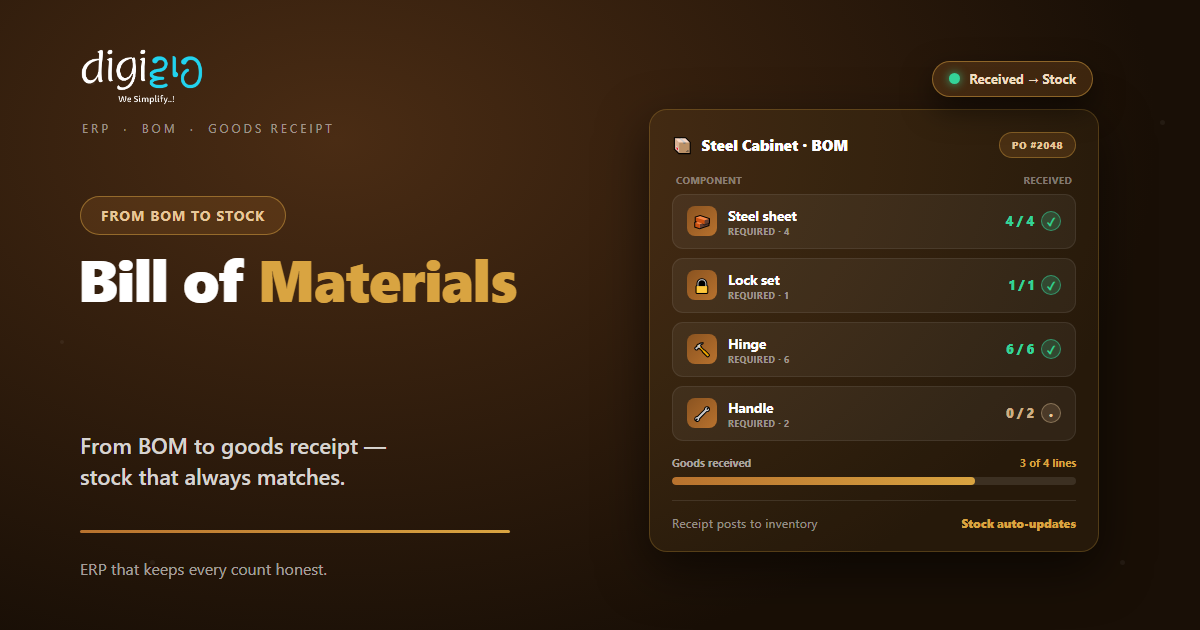
Take a steel cabinet. Its BOM might list four steel sheets, six hinges, one lock, and two handles. So the BOM tells you what to buy and build. As a result, nothing gets missed.
But in an ERP, the BOM is more than a note. Instead, it links to your stock and your orders. So the system uses it to plan buying and track parts. In short, a BOM in ERP is a structured list of the components and quantities needed to build one finished product.
What “Receiving” Means in an ERP
Receiving is the moment goods arrive. So you check the delivery against your order. Then you record what actually came in. In an ERP, this record is called a goods receipt.
But receiving is more than a signature. First, you confirm the quantity. Second, you flag any shortage or damage. So your stock reflects reality, not just the order.
In plain terms, a goods receipt is the ERP record that confirms which items, and how many, you got against a purchase order. After all, the parts are already on the shelf, so this step is easy to skip by hand. But without a receipt, your stock count drifts. So the ERP makes receiving a clear, logged step.
How a BOM and Receiving Work Together
The BOM and the receipt are two halves of one flow. So the BOM says what you need. Meanwhile, the receipt confirms what you got.
Here is how they connect. First, the BOM shows the parts a product needs. Next, you raise a purchase order for the missing ones. Then, when the parts arrive, you receive them against that order. Finally, the ERP adds them to stock.
Because the BOM holds the quantities, the ERP can check your receipt. So if you ordered six hinges but received four, it shows two still due. As a result, you catch shortages before they stall a build.
Why This Matters for an SME
Small firms feel stock errors the most. After all, one missing part can halt a whole build. So a tight BOM-to-stock flow saves real money.
First, you always know what is on hand. Second, you stop over-ordering parts you already have. So cash stays free, and builds stay on time.
So the value is not just neat records. Instead, it is fewer stockouts and less waste. Plus, your team trusts the numbers they see.
The BOM-to-Stock Flow, Step by Step
You do not need a huge system to get this right. Instead, follow a simple flow. So here is the path from BOM to stock.
-
1Build the bill of materials
First, list every component and its quantity for one product. So the BOM becomes your single parts recipe. -
2Raise a purchase order
Next, order the parts you are short on. So the order links straight to the BOM and your supplier. -
3Receive the goods
Then record what actually arrived against that order. So the goods receipt confirms the real quantity. -
4Let stock update
Now the ERP adds the received parts to inventory. So your count rises the moment goods land. -
5Build and track
Finally, assemble the product. So the ERP deducts the parts and adds the finished item to stock.
Pick one product this week. Then write its full bill of materials. That single list is where accurate stock begins.
Manual Tracking vs an ERP
Many SMEs still track parts by hand. But a spreadsheet cannot link a BOM to a receipt. So the table below shows the gap.
| Factor | Spreadsheet / Manual | ERP with a BOM |
|---|---|---|
| Parts list | Sits in scattered files | One BOM per product |
| Receiving | Counted by hand | Logged against the order |
| Stock update | Edited later, often missed | Updates as you receive |
| Shortages | Found too late | Flagged before you build |
| Audit trail | Hard to trace | Every receipt on record |
So the pattern is clear. A spreadsheet can hold a list. But only an ERP ties that list to live stock.
BOM and Receiving in Action
Numbers help. But a real story lands better. So here is how one workshop fixed its stock.
The team kept its parts list in Excel and its orders on WhatsApp. So when hinges arrived, no one updated the count. Then a big order stalled, because two parts were short. Next, they moved to an ERP. Now each product has a BOM, and every delivery is received against its order. Meanwhile, stock updates the moment parts arrive. As a result, builds no longer stop for missing parts.
In short, the ERP did not add work. Instead, it removed the guesswork. So the workshop finally trusted its own stock count.
Where Zoho Fits
You can run this whole flow in Zoho. So a small business gets ERP-style control without the heavy price.
Build the BOM
In Zoho Inventory, you create a composite item. In effect, that is your bill of materials. So you group the parts that make one product.
Receive the goods
First, raise a purchase order. Then record a receipt when the parts arrive. So Zoho updates your stock on its own.
Assemble and stock
Next, bundle the parts into the finished item. So Zoho deducts the components and adds the product to stock.
So the parts list and the shelf finally agree. You can see the full feature set on the official Zoho Inventory page.
Frequently Asked Questions
What is a BOM in ERP?
A BOM, or bill of materials, is a structured list of every component and quantity needed to build one finished product. In an ERP, it links to your stock and orders, so the system can plan buying and track parts.
What does receiving mean in an ERP?
Receiving is the step where you record goods that arrive against a purchase order. The ERP saves this as a goods receipt, which confirms the items and quantities you actually got and then updates your stock.
How does a BOM help with receiving?
The BOM holds the parts and quantities you need. So when goods arrive, the ERP checks the receipt against the BOM and the order. As a result, you spot short or missing parts right away.
What is the difference between a BOM and a goods receipt?
A BOM lists what a product needs before you build it. A goods receipt records what you actually received after an order. In short, one is the plan, and the other is the confirmation.
Does Zoho support a bill of materials?
Yes. Zoho Inventory lets you create composite items, which act as a bill of materials. You group the component items, then assemble them into a finished good, and Zoho adjusts stock for both.
Can a small business use BOM and receiving without a big ERP?
Yes. Tools like Zoho Inventory bring BOMs, purchase receipts, and live stock to small teams. So you get ERP-style control without a heavy, costly system.
Conclusion
In the end, a BOM in ERP keeps your stock honest. So your parts list, your orders, and your shelves all agree. After all, the BOM says what you need, and the receipt confirms what you got. Plus, the ERP ties them together with no rekeying.
First, write a BOM for one product. Then receive your next delivery against its order. Next, watch your stock update on its own. That way, missing parts stop holding up your work.
Think about your last stockout. Did the parts never arrive — or did no one log them?
Want to run your bill of materials, receiving, and stock in one connected system? Talk to a Zoho Authorized Partner.
