

Zoho ERP: Run Your Whole Business on One Connected System
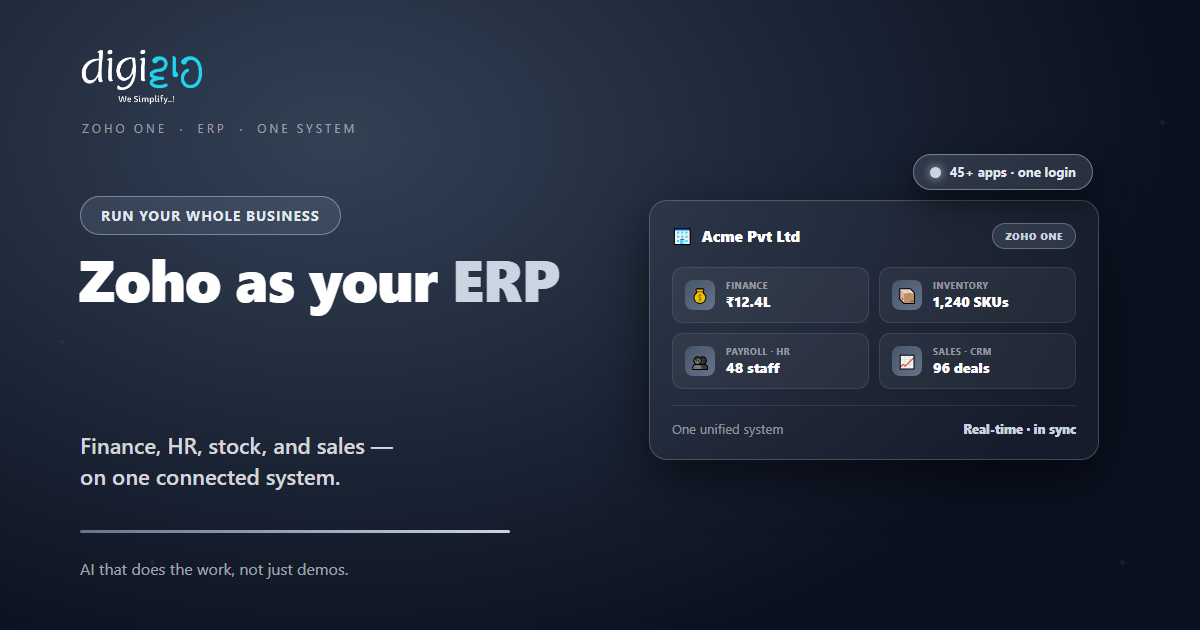
Zoho has no single “ERP” product. Instead, Zoho One connects 45+ apps — finance, HR, inventory, and sales — into one system that works like an ERP.
Last Updated: June 25, 2026
Zoho ERP is not one product you buy. In short, Zoho runs your whole business through a connected suite of apps. So finance, sales, stock, and HR all share one system. Plus, that suite is called Zoho One.
This matters because most SMEs run on scattered tools. After all, accounts sit in one app and stock in another. But a real ERP joins them up. In this guide, you will see how Zoho works as an ERP, which apps you need, and how to start.
Key Takeaways
- No single “Zoho ERP” app. Zoho delivers ERP through a connected suite.
- Zoho One is the core. Zoho calls it “the operating system for business.”
- 45+ apps, one login. Finance, HR, stock, sales, and much more.
- One source of truth. Data flows between apps with no rekeying.
- Start small, then grow. Add a few apps now and the rest later.
Table of Contents
Does Zoho Have an ERP?
Here is the honest answer. Zoho does not sell one box called “ERP.” Instead, it gives you a suite of apps that work as one. So together they cover what a full ERP does.
The core of that suite is Zoho One. In fact, Zoho calls it “the operating system for business.” So one subscription unlocks 45+ apps on a single login. As a result, your whole company runs on one connected platform.
For Indian SMEs, this is a big deal. After all, a classic ERP is heavy and costly. But Zoho lets you build the same kind of system, app by app. So you get ERP power without the ERP price tag.
What an ERP Does for an SME
An ERP simply joins your business into one system. But many SMEs still run on separate tools. So data gets copied, and reports never quite match.
First, one system gives every team the same numbers. Second, it cuts the manual work of moving data around. So you make faster, surer decisions. Plus, you stop paying for a dozen disconnected tools.
The Zoho Apps That Form Your ERP
Your Zoho ERP is a set of apps that fit together. So below are the core ones for an SME. Plus, each shares data with the rest.
Finance & Accounting
First, run books, invoices, and expenses in one place. Zoho Books handles GST and accounting. So your finance stays clean and compliant.
Inventory & Orders
Next, track stock, orders, and warehouses live. Zoho Inventory links sales to stock. So you never oversell or lose count.
HR & Payroll
Also, manage people, leave, and pay in one app. Zoho People covers HR end to end. So your team admin runs itself.
Sales & CRM
Meanwhile, track every lead and deal in Zoho CRM. It feeds orders straight to finance and stock. So sales and back office stay in sync.
Projects & Operations
Plus, plan and bill work with Zoho Projects. Track tasks, timesheets, and delivery. So operations stay on schedule.
Analytics & Reporting
Finally, pull it together with Zoho Analytics. Build one dashboard across every app. So leaders see the whole business at a glance.
A Quick Note on Zoho One vs Separate Apps
People often ask how to buy all this. But the choice is simple. So here is the quick truth.
You can buy each Zoho app on its own. So that suits a team needing just one or two tools. But Zoho One bundles 45+ apps for one price per employee. So for a full ERP, it is usually cheaper and better connected.
This split helps you decide. Because Zoho One charges per employee, the maths is easy to plan. As a result, growing SMEs often pick Zoho One once they use three or more apps.
Zoho ERP vs a Traditional ERP
A classic ERP can work, but it is built for big firms. So the table below shows how a Zoho-based ERP compares.
| Factor | Traditional ERP | Zoho-Based ERP |
|---|---|---|
| Cost | Heavy upfront license | Per-employee subscription |
| Setup | Months to implement | Start with a few apps |
| Fit for SMEs | Built for large firms | Scales from small up |
| Updates | Costly upgrades | Cloud, always current |
| Flexibility | Rigid modules | Add apps as you grow |
So the takeaway is clear. A big ERP may suit a large enterprise. But for most SMEs, a Zoho-based system fits better and costs less.
Is a Zoho-Based ERP Right for You?
A Zoho ERP fits many businesses. But not every case. So here is a quick, honest check.
It fits well when…
- You juggle several disconnected tools. So one connected suite saves real time.
- Your teams argue over whose numbers are right. As a result, one source of truth helps.
- You want to start small and grow. So adding apps over time keeps it affordable.
Think twice when…
- You only need a single app for now. Then buy just that app on its own.
- You run a deep, industry-specific process. In that case, check fit with a partner first.
How to Build Your Zoho ERP
You do not need to switch everything at once. Instead, build your ERP step by step. So here is a clear path for an Indian SME.
-
1Map your core processes
First, list how money, sales, stock, and people flow. So you see which apps you need most. -
2Start with the must-have apps
Next, begin with a core few, like Books, CRM, and Inventory. So you fix the biggest gaps first. -
3Connect them together
Now link the apps so data flows between them. So a sale updates stock and finance on its own. -
4Add Zoho One for the full suite
Then move to Zoho One to unlock 45+ apps. So the whole business runs on one bill and login. -
5Customize and automate
Finally, tailor it and automate the routine. A Zoho partner can set it up to fit your business.
Map one broken handoff this week. That gap is the perfect place to start your Zoho ERP.
Zoho ERP in Action: A Quick Example
Numbers are useful. But a real story lands better. So here is how one firm joined up its business.
The firm ran accounts on one tool, stock on Excel, and sales on chat. So numbers never matched, and stock counts drifted. Then they moved to Zoho One. Now Books, Inventory, CRM, and People all share one system. Meanwhile, a sale updates stock and finance in real time. As a result, the team got one true view of cash and stock at last.
In short, Zoho did not add another tool to the pile. Instead, it replaced the pile with one system. So the whole business finally spoke the same language.
Frequently Asked Questions
Does Zoho have an ERP?
Zoho does not sell a single product named “ERP.” Instead, it delivers ERP capability through Zoho One, a suite of 45+ connected apps that run your whole business.
What is Zoho One?
Zoho One is Zoho’s all-in-one suite. Zoho calls it “the operating system for business.” It bundles 45+ apps for sales, finance, HR, operations, and more on one login.
Which Zoho apps cover ERP functions?
Core apps include Zoho Books for finance, Zoho Inventory for stock, Zoho People for HR, Zoho CRM for sales, and Zoho Projects for operations. Zoho Analytics reports across them all.
Is a Zoho ERP cheaper than a traditional ERP?
Usually, yes. Zoho One uses a per-employee subscription instead of a heavy upfront license. So most SMEs find it more affordable and easier to start.
Can I start small and grow?
Yes. You can begin with a few apps and add more as you grow. Many SMEs move to Zoho One once they use three or more apps.
Do the Zoho apps share data?
Yes. The apps connect into one system, so data flows between them. As a result, a sale can update stock and finance without rekeying.
Conclusion
In the end, a Zoho ERP gives SMEs enterprise power at a fair price. So if your tools do not talk to each other, it is worth a look. After all, you get finance, sales, stock, and HR on one connected system. Plus, you can grow into the full Zoho One suite over time.
First, map one broken handoff in your business. Then add the Zoho apps that fix it. Next, connect them and grow into Zoho One. That way, your whole business runs on one source of truth.
Think about your last month-end. How long did it take just to make the numbers agree?
Want to run your business on Zoho — finance, sales, stock, and HR connected into one ERP-style system? Talk to a Zoho Authorized Partner.
