

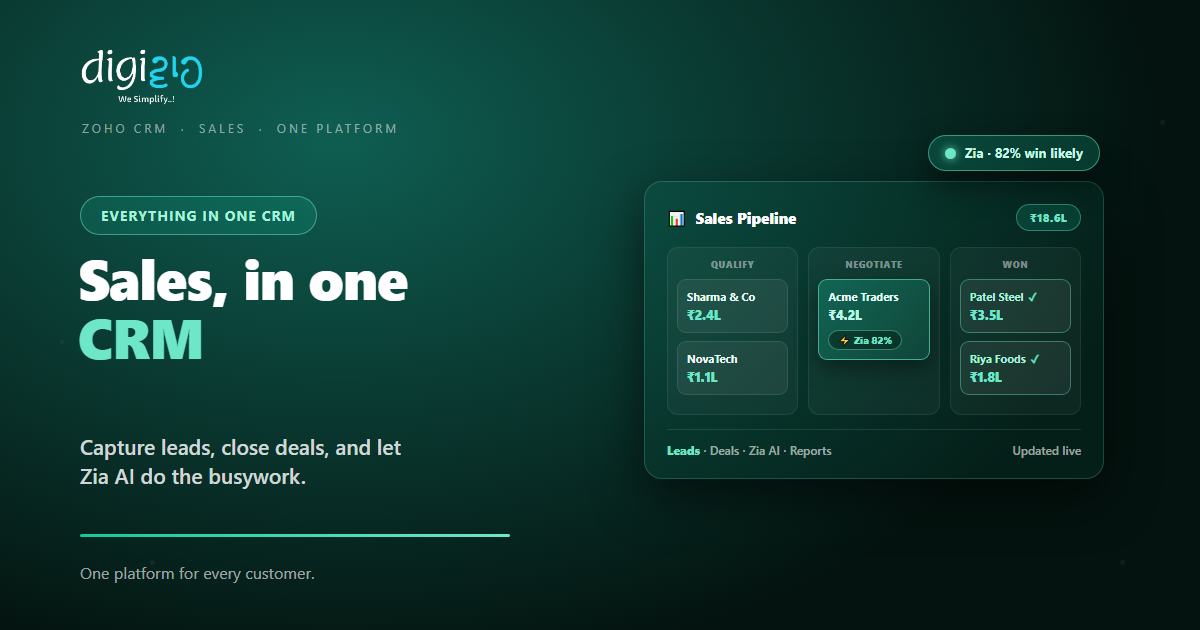
Zoho CRM Features: One Platform to Capture, Track, and Close Deals
Zoho CRM brings leads, deals, communication, AI, and reports into one place. So your whole sales process runs on a single platform.
Last Updated: June 26, 2026
Zoho CRM is a sales platform for your whole customer journey. In short, it captures leads, tracks deals, and logs every chat. So your team works from one shared view. Plus, its AI assistant, Zia, handles much of the busywork.
This matters because sales data often sits in many places. After all, leads live in email, deals in a sheet, and notes in someone’s head. But a CRM joins them up. In this guide, you will see the main Zoho CRM features and what each one does.
Key Takeaways
- One place for sales. Leads, deals, and contacts in a single view.
- Talk on every channel. Email, phone, chat, and social in one inbox.
- Zia AI helps you sell. It scores leads and drafts replies.
- Automate the routine. Workflows and Blueprint run steps for you.
- See the full picture. Live dashboards and forecasts guide decisions.
Table of Contents
What Is Zoho CRM?
Zoho CRM is a tool that runs your sales and customer data. So it holds every lead, deal, and contact in one system. As a result, your team sees the same story for each customer.
In plain terms, a CRM is software that tracks your relationships with customers, from first contact to repeat sale. But Zoho CRM goes further than a contact list. Instead, it adds communication, AI, automation, and reports on top.
The Main Zoho CRM Features
Zoho CRM packs a lot into one place. But the features fall into a few clear groups. So here is the quick map before we go deeper.
Leads & Deals
Capture every lead and track each deal through your pipeline. So nothing slips through the cracks.
Omnichannel Inbox
Email, phone, live chat, and social all land in one place. So every conversation stays on record.
Zia AI
Zia scores leads, drafts emails, and flags odd trends. So your team focuses on selling.
Automation
Workflows and Blueprint run follow-ups and approvals. So routine steps happen on their own.
Analytics
Build live dashboards, reports, and forecasts. So you always know where the numbers stand.
Customization
Shape modules, fields, and layouts to fit your sales. So the CRM matches how you work.
Lead, Contact, and Deal Management
This is the heart of any CRM. So Zoho CRM starts here. First, it captures leads from forms, email, and chat. Then it turns the good ones into deals.
Each deal moves through stages in your pipeline. So you see what is close and what is stuck. Meanwhile, every contact keeps a full history of calls, emails, and notes.
Because the data sits in one place, you get a true 360° view. As a result, anyone on the team can pick up a deal and know the full story.
Zia: The AI Inside Zoho CRM
Zia is Zoho’s built-in AI assistant. So it works inside your CRM, not as a bolt-on. In short, it helps you spot the right leads and act faster.
Here are a few things Zia can do:
- Score your leads. So your team calls the warmest ones first.
- Draft and rewrite emails. So replies go out faster and read better.
- Flag anomalies. For example, it warns you when a trend dips.
- Suggest the best time to reach out. So your follow-ups land well.
You can read more about the assistant in our guide to Zoho Zia AI. In short, Zia turns your CRM data into next steps.
Automation and Analytics
Sales has a lot of repeat work. But Zoho CRM can take that off your plate. So workflow rules send emails, set tasks, and update fields on their own.
For bigger processes, there is Blueprint. In effect, it guides each deal through your exact steps. So nobody skips a stage or forgets an approval.
Then comes the reporting side. First, build dashboards for pipeline, targets, and team activity. Second, use forecasts to plan ahead. Plus, you can pull deeper reports with Zoho Analytics.
Customization and Integrations
No two businesses sell the same way. So Zoho CRM bends to fit yours. First, you can add custom modules and fields. Second, you can redesign record pages with no code.
In fact, several tools make this easy. So here are the main ones to know.
Canvas Design
Redesign your record pages with Zoho CRM Canvas, with no code at all.
Web Forms
Capture leads straight from your site with Zoho CRM Web Forms.
Custom Widgets
Embed your own tools inside a record with custom widgets.
Integrations
Connect 1,000+ apps, including WhatsApp, for one joined-up flow.
Without a CRM vs With Zoho CRM
Many small teams still run sales on inboxes and sheets. But that breaks down as you grow. So the table below shows the difference.
| Task | Without a CRM | With Zoho CRM |
|---|---|---|
| Lead capture | Scattered across inboxes | All in one place, auto-captured |
| Pipeline view | Guesswork in a sheet | Live stages and values |
| Follow-ups | Easy to forget | Automated reminders |
| Customer history | Spread across tools | One 360° timeline |
| Reports | Built by hand | Live dashboards and forecasts |
So the gap grows with your team. After all, more deals mean more to track. But a CRM keeps that load under control.
How to Get Started with Zoho CRM
You do not need to set up everything at once. Instead, start with the basics and build up. So here is a simple path.
-
1Import your leads and contacts
First, bring your existing data into one place. So your team starts from a clean, shared base. -
2Set up your pipeline stages
Next, match the deal stages to how you really sell. So the pipeline mirrors your process. -
3Connect your channels
Then link email, phone, and chat. So every conversation logs itself against the right contact. -
4Automate the routine
Now add workflows and Blueprint for follow-ups and approvals. So the busywork runs on its own. -
5Build your dashboard
Finally, track pipeline, targets, and forecasts at a glance. A Zoho partner can tailor it to fit.
Pick your biggest sales leak this week. Then set up the one Zoho CRM feature that plugs it.
Zoho CRM in Action
Numbers help. But a real story lands better. So here is how one team tightened its sales.
The team chased leads across email, WhatsApp, and notebooks. So deals slipped, and no one knew the real pipeline. Then they moved to Zoho CRM. Now every lead lands in one place, and each deal shows its stage. Meanwhile, Zia flags the hottest leads, and a dashboard shows the forecast. As a result, fewer deals slip, and the owner finally trusts the numbers.
In short, Zoho CRM did not just store contacts. Instead, it gave the team one clear view of every deal. So the whole sales process got tighter.
Frequently Asked Questions
What is Zoho CRM used for?
Zoho CRM is used to manage your sales and customer relationships in one place. It captures leads, tracks deals through a pipeline, logs every conversation, and reports on your numbers.
What are the main features of Zoho CRM?
The main features are lead and deal management, omnichannel communication, Zia AI, workflow automation, analytics and forecasts, and deep customization. It also connects with 1,000+ other apps.
What is Zia in Zoho CRM?
Zia is Zoho’s built-in AI assistant. It scores leads, drafts and rewrites emails, flags unusual trends, and suggests the best time to follow up, all inside your CRM.
Does Zoho CRM work for small businesses?
Yes. Zoho CRM scales from a free plan up to higher editions. So a small team can start simple and add more features as it grows.
Can Zoho CRM connect with other tools?
Yes. Zoho CRM connects with 1,000+ apps through Zoho Marketplace. For example, you can link WhatsApp, email, telephony, and other Zoho apps into one flow.
Is Zoho CRM part of Zoho One?
Yes. Zoho CRM is included in the Zoho One suite. So you can run sales alongside finance, HR, and the rest on one platform.
Conclusion
In the end, Zoho CRM brings your whole sales process into one place. So leads, deals, chats, AI, and reports all live together. After all, scattered tools cost you deals. But one clear view helps you close more.
First, import your contacts and set your pipeline. Then connect your channels and automate the routine. Next, watch the dashboard guide your week. That way, your team sells from one source of truth.
Think about your last lost deal. Did the product fail — or did the follow-up just slip?
Want to set up Zoho CRM around the way your team actually sells? Talk to a Zoho Authorized Partner.
