

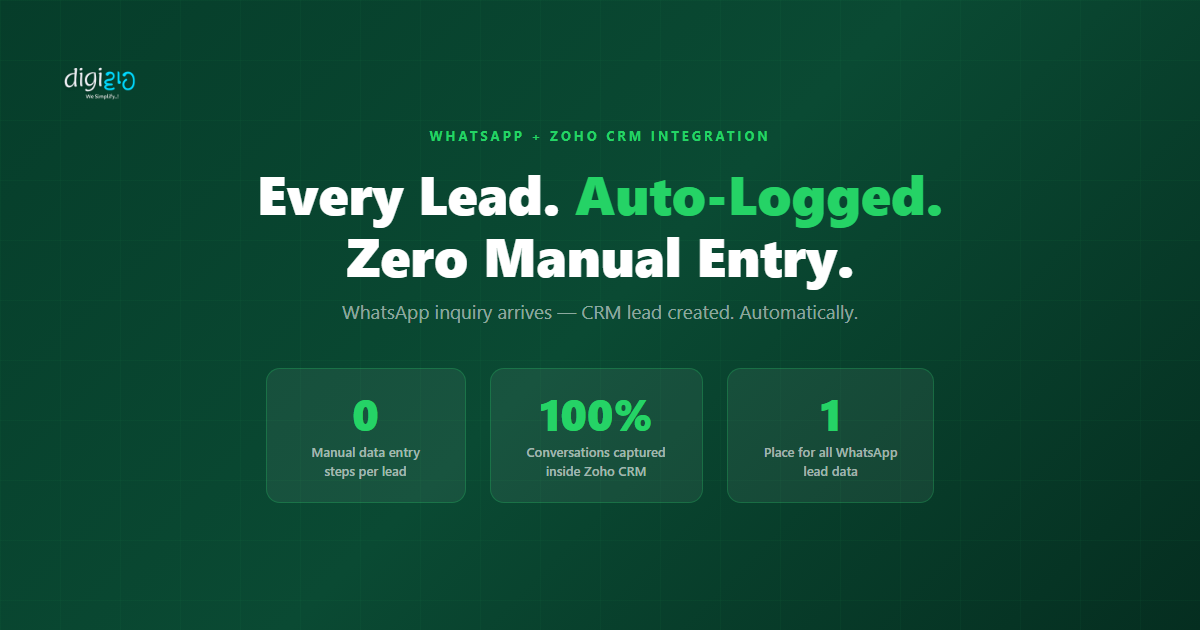
Every WhatsApp Inquiry. Automatically in Your CRM. Zero Manual Steps.
Your team manually logs WhatsApp leads into Zoho CRM — or forgets to. Either way, leads leak.
Last Updated: June 5, 2026
WhatsApp Zoho CRM integration — also known as connecting WhatsApp Business API to Zoho CRM — links your WhatsApp Business number directly to Zoho CRM, capturing every inquiry, logging every conversation, and creating every lead automatically. The moment a customer messages you on WhatsApp, your CRM has the record. No one has to do it manually. No lead disappears into someone’s phone.
Right now, most Indian SMEs handle WhatsApp leads through a manual 7-step process. A message arrives. The rep reads it. Then they switch to the CRM, create a lead, type the contact details, write a note, and create a follow-up task. That is before they have even started selling. And if the rep is in a meeting — or simply forgets — that lead is gone.
Table of Contents
The Manual Process That Loses Leads Every Day
Picture a typical morning. Your WhatsApp business number has twelve new messages — inquiries from prospects who found you via Instagram, a referral, or your website. Your rep opens WhatsApp and reads the first message. Then they switch to a new CRM tab, click New Lead, and start filling in the form from memory. They type the name, the phone number, what was asked. They add a note. They create a follow-up task. Then they return to WhatsApp for the second message and repeat the entire process.
Step 1 — Open the WhatsApp message and note the contact’s name and phone number. Step 2 — Switch to Zoho CRM in another tab or app. Step 3 — Click New Lead and start filling the form manually. Step 4 — Type the name, phone number, and inquiry details from memory.
Step 5 — Write a manual note about what the prospect asked. Step 6 — Create a follow-up task for yourself or your rep. Step 7 — Switch back to WhatsApp for the next message. Repeat.
That is seven manual steps per lead. Consequently, if your team receives just 20 WhatsApp inquiries a day, that is 140 manual CRM actions before a single sales call happens. Moreover, those steps depend entirely on the rep being available and remembering to do them. If the rep is in a meeting, the leads pile up unlogged. If they are busy and skip the note, that context is lost forever.
This is not a people problem. Your team is not careless. The problem is that WhatsApp and Zoho CRM are two separate systems with no connection between them — and every lead requires a human to manually bridge that gap.
What WhatsApp Zoho CRM Integration Does Automatically
WhatsApp Zoho CRM integration eliminates all seven of those steps. When you connect WhatsApp Business API to Zoho CRM, the system handles lead creation, conversation logging, and task assignment automatically — the moment a message arrives. Specifically, here is what happens without any human action:
-
1Lead auto-created in Zoho CRM
When a new number messages you on WhatsApp, Zoho CRM instantly creates a lead record. The contact name and phone number populate automatically — no typing required. -
2Full conversation logged inside the CRM record
Every WhatsApp message exchanged with the contact appears inside their CRM record. Your rep opens the lead and reads the entire chat history — without opening WhatsApp. -
3Lead assigned to the right rep automatically
Based on your routing rules, Zoho CRM assigns the lead to the correct salesperson. No manual handoff. No rep wondering whose lead it is. -
4Follow-up task created and scheduled
A follow-up task appears in the rep’s task list with the deadline you define. Nothing falls through the cracks — even when the rep is offline when the message arrives.
The result: your team opens Zoho CRM in the morning and every WhatsApp inquiry from the previous 24 hours is already there — logged, assigned, and ready for follow-up. No tab switching. No manual entry. No lost leads. Above all, the system captures leads around the clock — even when your team is offline.
How to Set Up WhatsApp Zoho CRM Integration
Zoho CRM supports WhatsApp Business API integration natively. Setting it up does not require a developer — it works through Zoho’s built-in integration settings and your existing WhatsApp Business API account. Here is how the process works, step by step:
-
1Get access to WhatsApp Business API
You need a WhatsApp Business API account — not the regular WhatsApp app. This connects to your business phone number and enables CRM integrations, automation, and bulk messaging. -
2Connect to Zoho CRM
Go to Zoho CRM → Setup → Channels → WhatsApp. Authenticate your WhatsApp Business API account and link it to your CRM. Zoho handles the connection natively — no third-party tools needed. -
3Map the lead fields
Configure which data maps to which CRM fields — contact name, phone number, and the first message as a note. This ensures every new WhatsApp lead populates the right information in the right place. -
4Set up lead routing rules
Define assignment rules so incoming WhatsApp leads route to the correct rep — based on territory, product interest, or a round-robin schedule. Zoho CRM assigns the lead automatically on arrival. -
5Create an auto follow-up workflow
Use Zoho CRM Workflows to create a follow-up task every time a new WhatsApp lead arrives. Set the deadline, the task owner, and the priority — Zoho handles the rest automatically.
Importantly, the integration also connects the two-way conversation. Your rep can reply to WhatsApp messages directly from inside Zoho CRM. No switching apps to respond. No messages sitting unread in a phone that only one person has access to.
For Indian SMEs handling significant WhatsApp volume, Digiwah sets this up end-to-end — including automation rules, lead routing, conversation logging, and follow-up workflows. See how we build this on our WhatsApp API page.
What Your Sales Rep Sees After Integration
After the integration goes live, your rep’s morning routine changes completely. Instead of manually logging every WhatsApp inquiry, they open Zoho CRM and find their leads already waiting — organised, assigned, and ready to act on.
-
💬Full WhatsApp Conversation Inside the CRM Record
Every message the prospect sent appears inside the lead record, in order. The rep reads the entire inquiry without opening WhatsApp — or asking anyone what was said. -
👤Contact Details Pre-Filled
Name and phone number already populated from the WhatsApp message. No manual typing. No risk of a typo in the phone number. -
📋Lead Record Already Created and Assigned
The lead exists in CRM with the inquiry date, source channel (WhatsApp), and assignment to the correct rep — before the rep even opened their laptop. -
✅Follow-Up Task Ready and Scheduled
A follow-up task sits in the rep’s task list with a clear deadline. Nothing depends on memory. Nothing gets missed because the rep was busy when the message arrived. -
↩️Reply Directly from Zoho CRM
The rep responds to the WhatsApp message without leaving CRM. The reply is sent via WhatsApp and logged in the conversation history — keeping everything in one place.
In practice, this means your rep starts the day inside Zoho CRM — not inside WhatsApp. They see new leads, read conversation history, and begin follow-ups from one screen. That is what a properly connected system looks like. Additionally, when a new rep takes over an account, they do not need to ask the previous rep for context. The full WhatsApp history is already in the CRM record.
Before vs After: WhatsApp Leads in Zoho CRM
| Without WhatsApp Zoho CRM Integration | With WhatsApp Zoho CRM Integration |
|---|---|
| Rep manually creates each CRM lead from WhatsApp messages — 7 steps per inquiry | Lead auto-created the moment the WhatsApp message arrives — 0 manual steps |
| Chat history exists only in WhatsApp — invisible to the rest of the team | Full conversation logged inside the CRM record — visible to every team member with access |
| Rep must manually assign the lead to the right salesperson | Assignment rules route leads to the correct rep automatically on arrival |
| Follow-up tasks created manually — or forgotten entirely when the rep is busy | Follow-up task auto-created by CRM workflow — no human memory required |
| Leads pile up unlogged in WhatsApp when the team is offline | Leads captured 24/7 — including nights, weekends, and holidays |
| No visibility into WhatsApp lead volume, response time, or conversion | CRM dashboards show WhatsApp lead count, rep response time, and deal conversion rate |
The shift from manual logging to full automation does not require rebuilding your sales process. It requires connecting two systems that should have been connected from the start. For a broader look at how Zoho CRM consolidates customer data from all your channels — not just WhatsApp — see our guide to capturing website leads with Zoho CRM web forms. For the full list of systems Zoho CRM connects to, see Zoho CRM’s official integrations page.
Frequently Asked Questions
What does WhatsApp Zoho CRM integration do?
WhatsApp Zoho CRM integration connects your WhatsApp Business API account to Zoho CRM. When a customer messages you on WhatsApp, the integration automatically creates a lead record in CRM, logs the full conversation, assigns the lead to the correct rep, and creates a follow-up task. No manual steps required — the entire process happens the moment the message arrives.
Does this work with the regular WhatsApp app?
No — this integration requires WhatsApp Business API, not the regular WhatsApp or WhatsApp Business app. WhatsApp Business API is the platform-level access that allows CRM connections, automation, and bulk messaging.
The regular WhatsApp app does not support these integrations. If you are currently using a personal or standard business number, upgrading to WhatsApp Business API is the first step.
Can WhatsApp leads be routed to different sales reps automatically?
Yes. Zoho CRM’s lead assignment rules allow you to route incoming WhatsApp leads based on any criteria you define — territory, product type, language, or a round-robin schedule. Each rep receives their assigned leads directly in their CRM queue, without any manual handoff from a manager.
Is the full WhatsApp conversation visible inside Zoho CRM?
Yes. When WhatsApp Business API connects to Zoho CRM, every message exchanged with a contact logs inside their CRM record. Your team reads the full chat history — and sends replies — directly from within CRM, without opening WhatsApp separately.
This means a new rep taking over an account sees the complete conversation history without asking anyone for context.
How is this different from manually updating the CRM?
Manual updates depend on a person remembering to do them — correctly, every time, even when they are busy. The integration captures every lead automatically, the moment the message arrives, with zero human action required.
Additionally, it works around the clock. Leads that arrive at 11pm on a Sunday are logged and assigned before your team starts work on Monday morning. Manual processes simply cannot do that.
Conclusion
Every WhatsApp inquiry your business receives is a potential sale. However, when your team manually logs those leads — or skips the step entirely when they are busy — a significant portion never makes it into your pipeline. WhatsApp Zoho CRM integration closes that gap permanently.
Connect the two systems. Let your CRM capture every message. Give your reps a queue of logged, assigned leads waiting for them each morning — instead of a backlog of untracked WhatsApp chats sitting in someone’s phone. The seven manual steps disappear. The leads stop leaking. Your team focuses on selling, not on data entry.
Your system should work harder than your team does. Are you still manually adding WhatsApp leads into your CRM?
Want to connect WhatsApp Business API to Zoho CRM and automate your entire lead capture process?
