

Zoho Recruit: Fill Open Roles Faster Without the Chaos
Zoho Recruit brings job posts, candidates, interviews, and offers onto one hiring platform — built for HR teams and agencies.
Last Updated: June 25, 2026
Zoho Recruit is a cloud hiring platform. In short, it tracks every candidate from apply to offer. So your whole team hires from one place. Plus, it posts your jobs far and wide in one click.
This matters because hiring on spreadsheets gets messy fast. After all, resumes pile up in inboxes and good people slip away. But a proper tool keeps every applicant in view. In this guide, you will see how Zoho Recruit works, what it does, and how to start.
Key Takeaways
- One place for hiring. Job posts, candidates, and offers all live together.
- Reach more candidates. Post to 75+ job boards in a single click.
- Zia AI helps you shortlist. It drafts job posts and ranks applicants.
- Built for both. In-house HR teams and staffing agencies each get a fit.
- Automate the busywork. Blueprints and workflows move candidates along.
Table of Contents
- What Is Zoho Recruit?
- Why an ATS Matters for SMEs
- Features That Speed Up Hiring
- A Quick Note on Corporate HR vs Staffing Agency
- Zoho Recruit vs Spreadsheets and Inboxes
- Is Zoho Recruit Right for You?
- How to Get Started With Zoho Recruit
- Zoho Recruit in Action: A Quick Example
- Frequently Asked Questions
- Conclusion
What Is Zoho Recruit?
Zoho Recruit is a cloud-based hiring platform. In short, it is both an applicant tracking system and a recruitment CRM. So it tracks candidates and builds relationships at the same time. For example, you post a job, collect resumes, and move people through stages.
It is also part of the wider Zoho suite. So your hiring data shares with your other tools. For instance, it connects to Zoho People for onboarding after the offer. As a result, a new hire flows from interview to first day with no rekeying.
For Indian SMEs, the value is speed and order. After all, small teams cannot chase resumes across inboxes. But Recruit keeps every applicant in one pipeline. So you fill roles faster and lose fewer good people.
Why an ATS Matters for SMEs
Many small firms still hire on spreadsheets. But that fails the moment roles pile up. So a proper tool pays off fast.
First, one pipeline stops candidates falling through the cracks. Second, automatic posting reaches far more people. So you spend time on interviews, not admin. Plus, a clear process makes your brand look professional.
Features That Speed Up Hiring
Zoho Recruit was built to cut hiring chaos. So below are the features that help most. Plus, each one works inside the same platform.
Job Posting & Sourcing
First, post a role to 75+ job boards at once. Add a branded career site and social posts too. So your opening reaches the right people fast.
Resume Parsing & Database
Next, let resumes flow straight into one database. Recruit reads each one and fills the fields for you. So no applicant gets lost in an inbox.
Candidate Pipeline
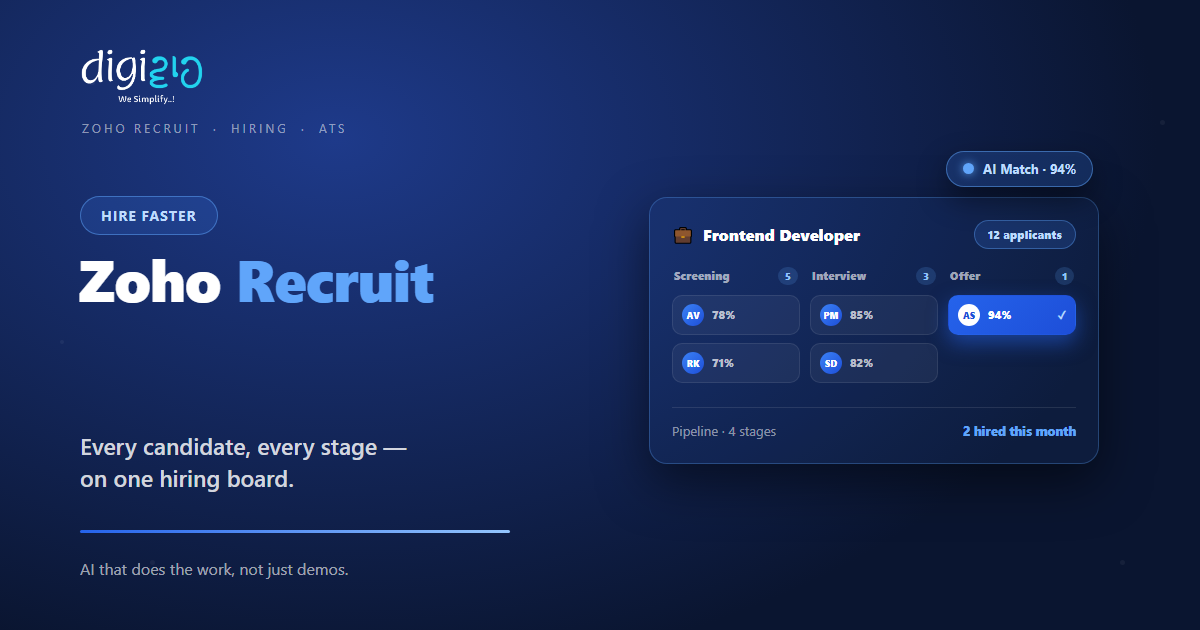
Also, track every candidate across clear stages. Move them from screening to interview to offer on a board. So you always know who is where.
Zia AI Assistant
Meanwhile, Zia, the AI hiring assistant, drafts job posts and emails. It also helps source and shortlist candidates. So you screen smarter, not harder.
Interviews & Assessments
Plus, schedule interviews with Google Meet or Teams built in. Send skill assessments and run background checks too. So you judge fit with real evidence.
Offers & Automation
Finally, manage offers and approvals in one flow. Use Blueprints and workflows to automate the steps. So nothing stalls waiting on a nudge.
A Quick Note on Corporate HR vs Staffing Agency
People often ask which version of Recruit to use. But the choice is simple. So here is the quick truth.
Zoho Recruit comes in two flavours. The Corporate HR version suits in-house teams hiring for their own company. The Staffing Agency version suits agencies that hire for many clients. So the agency version adds client and vendor portals on top.
This split helps you pick right. Because each version fits a different job, you avoid a clumsy setup. As a result, you start with the one that matches how you hire. You can compare both on the official Zoho Recruit page.
Zoho Recruit vs Spreadsheets and Inboxes
Many SMEs still hire on sheets and email. But that breaks down fast. So the table below shows the main gaps.
| Factor | Spreadsheets & Inboxes | Zoho Recruit |
|---|---|---|
| Candidate tracking | Rows and email threads | One pipeline with stages |
| Job posting | Each board by hand | 75+ boards in one click |
| Shortlisting | Read every resume by hand | Resume parsing and Zia ranking |
| Interviews | Back-and-forth on email | Built-in scheduling |
| Reporting | Built by hand | Ready hiring dashboards |
So the takeaway is clear. For one rare hire, a sheet may do. But as roles grow, a real tool wins every time.
Is Zoho Recruit Right for You?
Zoho Recruit fits many teams. But not every case. So here is a quick, honest check.
It fits well when…
- You hire often or for many roles. So one pipeline saves real time.
- You are a staffing agency with several clients. As a result, the agency version earns its keep.
- You already use other Zoho apps. So your hiring data joins up with no extra work.
Think twice when…
- You hire just once or twice a year. Then a simple form may still be fine.
- You only need staff records after hiring. In that case, look at Zoho People first.
How to Get Started With Zoho Recruit
You do not need a big rollout to start. Instead, open one role first. So here is a clear path for an Indian SME.
-
1Add your job opening
First, create the role with its skills and hiring stages. So your pipeline is ready in minutes. -
2Post to job boards and your career site
Next, publish to 75+ boards and your branded page. So applicants start coming in fast. -
3Let resumes flow in and parse
Now resumes land in one database automatically. Recruit reads each one and fills the fields. -
4Move candidates through stages
Then screen, interview, and shortlist with Zia’s help. So the best people rise to the top. -
5Send offers and automate
Finally, approve offers and turn on workflows. A Zoho partner can help you set it up right.
Open one real role this week. Your shortlist will build itself while you focus on interviews.
Zoho Recruit in Action: A Quick Example
Numbers are useful. But a real story lands better. So here is how one agency changed its hiring.
A busy agency tracked candidates on spreadsheets for each client. So resumes got mixed up, and good people went cold. Then they moved to Zoho Recruit. Now every client has its own pipeline, and Zia helps shortlist. Meanwhile, portals keep clients posted in real time. As a result, placements moved faster, and fewer candidates slipped away.
In short, Zoho Recruit did not just store resumes. Instead, it made hiring clear and quick. So the team filled roles faster with less chasing.
Frequently Asked Questions
What is Zoho Recruit?
Zoho Recruit is a cloud hiring platform. In short, it is an applicant tracking system and recruitment CRM in one. So it tracks candidates from apply to offer.
Is Zoho Recruit an ATS or a CRM?
It is both. The ATS tracks applicants through your hiring stages. The recruitment CRM helps you build and keep candidate relationships.
How many job boards can I post to?
You can post a role to 75+ free, paid, and premium job boards. You can also publish to a branded career site and social media.
Does Zoho Recruit have AI?
Yes. Zia is the built-in AI hiring assistant. It helps draft job posts and emails, and it assists with sourcing and shortlisting candidates.
Can agencies use Zoho Recruit?
Yes. There is a Staffing Agency version with client and vendor portals. The Corporate HR version suits in-house teams hiring for their own company.
Does Zoho Recruit work on mobile?
Yes. There are apps for Android and iOS. So you can review candidates and move them along from a phone.
Conclusion
In the end, Zoho Recruit turns hiring from chaos into a system. So if you hire often, it is worth a look. After all, you get one pipeline, wide job posting, and Zia to speed up shortlists. Plus, it pairs well with Zoho People and the rest of the Zoho suite.
First, open one role and post it wide. Then let resumes parse into one pipeline. Next, shortlist with Zia and send the offer. That way, you fill roles faster while you focus on people.
Think about your last open role. How many good candidates went cold while resumes sat in an inbox?
Want Zoho Recruit set up for your team — job posting, candidate pipelines, Zia shortlisting, and offers wired together? Talk to a Zoho Authorized Partner.
