
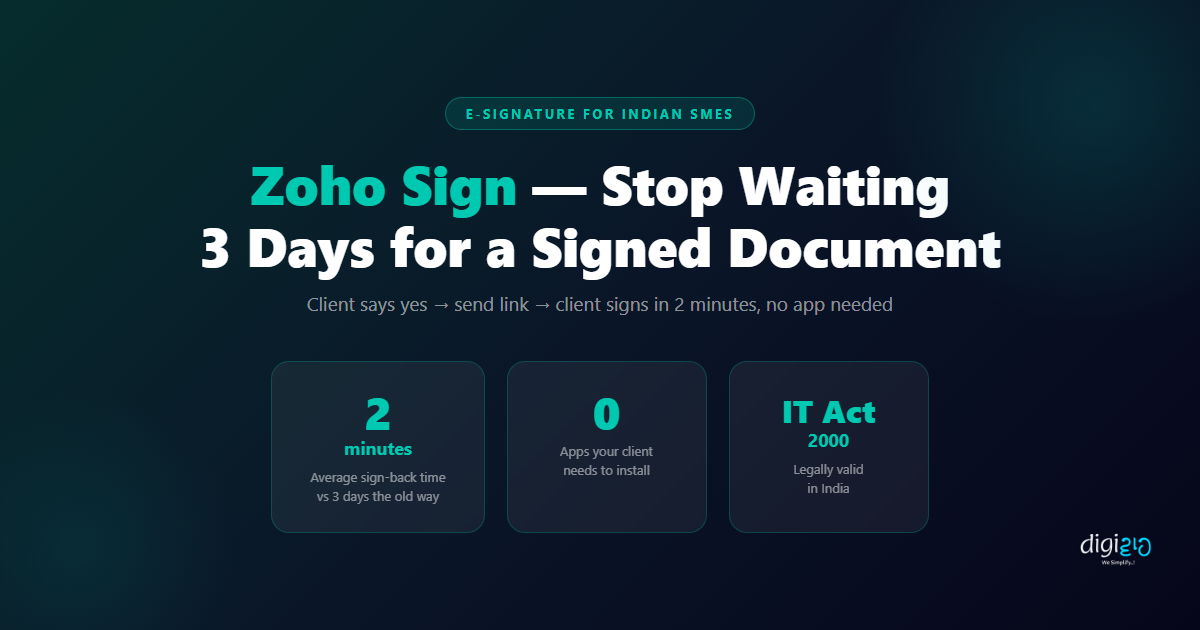
Zoho Sign: Stop Waiting 3 Days for a Signed Document
Upload. Add signature field. Send. Your client signs in 2 minutes — on their phone, no printing required.
Last Updated: June 5, 2026
Zoho Sign is an e-signature platform that sends any document for digital signature in under 2 minutes — and returns it signed, stored, and legally valid, without your client needing to print, scan, or install anything. The moment a client approves your proposal, your next step should not involve a PDF attachment, a printer, and a three-day wait. Zoho Sign replaces the entire print-sign-scan cycle with a secure, cloud-based process that works on any device.
If you have ever emailed a contract to a client, waited two days, and finally received a blurry WhatsApp photo of a handwritten signature, you have already experienced what this tool solves. This guide covers exactly how Zoho Sign works, how to send your first document in 5 minutes, and why Indian SMEs are using it to close deals faster and reduce paperwork permanently.
Table of Contents
The Print-Sign-Scan Problem
Your client says yes over a call on Tuesday. You prepare the contract, attach it as a PDF, and send it by email. They download it, print it at home — or at a nearby shop — sign it with a pen, photograph it, and WhatsApp it back to you. The photo is cropped, the signature barely legible, and your “signed copy” is a blurry JPEG sitting in a chat thread. This process happens dozens of times a month across Indian businesses, and most teams have simply accepted it as normal.
However, it is not normal — it is slow, error-prone, and legally fragile. Specifically, a photograph of a handwritten signature carries no audit trail: no proof of when it was signed, by whom, on which device, or whether the document was altered after signing. Consequently, any contract dispute leaves you with very little to stand on.
A Mumbai-based HR consultancy sends an offer letter to a new hire on Monday. The candidate prints it at a local shop, signs it, and photographs it — but the photo is too dark to read the signature. The HR team asks for a rescan. By Thursday, the paperwork is still not done. The candidate is frustrated. The manager is chasing over WhatsApp. The joining date slips by two days. After switching to Zoho Sign, the same firm now sends every offer letter digitally. Candidates sign within 20 minutes. On their phone. From anywhere.
Furthermore, the real cost is not just inconvenience — it is delay in deal closure. Every day a contract sits unsigned is a day the client can change their mind, compare quotes, or simply forget. Indeed, businesses that close the fastest are the ones with the shortest distance between “verbal yes” and “signed document.”
What Is Zoho Sign?
Zoho Sign is a digital signature platform — part of the Zoho suite — that lets you upload any document, add signature fields, and send it to one or more recipients by email. The recipient clicks a secure link, reviews the document, and signs digitally in their browser. Specifically, they can sign on any device — phone, tablet, or laptop — without installing any application or creating an account.
Additionally, Zoho Sign is not just a convenience tool. It is IT Act 2000 compliant, which means the digital signatures it generates are legally valid in India. Each signed document comes with a certificate of completion — containing the signer’s email address, IP address, device information, and an exact timestamp. That audit trail provides far stronger legal protection than a scanned photograph of a handwritten signature.
Moreover, for businesses already using Zoho CRM, Zoho Sign integrates directly — so you can send a proposal for signature straight from a CRM deal record, without switching tabs or copying document links manually. The signed copy automatically links back to the deal.
How to Send a Document for Signature
Sending a document for signature with Zoho Sign takes under 5 minutes the first time — and under 2 minutes once you are familiar with the steps. Here is the exact process:
-
1Log in to Zoho Sign
Go to sign.zoho.in and log in with your Zoho account. If you do not have one, the free plan requires no payment details to get started. -
2Click “Send for Signature” and upload your document
Upload the PDF, Word document, or image file you want signed. Zoho Sign supports all common formats. Your document is securely uploaded and ready to configure. -
3Add recipients
Enter the email address of the person who needs to sign. You can add multiple recipients and set the signing order — for example, your client signs first, then you countersign as the second party. -
4Add signature fields
Drag a Signature field to the section of the document where the signature is required. Optionally, add a Date field, Name field, or Initials field at other locations in the document. -
5Add a message and send
Write a short note to your recipient — for example, “Please review and sign the attached service agreement.” Click Send. Zoho Sign immediately emails your client a secure, unique link to the document. -
6Receive notification and access signed copy
As soon as your client signs, you receive an email notification. Zoho Sign automatically emails a completed, signed PDF to both parties and stores a permanent copy in your Zoho Sign account.
Setup time: under 5 minutes. First document sent — under 2 minutes from the next one onwards.
Save Time with Templates
Furthermore, if you send the same type of document repeatedly — service agreements, NDAs, offer letters — you can save it as a Zoho Sign template. Next time, you open the template, enter the recipient’s email, and hit Send. The entire process takes under 60 seconds. In practice, most businesses find this saves them 10–15 minutes per contract compared to the old method.
What Your Client Experiences
Your client receives a professional email from Zoho Sign with your company name in the subject line. They click the link — and the document opens directly in their browser. There is no application to download, no account to create, and no login required on their end.
They scroll through the document, reach the signature field, and tap or click to sign. They can type their name in a signature font, draw their signature with a finger or mouse, or upload an image of their signature. Once they confirm, Zoho Sign marks the document as signed, emails a completed copy to both parties, and stores the record securely.
Importantly, the signed document is not just a flat PDF. It includes an embedded digital certificate — with the signer’s email, IP address, device, and exact timestamp. Consequently, if there is ever a dispute about whether someone signed or when, you have tamper-evident proof that holds up legally, not just a blurry photograph.
Before vs After: Signing Documents
| Before Zoho Sign | After Zoho Sign |
|---|---|
| Email PDF → client prints at home or nearby shop | Client clicks a link → document opens in browser instantly |
| Handwritten signature with pen — quality varies | Digital signature: type, draw, or upload — clean every time |
| Client scans or photographs the signed document | No printing, no scanning — the process is entirely digital |
| Blurry WhatsApp photo sent back — not a legal record | Certified signed PDF emailed to both parties automatically |
| 2–3 day average turnaround | 2–10 minute average turnaround |
| No audit trail — legally fragile | Full audit trail: timestamp, IP, email, device — IT Act 2000 compliant |
| Signed copy buried in WhatsApp or email history | All signed documents stored and searchable in Zoho Sign |
Zoho Sign Use Cases for Indian SMEs
Zoho Sign works for any document that requires a signature. In practice, these are the most common use cases among Indian SMEs — and each one typically involved a multi-day delay under the old process:
Client Contracts and Service Agreements
Send the agreement the moment the client says yes on a call. Close deals in hours, not days. No more “I’ll sign and WhatsApp it to you tomorrow.”
Vendor and Supplier Agreements
Get supplier terms signed in hours instead of weeks. Additionally, both parties receive a certified copy automatically — no need to scan and email back.
Employee Offer Letters and Joining Forms
New hires sign their offer letter from their phone before their first day. HR receives the signed copy instantly — no printing, no chasing, no delay.
Non-Disclosure Agreements (NDAs)
Share sensitive information with confidence. Send the NDA before the conversation begins — your client signs in 2 minutes, and you both have a certified copy on record.
Quotation and Proposal Approvals
Add a signature field to your quote. When the client signs, the approval is documented and certified — no more verbal agreements that are later disputed.
Contract Renewals and Amendments
When a contract needs extending or changing, send the amendment digitally. Specifically, Zoho Sign templates make repeat documents even faster — under 60 seconds to send.
For each of these use cases, all signed documents are stored centrally in Zoho Sign — searchable by document name, recipient, or date. Accordingly, your team can retrieve any signed contract in seconds, instead of hunting through email inboxes and WhatsApp histories.
Zoho Sign Pricing: What Is Free
Zoho Sign offers a free plan that is sufficient for small teams testing the tool or sending a low volume of documents each month. Here is what each tier includes:
- Free plan: 5 documents per month, 1 user, basic signature and date fields — no credit card required
- Standard plan (approx. ₹600/user/month): Unlimited documents, reusable templates, automatic reminders for unsigned documents, and bulk send
- Professional plan: Higher volume, advanced workflows, in-person signing, and direct integration with Zoho CRM and other Zoho apps
For most Indian SMEs sending 10–20 contracts per month, the Standard plan is the practical starting point. However, if you are testing the tool or sending fewer than 5 documents per month, the free plan is the right place to begin — no payment details needed. For a complete list of plan features and current pricing, see the official Zoho Sign pricing page.
Additionally, if your team already uses Zoho CRM, Zoho Books, or other Zoho apps, Zoho Sign is available as part of Zoho One — the all-in-one suite. In that case, you likely already have access without a separate subscription. See how Zoho CRM workflows can trigger the signature request automatically when a deal is marked Won, or learn how WhatsApp Business API can notify clients the moment a document is ready for their signature.
Frequently Asked Questions
What is Zoho Sign?
Zoho Sign is a digital signature platform that lets you upload any document, add signature fields, and send it for e-signature via a secure email link. The recipient signs in their browser — on any device — without installing an app or creating an account. Both parties receive a certified signed copy automatically.
Is Zoho Sign legally valid in India?
Yes. Zoho Sign is compliant with the IT Act 2000, which governs electronic signatures in India. Each completed document includes a digital certificate containing the signer’s email address, IP address, device information, and an exact timestamp. This audit trail is far stronger legal evidence than a scanned or photographed handwritten signature.
Does my client need to install an app or create an account to sign?
No. Your client receives a secure link in their email and opens it directly in any browser — Chrome, Safari, or any other. They review the document, sign it with a tap or click, and confirm. There is no app download, no Zoho account, and no registration required on their end.
What types of documents can I send with Zoho Sign?
You can upload PDFs, Word documents (.docx), and image files. Most businesses use PDFs for contracts, offer letters, NDAs, quotations, and renewal agreements — all fully supported. Importantly, the document retains its exact formatting after signing.
How many documents can I send for free on Zoho Sign?
The Zoho Sign free plan allows 5 documents per month for 1 user — no credit card required. For higher volumes, the Standard plan starts at approximately ₹600 per user per month and includes unlimited documents, templates, and automated reminders for unsigned documents.
Conclusion
The print-sign-scan cycle is a relic. In 2026, sending a PDF for signature and waiting 2–3 days for a blurry WhatsApp photo back is not a process — it is a delay with a real cost attached to every contract you send.
Zoho Sign replaces that cycle with a 2-minute process that is faster for your client, legally stronger for your business, and completely trackable. Specifically, upload your document, add a signature field, enter the client’s email, and hit Send. From that point forward, every contract you send comes back signed in minutes — not days — with a certified audit trail that stands up in court.
The last document you sent for signature — how long did it take to come back?
Want to set up Zoho Sign for your business — and start closing contracts in minutes instead of days?
 Schedule a Meet with us to discuss your specific requirements and explore customised solutions.
Download our Free eBook on our Website to learn more about WhatsApp automation and how it can transform your business operations.
