

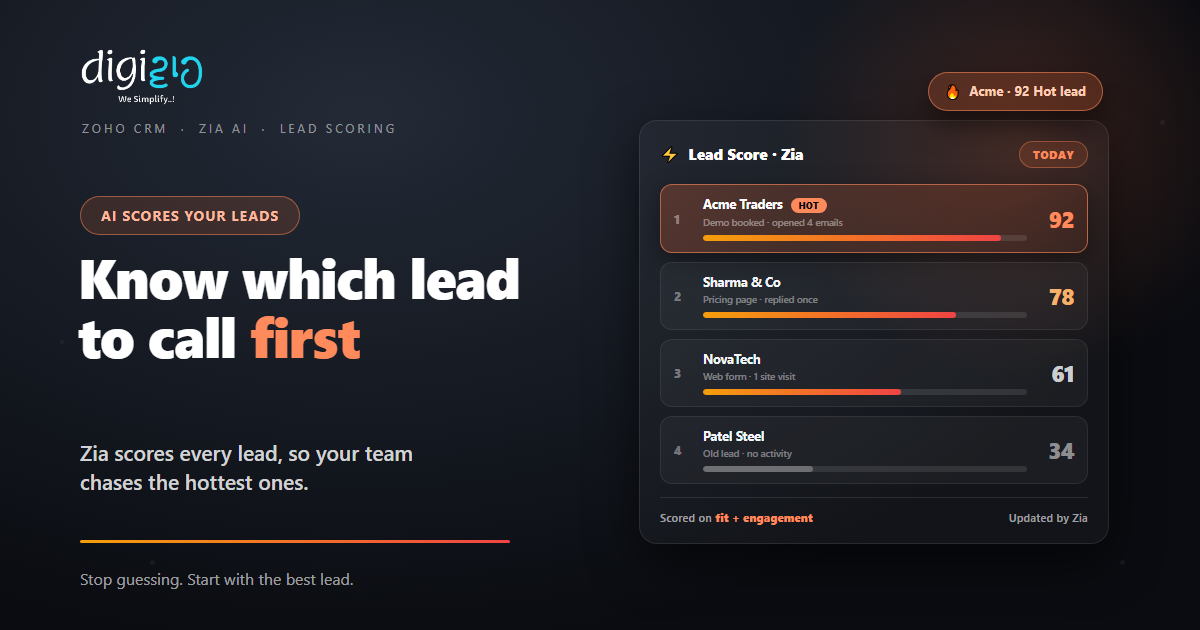
Zoho CRM Lead Scoring: Know Which Lead to Call First
Lead scoring ranks every lead by how likely it is to buy. So your team spends its time on the prospects that matter most.
Last Updated: June 29, 2026
Lead scoring gives each lead a number that shows how ready it is to buy. So instead of guessing, your team works the top of the list first. In Zoho CRM, you can set the rules yourself, or let Zia, the built-in AI, score leads for you. Either way, the hottest leads rise to the top.
This matters because most teams have more leads than time. After all, a cold tyre-kicker and a ready buyer can look the same in a list. But a score tells them apart. In this guide, you will see how lead scoring works in Zoho CRM and how to set it up.
Key Takeaways
- A score per lead. Each lead gets a number that shows buying intent.
- Two ways to score. Build your own rules, or let Zia AI score for you.
- Based on real signals. Profile fit plus emails, calls, and web activity.
- Work the top first. Sort by score so hot leads never wait.
- Higher score, higher chance. The bigger the number, the likelier the sale.
Table of Contents
- What Is Lead Scoring?
- Why It Matters for Your Sales Team
- Two Ways to Score Leads in Zoho CRM
- How Zia Scores Your Leads
- Scoring Rules: Set Your Own Points
- The Signals a Score Is Built On
- Without Scoring vs With Lead Scoring
- How to Set Up Lead Scoring in Zoho CRM
- Lead Scoring in Action
- Frequently Asked Questions
- Conclusion
What Is Lead Scoring?
Lead scoring is a way to rank leads by how likely they are to convert. So each lead earns points for the things that signal real interest. Then the total score tells your team who to call first.
In plain terms, a high score means a warm, ready buyer. A low score means a cold or unfit lead. As Zoho puts it, “the higher the score, the more likely the prospect is to become a customer.” So the list more or less sorts itself.
Why It Matters for Your Sales Team
Picture a list of 200 fresh leads. Without a score, your team starts at the top, or with whoever shouted last. But that wastes time on leads that will never buy. Meanwhile, a ready buyer sits ignored at row 140.
Lead scoring fixes that order. So your reps call the warm leads while they are still warm. As a result, follow-ups land faster, and fewer good leads go cold. In short, the same team closes more without working more.
Two Ways to Score Leads in Zoho CRM
Zoho CRM gives you two ways to put a number on a lead. So you can pick the one that fits your team, or use both together.
Scoring Rules (Manual)
You set the points. So you “set customized scores for each channel and its factors,” like email opens or a key job title.
Zia AI Scoring
Zia does the work. So it scores leads automatically by how likely each one is to convert.
So which should you use? In short, start with rules if you already know what a good lead looks like. But let Zia take over as your data grows. After all, Zia learns from your real wins and losses.
How Zia Scores Your Leads
Zia is Zoho’s built-in AI assistant. So it studies your past deals to spot what a winning lead has in common. Then it scores new leads against that pattern, with no rules for you to write.
In Zoho’s words, you “use Zia scores to identify the prospects who are most likely to convert into customers and prioritize them.” So the score is a prediction, not just a tally. Plus, Zia keeps refining it as more deals close.
But Zia does not stop at a score. In fact, it adds a few more predictions on top:
- Win likelihood. So Zia can predict the chance a deal is won or lost.
- Best time to contact. It suggests when and how to reach each lead.
- Data enrichment. So it fills in missing lead details from public sources.
- Anomaly alerts. It flags when a trend suddenly dips or spikes.
You can read more in our guide to Zoho Zia AI. In short, Zia turns a long lead list into a ranked plan for the day.
Scoring Rules: Set Your Own Points
Sometimes you already know what a hot lead looks like. So scoring rules let you bake that knowledge in. In effect, you assign points for the signals you care about, and the lead’s total updates on its own.
For example, you might add points when a lead opens an email or visits the pricing page. Likewise, you can subtract points for a bounced email or a poor-fit industry. As a result, the score reflects both who the lead is and what they do.
Because the rules run automatically, no one updates a sheet by hand. Instead, the moment a lead acts, its score moves. So your list stays current all day.
The Signals a Score Is Built On
A good score blends two things: who the lead is, and how they behave. So Zoho scoring can weigh many signals at once. Here are the main groups to think about.
Email Engagement
Opens, clicks, and replies push a score up. Meanwhile, bounces can pull it down.
Web Activity
Visits to key pages, like pricing, signal intent. So they add points to the lead.
Profile Fit
Field values like industry, size, or job title show how well a lead fits.
Calls & Social
Answered calls and social replies count as real engagement, so they score too.
So no single signal decides the score. Instead, the total paints a fuller picture. As a result, a lead that both fits and engages rises straight to the top.
Without Scoring vs With Lead Scoring
Many teams still work leads in the order they arrive. But that order has nothing to do with who will buy. So the table below shows the difference.
| Question | Without Scoring | With Lead Scoring |
|---|---|---|
| Who do I call first? | Newest or loudest lead | Highest-scoring lead |
| Where does effort go? | Spread thin across all | On likely buyers |
| Cold leads | Treated like hot ones | Scored low, nurtured later |
| Basis for priority | Gut feeling | Fit plus real engagement |
| Lead handoff | Manual guesswork | Auto-routed by score |
So the gap widens as lead volume grows. After all, more leads mean more noise. But a score cuts straight through it.
How to Set Up Lead Scoring in Zoho CRM
You do not need a perfect model on day one. Instead, start simple and tune it over time. So here is a clear path to follow.
-
1Define your ideal lead
First, agree on what a good buyer looks like. So you know which signals deserve points. -
2Create your scoring rules
Next, add points for fit and actions, like a key title or an email click. So scores start moving. -
3Turn on Zia AI scoring
Then let Zia rank leads by likelihood to convert. So you get a prediction on top of your rules. -
4Sort and route by score
Now sort your list by score, and use workflows to auto-assign hot leads. So they reach a rep fast. -
5Review and refine
Finally, check which scores actually closed. A Zoho partner can tune the rules to fit your sales.
Sort your open leads by score this week. Then call the top five before you touch anything else.
Lead Scoring in Action
Numbers help. But a real story lands better. So here is how one team put scoring to work.
Leads poured in from portals and ads, far more than the team could call. So reps worked the newest ones and let the rest go cold. Then they switched on lead scoring in Zoho CRM. Now each lead carries a score from its fit and activity, and Zia flags the hottest. Meanwhile, a workflow routes top leads straight to a rep. As a result, the team calls ready buyers first, and far fewer good leads slip away.
In short, scoring did not add more leads. Instead, it put the right ones at the top. So the same team closed more from the list it already had.
Frequently Asked Questions
What is lead scoring in Zoho CRM?
Lead scoring gives each lead a number that shows how likely it is to convert. In Zoho CRM, you can set scoring rules yourself or let Zia AI score leads automatically, so your team works the hottest leads first.
How does Zia score leads?
Zia studies your past deals to learn what winning leads have in common. Then it scores new leads by how likely they are to convert. It can also predict win likelihood and suggest the best time to make contact.
What is the difference between scoring rules and Zia scoring?
Scoring rules are manual: you set points for each signal, like an email click or a job title. Zia scoring is automatic: the AI assigns scores based on performance metrics and your real conversion history. Many teams use both together.
What signals affect a lead’s score?
A score blends profile fit and behaviour. So field values like industry or job title matter, as do actions like email opens, page visits, answered calls, and social replies. Negative signals, such as a bounce, can lower the score.
Do I need a paid plan for lead scoring?
Manual scoring rules and Zia’s AI features depend on your Zoho CRM edition. Higher editions unlock more of Zia’s predictions. So check your plan, or ask a Zoho partner which edition fits your needs.
How is lead scoring part of Zoho CRM?
Lead scoring is built into Zoho CRM’s lead management. So it works alongside the other Zoho CRM features, from capture and automation to reporting, all on one platform.
Conclusion
In the end, lead scoring turns a messy list into a clear order of work. So your team calls the right lead at the right time. After all, every hour spent on a cold lead is an hour stolen from a hot one. But a score keeps that from happening.
First, define your ideal lead and add a few rules. Then switch on Zia and sort by score. Next, route the hottest leads to a rep and refine as you learn. That way, your pipeline runs on signal, not on guesswork.
Think about your last lost deal. Was the lead really cold, or did it just sit too long behind the wrong ones?
Want lead scoring set up around the way your team actually sells? Talk to a Zoho Authorized Partner.
