
Purchase Orders in ERP: Control Every Buy From Request to Receipt
A purchase order (PO) is your formal order to a vendor. In an ERP, it controls procurement from approval to receipt to bill — so every rupee is on record.
Last Updated: June 26, 2026
A purchase order in ERP turns buying into a clear, tracked step. In short, a PO lists what you want, from whom, and at what price. So nothing gets ordered by guesswork. Plus, the ERP follows it from approval to delivery.
This matters because loose buying drains cash. After all, teams order twice, skip approvals, or overpay a bill. But an ERP joins procurement into one flow. In this guide, you will learn what a PO is, how procurement works, and how an ERP keeps it tight.
Key Takeaways
- A PO is a formal order. It lists items, quantities, and agreed prices.
- Procurement is the full buying flow. From request to payment.
- Approvals happen before you buy. So there is no surprise spending.
- The ERP matches three documents. PO, goods receipt, and vendor bill.
- Zoho can run it all. Inventory and Books handle POs and bills.
Table of Contents
What Is Procurement in ERP?
Procurement is how a business buys what it needs. So it covers sourcing, ordering, receiving, and paying. In short, it is the full buy-side of your operations.
But in an ERP, procurement is not a pile of emails. Instead, it is one tracked flow. So each step links to the next, from request to payment. In plain terms, procurement in ERP is the connected process of sourcing, ordering, receiving, and paying for the goods a business needs.
For an SME, this control matters. After all, buying is where cash leaves the door. So a clear flow protects your margins.
What Is a Purchase Order?
A purchase order sits at the heart of procurement. So it is the document you send a vendor to place an order. In plain terms, a PO lists the items, quantities, and agreed prices.
But a PO is more than a request. Once the vendor accepts it, it becomes a binding order. So both sides agree on what, how many, and how much. In short, a purchase order is a formal document a buyer sends a vendor to order specific items at agreed quantities and prices.
Plus, the PO becomes your reference point. Later, you check deliveries and bills against it. So you only pay for what you ordered and received.
How Purchase Orders Work in an ERP
In an ERP, a PO moves through clear stages. So everyone can see where each order stands.
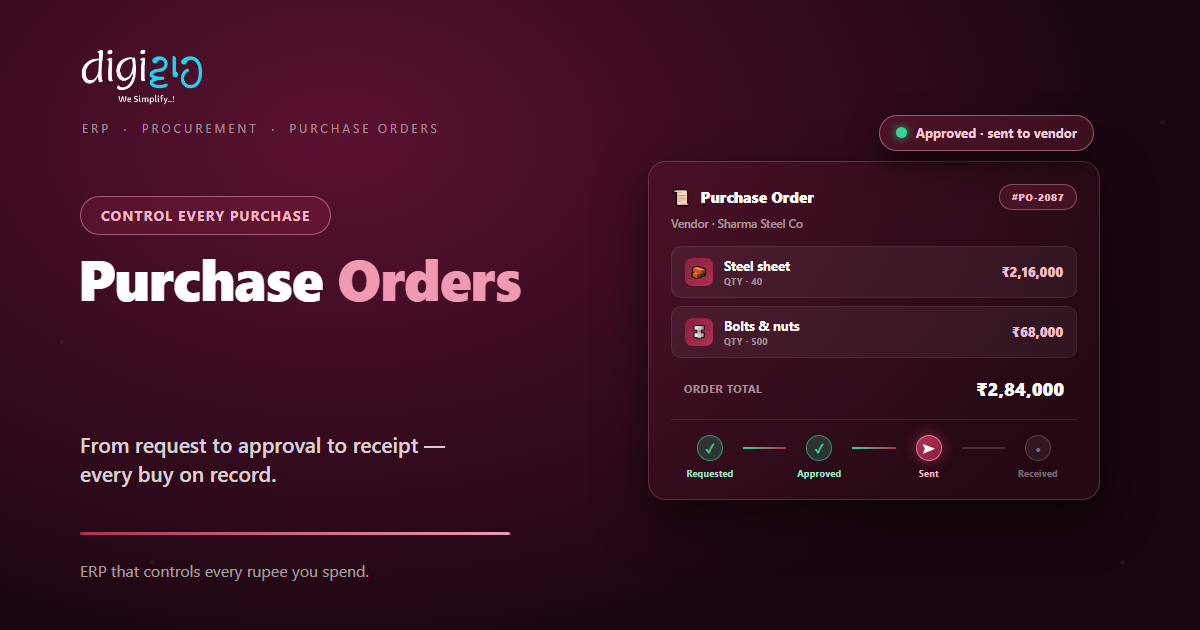
Here is the usual path. First, someone raises a request for parts. Next, a manager approves it. Then the ERP sends the PO to the vendor. After that, the goods arrive and you receive them. Finally, the vendor bill is matched and paid.
Because each stage is logged, nothing slips. So you catch a missing approval or a short delivery early. As a result, your buying stays under control.
The Three-Way Match Explained
This is where an ERP really earns its keep. So before you pay any vendor, the ERP checks three documents.
- The purchase order. So this shows what you agreed to buy.
- The goods receipt. So this confirms what actually arrived.
- The vendor bill. So this shows what the supplier is charging.
When all three agree, the bill is safe to pay. But if they do not, the ERP flags it. So you never overpay for parts you did not get.
Why This Matters for an SME
Small firms feel every wasted rupee. After all, thin margins leave no room for sloppy buying. So tight procurement protects your cash.
First, approvals stop surprise spending. Second, matched bills stop overpayment. So your money goes only where you planned.
So the value is not just neat records. Instead, it is fewer leaks and clearer spend. Plus, your team buys with confidence.
The Procurement Flow, Step by Step
You do not need a complex system to buy well. Instead, follow a clear flow. So here is the path from request to payment.
-
1Raise a purchase request
First, note what you need and why. So the buying starts from a clear, written ask. -
2Get it approved
Next, a manager checks the cost before you commit. So spending stays under control. -
3Send the purchase order
Then the ERP issues the PO to your vendor. So both sides agree on items and prices. -
4Receive the goods
Now record what arrived against the PO. So your stock and records stay accurate. -
5Match and pay the bill
Finally, compare the PO, receipt, and bill, then pay. So you only pay for what you got.
Pick your biggest vendor this week. Then route the next order through a proper PO. That single step starts real spend control.
Manual Buying vs an ERP
Many SMEs still buy on calls and chat. But that leaves no trail and no checks. So the table below shows the gap.
| Step | Manual Buying | ERP Procurement |
|---|---|---|
| Ordering | Phone calls and chats | A tracked purchase order |
| Approvals | Verbal or skipped | Logged before you buy |
| Receiving | Counted loosely | Matched to the PO |
| Bills | Paid on trust | Three-way matched |
| Spend view | Hard to total | Live by vendor and order |
So the pattern is clear. Calls and chats cannot check themselves. But an ERP builds the checks right in.
Procurement in Action
Numbers help. But a real story lands better. So here is how one firm tightened its buying.
The team ordered steel over phone calls and paid bills on trust. So they sometimes paid twice, or for parts that never arrived. Then they moved to an ERP. Now every order starts as a purchase order, with an approval before it goes out. Meanwhile, each bill is matched to its PO and receipt. As a result, double payments stopped, and the owner finally saw total spend by vendor.
In short, the ERP did not slow buying down. Instead, it added the checks the team lacked. So procurement became calm and clear.
Where Zoho Fits
You can run this whole flow in Zoho. So a small business gets procurement control without a heavy system.
Raise & Approve POs
In Zoho Inventory, create purchase orders and route approvals before they go out.
Receive the Goods
Record receipts against the PO, so your stock updates the moment parts arrive.
Match Vendor Bills
Convert a PO into a bill in Zoho Books, then match it to the order and receipt.
So buying, receiving, and paying finally line up. You can see the full feature set on the official Zoho Inventory page.
Frequently Asked Questions
What is a purchase order in ERP?
A purchase order in ERP is a formal document you send a vendor to order specific items at agreed quantities and prices. The ERP then tracks it from approval to receipt to the final bill.
What is procurement in ERP?
Procurement in ERP is the full process of sourcing, ordering, receiving, and paying for goods and services. The ERP links each step, so your buying stays tracked and controlled.
What is the difference between a purchase order and an invoice?
A purchase order is what you send a vendor to place an order. An invoice, or bill, is what the vendor sends you to ask for payment. One starts the order, and the other ends it.
What is a three-way match?
A three-way match compares three documents before payment: the purchase order, the goods receipt, and the vendor bill. When all three agree, the bill is safe to pay, so you avoid overpaying.
Does Zoho support purchase orders?
Yes. Zoho Inventory and Zoho Books let you raise purchase orders, record receipts, and convert a PO into a vendor bill. So you can run procurement end to end.
Can a small business manage procurement without a big ERP?
Yes. Tools like Zoho Inventory and Zoho Books bring purchase orders, approvals, and bill matching to small teams. So you get procurement control without a heavy, costly system.
Conclusion
In the end, a purchase order in ERP turns buying into a controlled step. So every order is requested, approved, received, and matched. After all, loose buying leaks cash. But a tracked PO flow plugs the gaps.
First, route one vendor through a proper PO. Then receive against it and match the bill. Next, watch your spend become clear by vendor. That way, procurement stops being a guessing game.
Think about your last vendor bill. Did you check it against the order — or just pay it?
Want to run purchase orders, receiving, and bills in one connected system? Talk to a Zoho Authorized Partner.
