

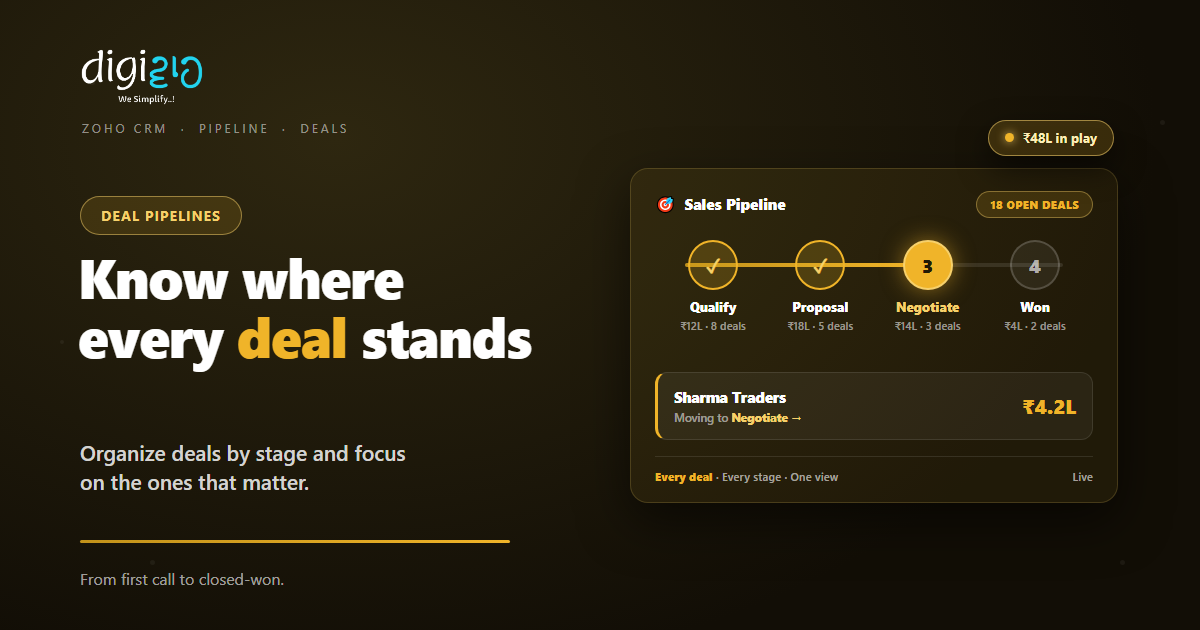
Zoho CRM Pipeline Management: Know Where Every Deal Stands
Deals should not live in your head or a spreadsheet. So give each one a stage, and watch the whole pipeline at a glance.
Last Updated: July 9, 2026
A sales pipeline is your deals arranged by stage, from first call to closed-won. So pipeline management in Zoho CRM means every deal sits at a named step, with a value and a next action. As a result, “where is that deal?” takes one glance, not one meeting.
This matters because deals rarely die from a “no.” Instead, most die from silence. Someone forgot to follow up, and the buyer moved on. But a pipeline makes every open deal visible. So nothing slips quietly off the radar.
Key Takeaways
- Stages tell the story. Every deal sits at a named step, so status is visible at a glance.
- Multiple pipelines. Map separate pipelines for different products, services, or regions.
- Focus beats effort. Filters and predictions point you to the deals that truly matter.
- Health checks. Reports and dashboards show trends and bottlenecks in the pipeline.
- One source of truth. The team argues about the plan, not about whose sheet is right.
Table of Contents
- What Is Pipeline Management in Zoho CRM?
- Why Deals Die in Spreadsheets
- Stages: The Backbone of Your Pipeline
- One Business, Many Pipelines
- Finding the Deals That Matter
- Pipeline Health: Reports and Dashboards
- Spreadsheet vs CRM Pipeline
- How to Set Up Your Pipeline in Zoho CRM
- A Pipeline in Action
- Frequently Asked Questions
- Conclusion
What Is Pipeline Management in Zoho CRM?
Pipeline management is how you track deals through your sales process. First, you define the stages your deals pass through — say, Qualify, Proposal, Negotiate, Won. Then every open deal sits at exactly one stage. So the pipeline becomes a live map of your revenue in progress.
Zoho CRM calls this “end-to-end deal management” — organized pipelines, advanced filters, and predictions that add up to smarter deals. Because it lives inside Zoho CRM, each deal also carries its contacts, notes, emails, and tasks. In short, the full story travels with the deal.
Why Deals Die in Spreadsheets
Most growing teams start with a deal sheet. It works at five deals. But at thirty, the cracks show. Someone forgets to update a row. Then two reps chase the same buyer. Meanwhile, the owner asks for status, and everyone opens a different version.
The deeper problem is that a spreadsheet is passive. It records what someone typed, whenever they typed it. So it cannot remind, assign, or alert anyone. In fact, the sheet is usually out of date the moment the meeting starts.
A CRM pipeline is active instead. Because deals, owners, and stages live in one system, updates land in real time. Plus, workflow rules can fire follow-ups the moment a deal changes stage. So the process keeps moving even on your busiest day.
Stages: The Backbone of Your Pipeline
Stages turn a pile of deals into a process. So each stage should be a real step in how you actually sell. For example: Qualify, Proposal Sent, Negotiation, Closed Won, Closed Lost. Keep the names plain, and keep the list short.
Zoho lets you shape this freely — in its words, “model every pipeline to suit your operational requirements.” So a trading firm might use four stages, while a projects business uses seven. The point is the same. When a deal sits at “Proposal Sent,” everyone knows what has happened and what comes next.
Stages also give you numbers. Because every deal carries a value, each stage shows a total — like ₹18L sitting in Proposal. So the pipeline doubles as a revenue forecast in rough form. If you want the process locked down step by step, Blueprint can enforce who does what at each stage.
One Business, Many Pipelines
One process rarely fits everything you sell. So Zoho CRM lets you “map distinct pipelines for diverse products, services, or geographies.” Each pipeline gets its own stages, and deals flow to the right one.
By Product Line
Hardware sales close in days; AMC contracts take months. So give each its own stages and rhythm.
By Service Type
A one-time project and a retainer follow different paths. Separate pipelines keep both honest.
By Region
North and West markets may sell differently. So track each geography in its own pipeline.
New vs Repeat
Winning a new customer is not the same as renewing one. Model each journey on its own.
The win here is clean reporting. Because each pipeline matches one motion, its numbers mean something. So you compare proposals to proposals, not apples to onions.
Finding the Deals That Matter
Not all deals deserve equal attention. So Zoho CRM helps you “focus on the deals that truly matter.” Two tools do the heavy lifting.
First, advanced filters. They slice the pipeline to “unearth truly significant deals” — say, deals above ₹5L, idle for ten days, closing this month. Then that list becomes your morning call sheet. Second, predictions. The CRM flags high-potential deals, so your best hours go to the likeliest wins. Also, lead scoring plays the same game one step earlier, ranking leads before they ever become deals.
The habit this builds is simple. Instead of scrolling every deal daily, you work a short, sharp list. As a result, follow-ups land where the revenue is.
Pipeline Health: Reports and Dashboards
A pipeline is not just a to-do list. It is also a diagnosis. So Zoho CRM gives you “dynamic reports and dashboards to monitor the health of your pipeline.”
Watch three things. First, totals per stage — is enough new work entering the top? Next, movement — deals stuck too long at one stage mark a bottleneck. Finally, outcomes — in Zoho’s words, “analyze trends, troubleshoot bottlenecks, and celebrate triumphs.” For example, if half your deals stall at Negotiation, the fix is pricing or authority, not more leads.
Review the pipeline weekly with the team. Because everyone sees the same board, the meeting is short. So the time goes into unblocking deals, not reconstructing status.
Spreadsheet vs CRM Pipeline
Both can list your deals. But under real load, they behave very differently. So here is the honest comparison.
| Question | Deal Spreadsheet | Zoho CRM Pipeline |
|---|---|---|
| Where is this deal? | Ask whoever edited last | One glance at its stage |
| What needs follow-up? | Memory and guesswork | Filters list idle deals |
| Which deals come first? | All rows look equal | Predictions flag likely wins |
| How healthy is the funnel? | Build a chart by hand | Live dashboards |
| Different sales motions? | One sheet fits nothing | A pipeline per motion |
| History and context? | Scattered in inboxes | On the deal record |
In short, a sheet stores deals. A pipeline moves them. That difference shows up directly in how many quietly slip away.
How to Set Up Your Pipeline in Zoho CRM
Setup is a one-time job, and a small one. So here is the path from messy deal list to working pipeline.
-
1Write down your real sales steps
First, note how a deal actually moves, from first contact to closed. Five to seven steps is plenty. -
2Create the stages in Zoho CRM
Next, set those steps as deal stages. Use plain names your team already says out loud. -
3Add pipelines per sales motion
Then create separate pipelines for products, services, or regions that sell differently. -
4Load your open deals
Now bring every live deal in with its value, owner, and expected close date. No orphans. -
5Set filters and a weekly review
Finally, save filters for idle and high-value deals. A Zoho partner can tune reports and automation.
Rule of thumb: if a deal has no next action and no next date, it is not being managed — it is being remembered.
A Pipeline in Action
Setup is the easy half. So here is what changes once a real team runs on stages.
Deals lived in one shared spreadsheet, and every review meeting started with twenty minutes of “which row is current?” Two big quotes went cold simply because nobody owned the follow-up. Then they moved deals into a Zoho CRM pipeline. Now four stages show 18 open deals worth ₹48L, each with an owner and a next step. A saved filter lists any deal idle for a week. Meanwhile, the owner watches stage totals on one dashboard. As a result, reviews take ten minutes, and no quote goes quiet anymore.
Notice that nothing about their selling changed. Instead, the visibility changed. So the same team, with the same deals, simply stopped leaking follow-ups.
Frequently Asked Questions
What is pipeline management in Zoho CRM?
It is tracking every deal through named stages, from first contact to closed-won. Each deal carries its value, owner, and history, so the pipeline shows exactly where revenue stands and what needs attention next.
Can I have more than one pipeline?
Yes. Zoho CRM lets you map distinct pipelines for different products, services, or geographies. Each pipeline has its own stages, so every sales motion is tracked the way it actually works.
Can I customize the deal stages?
Yes. You model every pipeline to suit your own process, with stage names and steps that match how your team sells. Keep stages few and plainly named so status is obvious at a glance.
How do I know which deals to focus on?
Use advanced filters to surface significant deals — by value, idle time, or close date — and let CRM predictions flag high-potential ones. Together they turn a long deal list into a short daily call sheet.
How do I track pipeline health?
Zoho CRM offers dynamic reports and dashboards for the pipeline. Watch stage totals, how long deals sit in each stage, and win outcomes. So bottlenecks show up as data, not as end-of-quarter surprises.
Can the pipeline enforce my sales process?
Yes. Pair pipelines with Blueprint in Zoho CRM, which defines what must happen at each stage and who does it. The pipeline shows the journey, while Blueprint keeps every deal on the rails.
Conclusion
In the end, pipeline management is visibility with a spine. Every deal gets a stage, an owner, and a next step. So the question shifts from “where are we?” to “what do we do next?” After all, deals rarely need more effort. Instead, they need effort in the right place at the right time.
Start simple. First, write down your real stages and set them up in Zoho CRM. Then load every open deal with an owner and a date. Next, save one filter for idle deals and review it weekly. That single habit recovers more revenue than most new lead sources.
Count your open deals right now. How many of them have a next step written down?
Want your pipeline mapped to the way your team actually sells? Talk to a Zoho Authorized Partner.
