

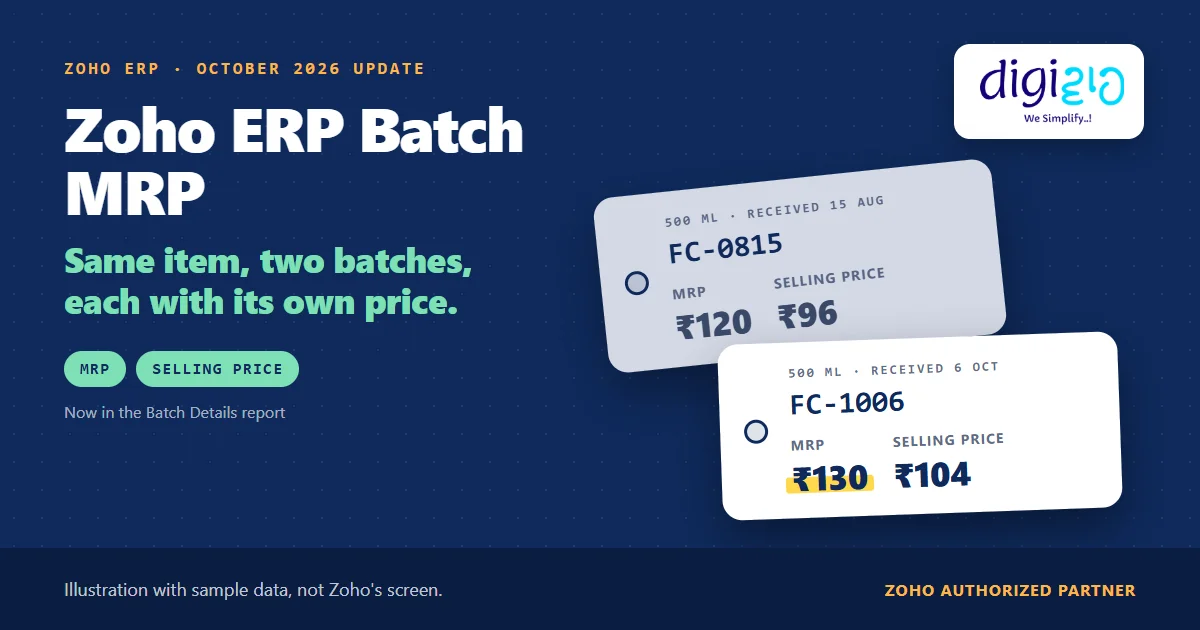
Short answer Zoho ERP batch MRP means the Batch Details report now shows the MRP and the Selling Price of each batch, not just one price per item. Zoho added it in the October 2026 update. The same update adds MRP and MRP Amount as selectable columns in the Inventory Valuation Summary, plus multi-level grouping. Zoho’s help pages do not yet show where you enter a batch’s MRP.
The same product sits on your shelf in two batches. One carries the old MRP, the other the new one after a price revision. Until now, the batch report told you the quantity and the dates, but not the price.
Zoho ERP’s October 2026 update changes that. So now the report shows each batch with its own MRP and Selling Price, side by side.
Who this guide is for
This guide is for owners, sales heads, accounts teams and store managers who run Zoho ERP, or plan to, and who sell packed goods that carry an MRP. For example, it suits consumer products, hardware, cosmetics, chemicals in retail packs and any business whose price changes while old stock is still in the warehouse. You will learn what the update adds, how to see batch MRP in two reports, a worked example, how MRP connects to price lists, and what Zoho has not documented yet.
- The Batch Details report now shows MRP and Selling Price per batch. Zoho calls it “better visibility into batch-wise pricing.”
- The Inventory Valuation Summary gets two new columns. MRP and MRP Amount are now selectable, next to stock on hand and asset value.
- The Valuation Summary also groups on several levels. With Group By on, Show Only Total hides the detail rows.
- Batch MRP needs batch tracking first. You switch it on in Item Settings, and every lot then carries a Batch Reference.
- The entry point is not documented yet. Zoho’s help does not show where you key in a batch’s MRP, so test it before go-live.
- This is a reporting change, not a labelling feature. Nothing in the update covers printing MRP on packs.
What is Zoho ERP batch MRP?
Zoho ERP batch MRP is the maximum retail price recorded against one batch of an item, rather than one price for the whole item. Zoho’s October 2026 product update puts it in one line: “The Batch Details report now supports MRP and Selling Price at the batch level, providing better visibility into batch-wise pricing.”
In other words, two batches of the same item can now show two different prices in the report. That matters because prices change, but stock on the shelf does not change with them. As a result, your team can see which batch carries which MRP before they sell, return or move it.
Prices now shown per batch in the Batch Details report: MRP and Selling Price
Source: Zoho ERP update, Oct 2026
New selectable columns in the Inventory Valuation Summary: MRP and MRP Amount
Source: Zoho ERP update, Oct 2026
What did the Batch Details report show before?
Zoho ERP’s Advanced Inventory Report help lists what the Batch Details report holds: “batch numbers, quantity in, available quantity, expiry dates, manufacturer batch numbers, manufactured dates, and the current status of each batch.”
So the report already answered “how much of which batch is left?” However, it had no price column. If one batch went out at the old MRP and the next at the new one, someone kept that link in a spreadsheet or checked the pack itself. In practice, that is where mix-ups start: a salesperson quotes the new price for an old-MRP batch, or a return goes back into the wrong batch.
What the October 2026 update adds to Zoho ERP batch MRP
The Zoho ERP product updates for October 2026 touch two reports. First, the Batch Details report gets MRP and Selling Price per batch. Second, the Inventory Valuation Summary “now includes MRP and MRP Amount as selectable columns, providing additional pricing information.”
| Report | Before October 2026 | With the update |
|---|---|---|
| Batch Details | Batch, quantities, dates and status; no price | Adds MRP and Selling Price at the batch level |
| Inventory Valuation Summary | Stock on hand and inventory asset value | Adds MRP and MRP Amount as selectable columns |
| Grouping in the Valuation Summary | Not mentioned before | Multi-level grouping, and Show Only Total when Group By is on |
On grouping, Zoho adds: “When Group By is selected, the Show Only Total option lets you view summarized totals without displaying detailed records.” For example, an owner can then see totals by group without scrolling through every item.
Notably, the October post gives no plan limit and no Early Access tag for either change.
How to see Zoho ERP batch MRP in your reports
You need batch tracking in place first, and then you read two reports. These steps come from Zoho ERP’s Item Settings help, its Inventory Valuation Reports help and its Manage Reports help.
-
Switch on Zoho ERP batch tracking
In Item Settings, under Advanced Inventory Tracking, select Enable Batch Tracking. Zoho says this lets you “group items into batches and track them based on batch details such as manufacturing and expiry dates.” Then set each MRP item to track by Batch.
-
Make batch details mandatory
Click Configure, pick the transactions that carry batches, and tick Mandate serial number or batch tracking in transactions. Otherwise a receipt without a Batch Reference leaves a gap that no price column can fix.
-
Record each batch with its price
When stock comes in, enter the Batch Reference or use the auto-generated one. Next, confirm in a test transaction where your organisation records the batch MRP and Selling Price, because Zoho’s help does not show that field yet.
-
Open the Batch Details report for batch MRP
Go to Reports on the left sidebar and open Batch Details, one of the Advanced Inventory reports. Each batch row now shows its MRP and Selling Price next to the available quantity and dates.
-
Add the MRP columns to the Inventory Valuation Summary
Go to Reports, click Inventory Valuation under Reports Category, and open the Inventory Valuation Summary. Zoho calls MRP and MRP Amount selectable columns, so you add them the way you add any column: click Customize, open the Show/Hide Columns tab, tick them and click Run Report.
-
Group the totals
Finally, use Group By to group the valuation data on more than one level. Then turn on Show Only Total if you only want the summary lines, for example for a monthly review.
A worked example: one product, two MRPs
For example, take a 500 ml bottle of floor cleaner, item FC-500 (sample data, made up for this guide). The price went up in October, but the August batch is still in the warehouse.
| Batch Reference | Received | Available qty | MRP | Selling Price |
|---|---|---|---|---|
| FC-0815 | 15 Aug | 180 | ₹120 | ₹96 |
| FC-1006 | 6 Oct | 420 | ₹130 | ₹104 |
- Before the update: the Batch Details report showed both batches with their quantities and dates. To know that FC-0815 carries ₹120, however, someone checked a spreadsheet or the pack.
- With the update: the same report shows ₹120 / ₹96 against FC-0815 and ₹130 / ₹104 against FC-1006. So sales can quote the right price for the batch that will ship.
- In the Valuation Summary: FC-500 shows its stock on hand of 600 and its asset value, and now MRP and MRP Amount columns too. Zoho does not define MRP Amount, so check it against one known item before you share the report.
In short, the price revision no longer lives in someone’s head. Instead, it sits on the batch, in the report everyone already uses.
Old and new MRP stock on the same shelf? We set up batch tracking and batch-wise pricing in Zoho ERP, and test where your team records each batch’s MRP before go-live.
How does MRP connect to Zoho ERP price lists?
MRP is not only a report column in Zoho ERP. Its Pricing Method help says you can “apply a markup or markdown on the selling price, purchase cost, or MRP, or set a custom rate for individual items.” For example, a distributor price list could work as a markdown from MRP.
However, Zoho does not say whether that markdown reads the batch MRP or the item’s MRP. So if your distributor rates depend on MRP, test a price list against two batches with different MRPs before you rely on it.
From the implementation floor
Batch-wise pricing is only as good as the receiving step. If the store skips the Batch Reference, or keys the new MRP against the old batch, the report shows a wrong price with total confidence. So in a rollout we mandate batch details at receipt first, and then we run one test receipt per price change to see where the MRP lands.
What Zoho has not documented about Zoho ERP batch MRP yet
The update is two lines long, so several details are still open. Based on Zoho ERP’s pages as of November 12, 2026:
- No entry point. No Zoho ERP help page shows where you enter MRP or Selling Price for a batch: on the receipt, the bill, the batch itself or an import.
- No definition of MRP Amount. The Valuation Summary column has a name but no formula on Zoho’s pages.
- Item or batch in the Valuation Summary? Zoho does not say whether that MRP column shows the item’s MRP or a batch figure.
- No word on invoices. The update does not say that picking a batch on an invoice fills in that batch’s selling price.
- No labels. Nothing here covers printing MRP on packs or labels, and this guide does not cover packaging law.
None of these block a rollout. Rather, they are setup questions, and they are the kind of work a Zoho ERP implementation partner should test with your store and sales teams.
Related reading: Zoho ERP batch tracking, Zoho ERP inventory aging, inventory management in ERP, and every change in the October 2026 update.
Frequently asked questions about Zoho ERP batch MRP
Can Zoho ERP show a different MRP for each batch?
Yes, in reporting. Since the October 2026 update, Zoho says “the Batch Details report now supports MRP and Selling Price at the batch level, providing better visibility into batch-wise pricing.” So two batches of the same item can show two MRPs. Zoho’s help does not yet show where you enter that batch MRP.
Where is the Batch Details report in Zoho ERP?
Go to Reports on the left sidebar and open Batch Details, one of Zoho ERP’s Advanced Inventory reports. It lists batch numbers, quantity in, available quantity, expiry and manufactured dates, manufacturer batch numbers and status. Since October 2026 it also shows MRP and Selling Price for each batch.
How do I add MRP to the Inventory Valuation Summary in Zoho ERP?
Go to Reports, click Inventory Valuation under Reports Category and open the Inventory Valuation Summary. Zoho calls MRP and MRP Amount selectable columns, so click Customize, open the Show/Hide Columns tab, tick both and click Run Report. Check MRP Amount against a known item, because Zoho does not define it.
Do I need batch tracking for Zoho ERP batch MRP?
Yes. Batch-level MRP sits in the Batch Details report, which covers items tracked by batch. So you first select Enable Batch Tracking in Item Settings, set each item to track by Batch, and ideally make batch details mandatory in transactions, so that no receipt goes in without a Batch Reference.
Does Zoho ERP print the batch MRP on labels?
The October 2026 update does not say so. It adds MRP and Selling Price to the Batch Details report and MRP columns to the Inventory Valuation Summary, which are reporting changes. Nothing in the update or the help pages covers printing MRP on packs, so plan labelling separately.
Can a Zoho ERP price list be based on MRP?
Yes. Zoho ERP’s Pricing Method help says you can “apply a markup or markdown on the selling price, purchase cost, or MRP, or set a custom rate for individual items.” However, it does not say whether a batch’s MRP or the item’s MRP drives the price list, so test that first.
Conclusion
In short, Zoho ERP batch MRP closes a small but common gap. Batches already carried quantities and dates. Now, after the October 2026 update, they also show their own MRP and Selling Price, and the valuation report can show MRP next to stock value. The open question is where your team records that price, so test it once before you depend on it.
So, one question for your sales team: when the price changes, how do they know which batch carries the old MRP today?
Put the right price on every batch
Digiwah, a Zoho Authorized Partner, sets up batch tracking, batch-wise pricing and MRP-based price lists in Zoho ERP, and trains your store and sales teams on them.
Prefer to write? Tell us how you handle price changes today.
