

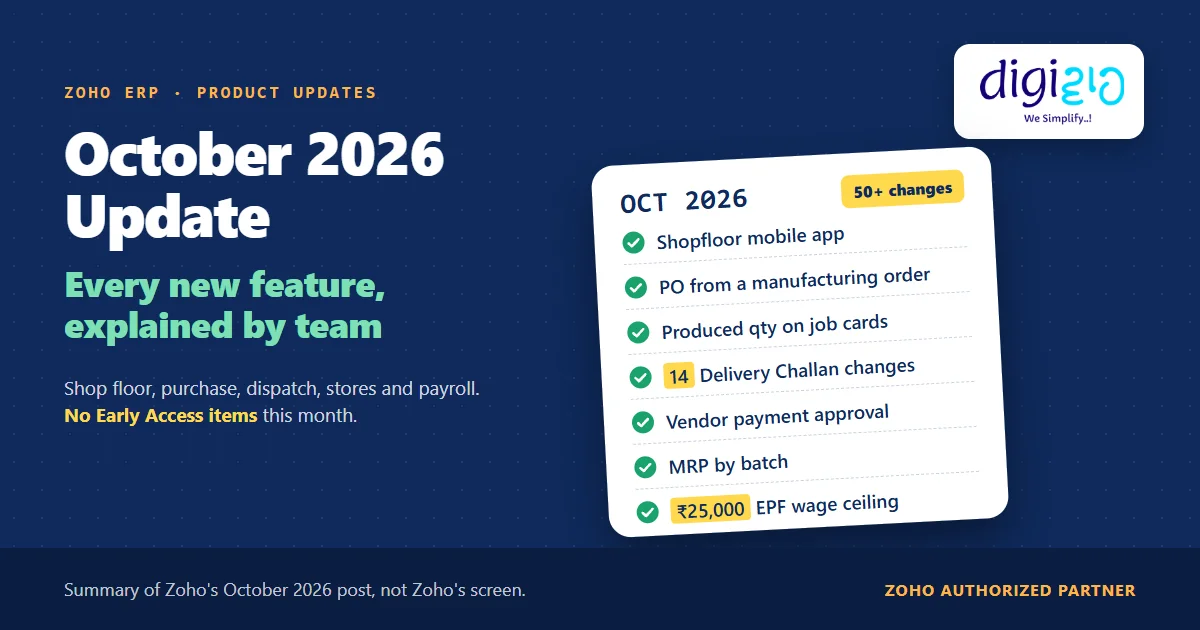
Short answer The Zoho ERP October 2026 update brings more than 50 changes, led by the shop floor: a Shopfloor mobile app, a Shopfloor Staff role on employee licences, produced quantity on job cards and purchase orders raised straight from a manufacturing order. It also adds 14 Delivery Challan changes, one approval flow for vendor payments, batch-level MRP and support for the ₹25,000 EPF wage ceiling.
Zoho ships a new set of Zoho ERP changes every month. However, the October list is unusually close to the factory floor.
So this guide puts the whole October 2026 list in one place, grouped by the team that will use it, in plain English.
Who this guide is for
This guide is for owners, plant heads, accounts heads and store managers who run Zoho ERP, or are evaluating it. You will see every change in Zoho’s October 2026 product update, what each one does, a worked example that runs one order through the new features, and a simple way to roll them out.
- The shop floor gets its own app. The Shopfloor – Zoho ERP app is on the Google Play Store and the App Store, for job cards, operations and quality inspections.
- Shop floor staff can use employee licences. Zoho says you can “use employee licenses instead of separate user licenses” for roles of the Shopfloor Staff type.
- Manufacturing orders close the loop. You can now raise a purchase order from a manufacturing order for back ordered components, and record the produced quantity on each job card.
- Delivery Challans get 14 changes, including a filter for challans “yet to be invoiced” and a view of open challans while you create an invoice.
- Payroll supports the ₹25,000 EPF wage ceiling. The Government notified it on 17 September 2026.
- No Early Access or plan notes this month. Unlike September, the post marks no feature as Early Access.
- What is in the Zoho ERP October 2026 update?
- Manufacturing order changes
- The Shopfloor app and the Shopfloor Staff role
- Worked example: one order through the October changes
- Purchasing and vendor payments
- Packages, shipments and carriers
- Delivery Challan changes
- Inventory reports, MRP and batches
- Where record locking now applies
- Payroll: the ₹25,000 EPF wage ceiling
- Beat app updates
- Finance, sales and other changes
- How to roll out the update
- What the update leaves out
- Frequently asked questions
What is in the Zoho ERP October 2026 update?
Zoho grouped the October post into headline features, manufacturing, distribution, contributions, Delivery Challan and a long list of other enhancements. For an easier read, however, the table below regroups it by team.
| Team | Main changes | Read more |
|---|---|---|
| Production | PO from a manufacturing order, produced quantity on job cards, job card custom fields, custom buttons, MO custom views | Manufacturing section |
| Shop floor | Shopfloor – Zoho ERP mobile app, Shopfloor Staff role on employee licences | Shopfloor section |
| Purchase and accounts | One vendor payment flow with approval, tracking numbers on Purchase Receives, TDS challan view | Purchasing section |
| Dispatch | Quick Shipment up to 200 Sales Orders, package validation on stock, QR codes on package PDFs, carrier changes | Shipments section |
| Billing (India) | 14 Delivery Challan changes, from bulk import to “yet to be invoiced” filters | Delivery Challan section |
| Stores and reports | Forecasting and anomaly detection in five inventory reports, MRP by batch, more record locking | Reports section |
| HR and payroll | Revised EPF wage ceiling of ₹25,000 | Payroll section |
| Field sales | Beat app: customer location on iOS, catalogue items and PDFs on Android | Beat section |
One note before you read on: Zoho’s introduction says “This month brings Netting”, but the post has no Netting item. In fact, Netting arrived in September, and we covered it in the Zoho ERP September 2026 update.
Manufacturing changes in the Zoho ERP October 2026 update
First, Manufacturing Orders and Job Cards get five changes this month:
- Create a purchase order from a manufacturing order. In Zoho’s words, you can now “create a purchase order directly from a manufacturing order to procure the components required to fulfill back ordered quantities.” So the order for a missing component starts on the screen where the shortfall shows. Read our full guide to raising a Zoho ERP backorder purchase order. It also pairs with the in-transit quantity from September, covered in Zoho ERP component availability.
- Produced quantity on each job card. Next, you can now “update the produced quantity for each job card from the Job Cards and Shop Floor modules”, so each stage records what it really made. More in our Zoho ERP job card guide.
- Custom fields on job cards. In addition, you can add fields “to capture additional information specific to your manufacturing processes”, for example a machine number or a shift.
- Custom buttons. Also, you can set up buttons for Manufacturing Orders and Job Cards under Settings > Manufacturing Orders or Job Cards > Buttons, to run specific actions.
- Custom views and search by SKU. Finally, Manufacturing Orders now support Custom Views, Custom Reports, Multi-Level Grouping and Advanced Search by Item SKU in manufacturing orders and bills of materials.
The Shopfloor app and the Shopfloor Staff role
In fact, for many plants, this is the change that matters most. First, Zoho redesigned the Shopfloor Worker role as Shopfloor Staff. You now manage these people from the People module and invite them to the portal. You can also “create custom roles with the Shopfloor Staff role type and use employee licenses instead of separate user licenses.”
Second, the Shopfloor – Zoho ERP mobile app “is now available on the Google Play Store and App Store, enabling shop floor staff to access assigned job cards, manage manufacturing operations, and perform quality inspections directly from their mobile devices.” As a result, an operator can open a job card or run an inspection without a desktop near the line. For the setup, roles and licence question, read our Zoho ERP shopfloor app guide.
However, the post does not say what an employee licence costs, so check that with Zoho or your partner before you plan headcount around it.
Worked example: one order through the Zoho ERP October 2026 update
Here is how one order could move through the October features (sample data). A plant gets a sales order for 500 units of a finished item. Each unit needs two cartons, so the manufacturing order needs 1,000 cartons, but the store holds only 400.
| Step | What happens | October change used |
|---|---|---|
| 1. Shortfall | First, the manufacturing order shows 600 cartons back ordered. The planner raises a purchase order from the same manufacturing order. | PO from MO |
| 2. Receipt | Next, the vendor dispatches. The store adds the tracking number and URL on the Purchase Receive. | Tracking on Purchase Receives |
| 3. Payment | After that, accounts records the vendor payment and submits it for approval. Once approved, a user with an active bank integration starts the transfer. | Unified vendor payments |
| 4. Production | Then operators open their job cards on the Shopfloor app. The last job card records 480 units produced, not the planned 500. | Shopfloor app, produced quantity |
| 5. Dispatch | Finally, the team ships 480 units and creates a Delivery Challan from that shipment. The challan then shows under “yet to be invoiced” until accounts bills it. | Delivery Challan changes |
In other words, the gap, the payment, the real output and the unbilled dispatch each now have a place in Zoho ERP. However, the post does not say whether the purchase order fills the back ordered quantity for you, so test that step in your own organisation.
Not sure which October changes your plant should switch on? We will map the list against how your orders, floor and dispatch run today, and set up the ones that fit.
Purchasing and vendor payments
Meanwhile, three changes reach the purchase and accounts teams:
- One flow for vendor payments. Zoho says vendor payments “now follow a unified flow when payment approval is enabled. You can record payment details and submit them for approval before initiating an online bank transfer. Once approved, any user with an active bank integration can initiate the payment.” As a result, the separate online and offline workflows go away. Read our guide to Zoho ERP vendor payment approval.
- Tracking on Purchase Receives. In addition, Purchase Receives now hold tracking numbers and tracking URLs, “providing better visibility into incoming shipments”. This builds on the Purchase Receive locking from September; see purchase orders in ERP for the wider flow.
- TDS challans. Finally, under Accounting > Taxes & Filing > TDS Liabilities, a View Challan option shows the challans for fully or partially paid liabilities.
Packages, shipments and carriers
Similarly, order management gets a long list for the dispatch team:
- Quick Shipment up to 200. First, the limit “has increased from 25 to 200 Sales Orders per batch”. For example, a dispatch day with 140 orders now fits in one batch, not six.
- Stock checks on packages. Next, Packages and Shipments now support Record Locking (Edit and Delete) and Validation Rules. For Packages, you can use “the Stock on Hand and Stock at Location nodes” to “restrict creation based on stock availability”.
- Better documents. Also, you can attach up to 20 files to Shipment Order emails, add configurable QR codes to Package PDFs, and use placeholders for line-item custom fields, dimensions, and gross and net weight in package templates.
- Item history. In addition, Packages and Shipments now show under Item Transactions.
- Carrier shipments start as Draft. Zoho now creates them “in Draft status” and moves them to Shipped only after the carrier confirms. As Zoho puts it, this “helps prevent unnecessary rollbacks when carrier API calls fail.”
Meanwhile, the other carrier changes cover BOBGo, UPS, UPS through EasyPost, Envia and Easyship, which most Indian plants do not use. In contrast, the one India carrier in the list is Shiprocket, whose shipment statuses Zoho now fetches in bulk.
Delivery Challan changes in the Zoho ERP October 2026 update
For Indian businesses that move goods on a challan before they bill, this is the most practical list in the post. Zoho lists 14 changes, which we group into four kinds:
- Find unbilled challans. First, you can filter Delivery Challans “that are yet to be invoiced”, and “View open Delivery Challans while creating an invoice”.
- Link challans to dispatch. Next, you can manage Packages, Shipments, Returns and Receives in Delivery Challans, and create a challan “directly from shipments generated through Sales Orders”.
- Control changes. In addition, you can lock challan records, create validation rules, and bulk update or delete challans.
- Save time on entry. Finally, you can import many challans at once, edit the billing address while you create one, apply Out of Scope and Non-GST Supply at the line-item level, inherit custom field values from customers, add item-level custom fields, add comments, include challan PDFs in workflow email alerts, and back up challan data.
However, the post says nothing about e-way bills or job work on these challans, so don’t plan around either from this update. Read the full guide to Zoho ERP delivery challan changes.
Inventory reports, MRP and batches
In fact, reports get more changes than any other area this month:
- Forecasting and anomaly detection. Chart View, Forecasting, Anomaly Detection and Insights now work in five reports: Committed Stock Details, Packing History, Inventory Adjustment Summary, Inventory Adjustment Detail and Stock Summary. For example, the Stock Summary report forecasts Qty IN and Qty OUT, “helping you plan purchases”.
- MRP by batch. Next, “The Batch Details report now supports MRP and Selling Price at the batch level”. Similarly, the Inventory Valuation Summary adds MRP and MRP Amount columns. More in our guide to Zoho ERP batch MRP, and to Zoho ERP batch tracking for how batches start.
- Grouping and totals. Also, Committed Stock Details and Inventory Valuation Summary support multi-level grouping and a Show Only Total option.
- Stock movement filters. Finally, the Stock Summary report adds Quantity In and Quantity Out filters.
Zoho lists the Committed Stock, Stock Summary and Sales Summary changes twice in the post, with the same meaning, so we count each one once.
Where record locking now applies
Meanwhile, record locking keeps growing. In September it reached Manufacturing Orders, Purchase Receives, Transfer Orders and Inventory Adjustments. October adds:
- Packages and Shipments, for Edit and Delete actions
- Delivery Challans
- Move Orders, at the transaction level, along with Workflow Rules, Validation Rules and custom buttons
- Composite Items and Assemblies, “allowing admins to configure locking rules for these records”
- Material modules, which “now support Item-Level Custom Fields, Record Locking, Custom Approvals, Workflow Rules and Actions, and Validation Rules”
However, the post does not say which screens it means by “Material modules”, so check your own Settings before you plan around them. For how locking works, read our guide to Zoho ERP record locking.
Payroll: the ₹25,000 EPF wage ceiling
Zoho says Zoho ERP “now supports the revised EPF wage ceiling of ₹25,000, replacing the earlier limit of ₹15,000. The migration tool updates the ceiling and recomputes employee salaries based on the revised EPF configuration. Payrolls from October 2026 will automatically reflect the updated ceiling.”
However, the legal change comes from the Government, not Zoho. Notification S.O. 5109(E), published on 17 September 2026, “notifies rupees twenty-five thousand (₹25,000) per month as the wage ceiling for the purposes of Chapter III” of the Code on Social Security, 2020, from the date of publication. According to PIB, it is the first revision of the statutory wage ceiling since September 2014.
So the ceiling took effect on 17 September, while Zoho’s note talks about payrolls from October. Therefore, ask your CA how to treat September’s payroll, and check a few recomputed salaries after you run the migration.
Beat app updates
Meanwhile, Beat, Zoho ERP’s app for field sales and delivery teams, gets three changes:
- iOS: salespersons can update a customer’s location, but only for customers “who don’t have the latitude and longitude details on record”.
- Android: if off-beat transactions are on, salespersons can pick items from your catalogue into quotes or sales orders.
- Android: salespersons can also download the quote, sales order or payment they create as a PDF.
For September’s Beat changes, see Zoho ERP proof of delivery.
Finance, sales and other changes
Finally, the rest of the list is smaller, but some items will matter to your accounts team:
- Imports and customs. First, you can override the prepopulated Custom Duty Tracking Account in Bills of Entry and Shipping Bills. Also, locations, shipping bills and bills of entry now take custom fields.
- Profit and Loss. In addition, a new preference shows or hides the Other Comprehensive Income section, under Settings > General > Accounting > Reports.
- Sales reports. Next, Sales Summary adds a Payment Modes column and an Include Refund Amount option. Similarly, Sales by Category adds a Transaction Count column, and Retail Sales Summary adds an Include Refund Payments option.
- WhatsApp. Also, you can now connect several WhatsApp Business Accounts (WABAs) in one organisation, with a Templates tab and filters by status and WABA.
- Warehouse search. Similarly, Move Orders and Putaway now support Quick Search and Advanced Search.
- Subscriptions. Finally, you can share Hosted Payment Page links for item-based subscriptions, from Item Details > Share Hosted Payment Page.
Zoho’s Contributions module, used by non-profits, also gets Form FC-4 reports under the Foreign Contribution (Regulation) Act and a default fund for donations. However, most plants will not need either.
How to roll out the Zoho ERP October 2026 update
Most of these changes are settings that you choose to turn on. So a short, planned rollout works better than switching on everything at once:
-
Shortlist what touches your process
First, go through the table above with your production, stores, dispatch and accounts heads. Mark the changes you will use, and skip the rest for now.
-
Run the EPF migration with your CA
Next, agree the September treatment with your CA, run the migration tool, and check a few recomputed salaries before the October payroll goes out.
-
Pilot the Shopfloor app on one line
Then set up the Shopfloor Staff role, invite a few operators, and confirm the licence terms with Zoho before you add the whole floor.
-
Clean up open Delivery Challans
After that, filter challans that are yet to be invoiced, and bill or close the old ones, so the list stays useful from day one.
-
Lock what should not change
Finally, extend record locking to Packages, Shipments, Delivery Challans and Move Orders, and train approvers on the new vendor payment flow.
From the implementation floor
In practice, the hardest part of a shop floor rollout is not the app. Rather, it is agreeing who records what: which stage enters produced quantity, who raises the purchase order for a shortfall, and who checks the unbilled challan list each week. For that reason, we write those owners down before we switch anything on. Otherwise, the new screens fill up with half the data.
What the Zoho ERP October 2026 update does not tell you
After all, knowing the gaps saves you a surprise later. Based on Zoho’s update post as of November 12, 2026:
- A Netting line with no Netting item. The introduction mentions Netting, but the post has no Netting section. It looks like a carry-over from September.
- No plan or Early Access notes. The post names no plans for any feature. Even so, confirm availability in your own organisation before you promise a feature to your team.
- No licence prices. The Shopfloor Staff role can use employee licences, but the post gives no cost for them.
- No detail on PO from MO. The post does not say whether quantities or vendors fill in for you, or how approvals apply.
- “Material modules” is not defined, and neither is what anomaly detection shows in each report.
- No tax or legal guidance. The Delivery Challan items describe screens, not e-way bill or job work rules, and the EPF item does not cover the September payroll. Ask your CA.
- Repeated lines. Three report changes appear twice in the post, so a raw count overstates the list.
Even so, none of these block a rollout. Rather, they are setup decisions, and they are the kind of work a Zoho ERP implementation partner should settle with your team.
Sources: Zoho ERP | Product updates | October 2026 (Zoho Community), read on November 12, 2026 · Gazette notification S.O. 5109(E), Ministry of Labour and Employment · PIB release on the EPF wage ceiling.
Frequently asked questions about the Zoho ERP October 2026 update
What is new in the Zoho ERP October 2026 update?
The Zoho ERP October 2026 update adds the Shopfloor mobile app, a Shopfloor Staff role on employee licences, produced quantity and custom fields on job cards, purchase orders from manufacturing orders, 14 Delivery Challan changes, one vendor payment approval flow, batch-level MRP, forecasting in five inventory reports, wider record locking and support for the ₹25,000 EPF wage ceiling.
Does the Zoho ERP October 2026 update include Netting?
No. The introduction of Zoho’s October post mentions Netting, but the post has no Netting item. Netting arrived in the September 2026 update, where linked customers and vendors can offset receivables and payables through one netting entry. So treat the October mention as a carry-over and follow the September notes for Netting.
Do shop floor staff need a full user licence in Zoho ERP?
Not necessarily. Since October 2026, you can create custom roles with the Shopfloor Staff role type and use employee licences instead of separate user licences, according to Zoho. You manage these staff from the People module and invite them to the portal. However, Zoho’s post does not state what an employee licence costs, so confirm pricing before you plan.
Does Zoho ERP support the ₹25,000 EPF wage ceiling?
Yes. Zoho ERP now supports the revised EPF wage ceiling of ₹25,000 in place of ₹15,000. A migration tool updates the ceiling and recomputes salaries, and payrolls from October 2026 reflect it automatically. The Government notified the ceiling on 17 September 2026, so ask your CA how to treat the September payroll.
What changed for delivery challans in the Zoho ERP October 2026 update?
Zoho lists 14 Delivery Challan changes. The most useful are a filter for challans yet to be invoiced, a view of open challans while you create an invoice, creating a challan from a Sales Order shipment, record locking, validation rules, bulk import, bulk update and delete, and line-item Out of Scope and Non-GST Supply options.
Are any Zoho ERP October 2026 update features in Early Access?
Zoho’s October 2026 post marks no feature as Early Access and names no plan limits. In contrast, the September 2026 update had four Early Access features and one plan note. Even so, check each feature in your own Zoho ERP organisation, because the post does not state availability by plan either way.
Conclusion
In short, the October 2026 update moves Zoho ERP closer to the floor: operators get an app, job cards record real output, a shortfall becomes a purchase order, and dispatch shows what is still unbilled. Even so, each change needs an owner, not just a click.
So, one question for your team: who on your floor would use the Shopfloor app first?
Put October’s Zoho ERP changes to work
Digiwah, a Zoho Authorized Partner, reviews each monthly update against how your plant runs, switches on what fits, and trains the people who use it.
Prefer to write? Tell us which updates you want to use.
