

Short answer Zoho ERP material consumption on a Manufacturing Order used to follow the bill of materials. Since the September 2026 update, you can record the actual quantity of each component the line used when you complete the order. That also updates component stock. You can do it only while the order is In Progress, after all job cards are complete. It is in Early Access.
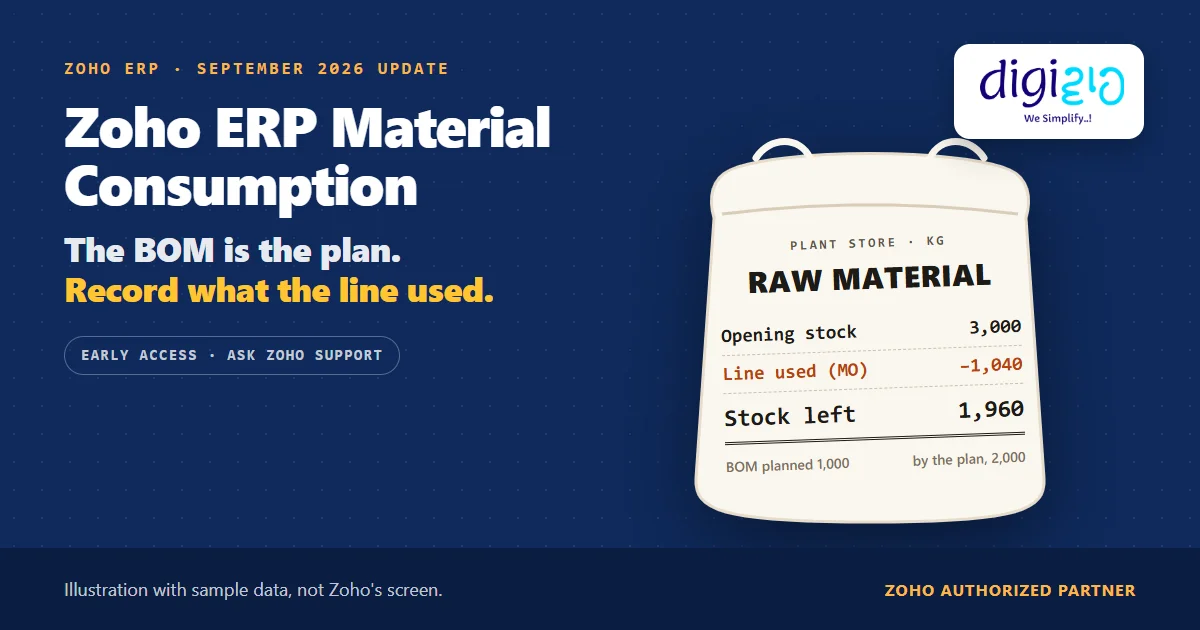
A Manufacturing Order for 2,000 units. The bill of materials plans 1,000 kg of raw material. However, scrap on the line pushes actual use to 1,040 kg.
Until now, the order’s component quantities came from the BOM, so the extra 40 kg had no place on the order. Zoho ERP’s September 2026 update gives it one.
Who this guide is for
This guide is for owners, production planners and store heads who run manufacturing in Zoho ERP, or plan to. If your line ever uses more or less material than the recipe says, it is for you. You will learn how a Manufacturing Order consumes material, what the update changes, the exact window in which you can record the actual quantity, what it updates, and what Zoho has not documented yet.
- The BOM sets the plan. When you enter the Quantity to Produce, Zoho ERP calculates each component quantity from the bill of materials.
- Now you can record what the line used. The update lets you enter the actual consumed quantity of each component when you complete the order.
- The window is narrow. The order must be In Progress with all job cards completed, and you cannot change it after Quality Checks start.
- Stock follows the floor. Updating the quantity also updates component inventory, applies unit conversions and validates serial and batch details.
- Early Access only. You ask Zoho support to enable it for your organisation.
- How does material consumption work on a Manufacturing Order?
- What the September 2026 update changes
- When can you record the actual quantity?
- How to record actual consumption, step by step
- A worked example: 1,000 kg planned, 1,040 kg used
- What it updates, and what it does not
- What Zoho has not documented yet
- Frequently asked questions
How does Zoho ERP material consumption work on a Manufacturing Order?
Zoho ERP’s Understanding Manufacturing Order help describes the order as the place to “plan, track, and manage the production of finished goods.” In other words, it names the item, the quantity, the bill of materials and the timeline.
The quantities come from the BOM. The Create Manufacturing Order help says: “Enter the Quantity to Produce. Based on the entered quantity, the component quantities and operation time will be calculated.” So a BOM for one unit, scaled to 2,000 units, sets the planned use of every component.
Then the order moves through its lifecycle: Draft, Confirmed, Released, In Progress and Completed. Zoho is clear about when stock moves: “Components are consumed once the status changes to In Progress.” Finally, at Completed, “the manufactured item is added to inventory.”
What the September 2026 update changes in Zoho ERP material consumption
Before the update, the order consumed what the plan said. You could add a component “specifically for this Manufacturing Order” when you created it, and you can edit an order only in Draft. However, once production ran, the order had no place for the real figure.
The Zoho ERP product updates for September 2026 add that place: “You can now record the actual quantity consumed for components when completing a manufacturing order. This helps compare planned and actual material usage, improve inventory accuracy, and track material consumption.”
| Before September 2026 | With the update | |
|---|---|---|
| Component quantity on the order | Calculated from the BOM | Still calculated from the BOM, as the plan |
| What the line actually used | No place on the order | Recorded when you complete the order |
| Component stock | Moves by the planned quantity | Updated by the consumed quantity |
| Availability | Standard Manufacturing Order flow | Early Access, enabled by Zoho support |
When can you record Zoho ERP material consumption?
The update sets two conditions and one cut-off: “The consumed quantity can be updated only when the order is In Progress and all related job cards are completed. It cannot be updated after Quality Checks are initiated.”
Job cards matter here. Zoho ERP’s Job Cards help explains that they “break down each operation in a manufacturing order into individual jobs.” You release them from a confirmed order, and each one ends as Completed. Then, if the item has active quality rules, you “click Initiate Quality Checks and complete the manufacturing order.”
So the window sits between the last job card and the first quality check. In practice, that means the store or production team must report the actual figures before QC starts, not after.
How to record actual Zoho ERP material consumption, step by step
The steps below follow Zoho ERP’s Manufacturing Order and Job Cards help, plus the update note. Zoho does not show the screen for the new field, so step 5 names the action, not a button.
-
Ask Zoho support for Early Access
The feature is “currently available under Early Access.” First, ask Zoho support to enable it for your organisation.
-
Create and confirm the order
Next, create the Manufacturing Order from the item’s BOM, enter the Quantity to Produce, and save and confirm it. Zoho ERP calculates the planned component quantities.
-
Release job cards and start production
Then click Release Job Cards. When production starts, the order moves to In Progress and Zoho ERP consumes the components.
-
Complete every job card
Mark each job card as completed, by timer or by entering the actual start and end time. The consumed quantity stays locked until all of them are done.
-
Record the Zoho ERP material consumption
Now, while you complete the order, enter the actual quantity the line used for each component. Do it before anyone initiates Quality Checks.
-
Run quality checks and complete the order
Finally, initiate Quality Checks if the item has active quality rules, and complete the Manufacturing Order.
A worked example: 1,000 kg planned, 1,040 kg used
For example, take one Manufacturing Order for 2,000 units of a finished product (sample data). The raw material store holds 3,000 kg before the order starts.
| Component | BOM plan for 2,000 units | Actual consumed | Difference |
|---|---|---|---|
| Raw material | 1,000 kg | 1,040 kg | +40 kg (+4%) |
| Cartons | 2,000 | 2,000 | None |
| Labels | 2,000 | 2,000 | None |
Raw material left if the order consumes only the BOM plan (3,000 − 1,000)
By the plan · sample data
Raw material left once you record the actual 1,040 kg (3,000 − 1,040)
With the consumed quantity · sample data
The 40 kg went into scrap on the line. Without the update, Zoho ERP showed 2,000 kg in stock while the shelf held 1,960. As a result, someone found the gap later, at a stock count.
With the consumed quantity recorded, the system shows 1,960 kg on the day. In addition, as Zoho puts it, you can now “compare planned and actual material usage”, so the 4% gap shows up on the day instead of at the next count.
Does your stock drift away from your BOM every month? We will set up Manufacturing Orders, job cards and consumption recording in Zoho ERP, and agree who on the floor reports the actual figures.
What actual Zoho ERP material consumption updates, and what it does not
According to the update, “Updating the quantity also updates component inventory, applies unit conversions, and validates serial and batch details.” So three things happen:
- Component inventory. Stock moves by the actual quantity, not the plan.
- Unit conversions. Zoho ERP applies them, but the update does not list which conversions or how.
- Serial and batch details. Zoho ERP validates them. This matters if you also use Zoho ERP batch tracking, because batch details already become mandatory once an order moves to In Progress.
On the other hand, two things are not stated. First, the update does not say the consumed quantity feeds the order’s Cost Overview. That screen calculates estimated cost “based on the planned component quantities,” and actual cost “only after the manufacturing order is completed.” Second, the BOM Efficiency report is not a material report. Its help page defines efficiency as “(Standard Time ÷ Actual Time) × 100”, so it compares time, not kilograms.
From the implementation floor
The software step takes seconds. The hard part is getting a weighed figure to the person completing the order before QC starts. So we usually give the line supervisor a short end-of-batch slip: component, planned, actual, reason. Then the reason column, not the system, tells you whether the BOM needs a change or the line needs attention. A gap that repeats on every order usually means the BOM is wrong.
What Zoho has not documented about Zoho ERP material consumption yet
The update is one paragraph long. Based on Zoho ERP’s pages as of October 21, 2026, these points are still open:
- The DFI line. The note under this feature also says it is “only available for organizations using DFI (Direct feed integration) card feeds.” The same sentence appears under a Zoho Expense card feature in the same post. Since DFI card feeds are bank card transactions, ask Zoho support to confirm whether it applies when you request access.
- No screen or field name. The update says you record the quantity “when completing a manufacturing order,” but it does not show where.
- No cost effect stated. It does not say whether the actual quantity changes the Cost Overview or the order’s journal.
- No variance report. It says the feature “helps compare planned and actual material usage,” but it names no report for that comparison.
- No failure rules. It does not say what happens if serial or batch validation fails.
None of these stop you from asking for access today. Rather, they are points to test in a sandbox with your own BOMs, which is the kind of work a Zoho ERP implementation partner should do before your floor depends on it.
Related reading: BOM in ERP, Zoho ERP quality inspection, inventory management in ERP, and every change in the September 2026 update.
Frequently asked questions about Zoho ERP material consumption
Can I record actual material consumption on a Manufacturing Order in Zoho ERP?
Yes, since the September 2026 update. You can “record the actual quantity consumed for components when completing a manufacturing order.” The feature is in Early Access, so you first ask Zoho support to enable it for your organisation. Once you record it, component inventory updates to the actual quantity.
When can I update the consumed quantity in Zoho ERP?
Only while the Manufacturing Order is In Progress and all its job cards are completed. Zoho’s update also says the quantity “cannot be updated after Quality Checks are initiated.” So record it after the last job card and before quality checks start.
When does a Manufacturing Order consume components in Zoho ERP?
Zoho ERP’s help says “Components are consumed once the status changes to In Progress.” The planned quantities come from the bill of materials, scaled to the Quantity to Produce. The new consumed-quantity option then lets you correct that to what the line actually used.
Does the actual consumed quantity change stock in Zoho ERP?
Yes. Zoho’s update says “Updating the quantity also updates component inventory, applies unit conversions, and validates serial and batch details.” In the example above, raw material stock reads 1,960 kg instead of 2,000 kg after you record 1,040 kg against a 1,000 kg plan.
Does the BOM Efficiency report show material variance?
No. Zoho ERP’s BOM Efficiency report compares operation time: “BOM Efficiency (%) = (Standard Time ÷ Actual Time) × 100.” It does not compare kilograms or units of material. The consumption update says it helps compare planned and actual usage, but Zoho names no report for that yet.
Is actual consumption available on every Zoho ERP plan?
Zoho names no plan for this feature. Instead, it says the feature is “currently available under Early Access” and asks you to contact support to enable it. The note also mentions DFI card feeds, which look unrelated to manufacturing, so confirm availability with Zoho support.
Conclusion
In short, Zoho ERP material consumption no longer has to stop at the plan. The BOM still says what the line should use, and now the order can also record what it did use, so stock matches the floor. The setting is small. The real change is a habit: weigh, report and record before QC starts.
So, one question for your next production review: how far is your stock from your BOM?
Make stock match what the line used
Digiwah, a Zoho Authorized Partner, sets up BOMs, Manufacturing Orders, job cards and consumption recording in Zoho ERP, and trains your store and production teams to use them.
Prefer to write? Send us how your floor runs today.
